

Image to pdf: easy converter
Image to pdf: easy converter is made and published by Mahesh Bansode. AppBrain is an independent app data site and isn't affiliated with Mahesh Bansode. The app name, icon, screenshots and description belong to Mahesh Bansode and are shown as published on the App Store.
AppBrain's verdict
- Rating on App Store
- 4.29
- 14 ratings
- Last updated
- September 7, 2026
It doesn't have enough ratings yet to judge what users think.
Rankings
App Store top chartsApp Store Rankings for Image to pdf: easy converter
Competitors
Similar apps and more from Mahesh BansodeMore from Mahesh Bansode


Releases
Updates seen on the App Store- Version
- 1.1.5
- Launched
- June 2025
No changelog data
User feedback
Ratings and reviews on the App StoreComments on Image to pdf: easy converter for iOS
We don't have enough comments to show example comments. Please check back later.
Technology
Found in the app by AppBrain- Price
- Free
- App size
- 39.7 MB
- Content rating
- Everyone
Technologies used by Image to pdf: easy converter
About the app and developer
About Image to pdf: easy converter
Image to pdf: easy converter is a productivity app developed by Mahesh Bansode.
What is the rating of Image to pdf: easy converter?
Image to pdf: easy converter is rated 4.29 out of 5 stars, based on 14 ratings.
Is Image to pdf: easy converter free?
Image to pdf: easy converter is free. The app size is 39.65 MB. The latest version available is 1.1.5. The last update was on September 7, 2026.
What are the requirements for Image to pdf: easy converter?
The app has a content rating of Everyone. The app has been available on the App Store since June 2025.
Developer information for Mahesh Bansode
Address:
Store listing
By Mahesh Bansode, from the App Store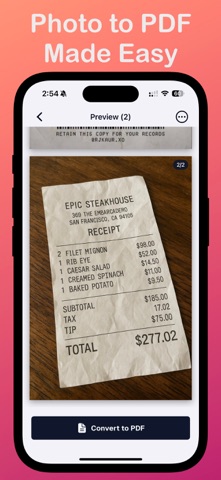

Description by Mahesh Bansode Written by the developer, not by AppBrain. Click to read.
Looking for a lightweight, private, and powerful app to turn your images into PDFs? Meet Image to PDF Converter your all-in-one tool for quickly creating, editing, organizing, and sharing PDFs from your photos. With a clean black and white interface, offline capability, and zero ads, this app makes it effortless to go from image to document in seconds.
Whether you're scanning documents, converting receipts, organizing handwritten notes, or creating professional PDFs from images this app is built to keep things fast, clutter-free, and easy to use.
Convert, Customize, Share
Convert any image to PDF simply select your photos, choose a layout, adjust settings like orientation and paper size, and hit Convert. It's that simple. The app supports popular image formats including JPG, PNG, and HEIC.
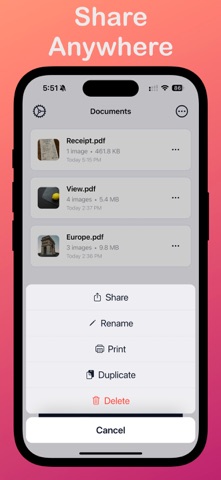
Once converted, your PDFs are instantly viewable and ready for any task: share, print, rename, duplicate, or organize them right from the app.
Key Features That Just Work
Image to PDF Conversion
Select one or multiple images and convert them into a high-quality PDF file.
Supports JPG, PNG, HEIC, and other common formats.
Works fully offline your data stays on your device.
Edit Before You Export
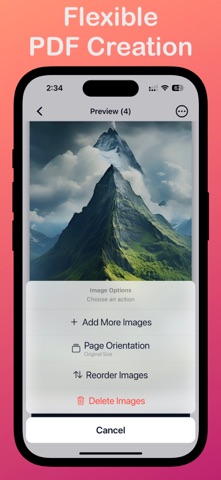
Reorder images before conversion with simple drag and drop.
Delete unnecessary images easily within the project.
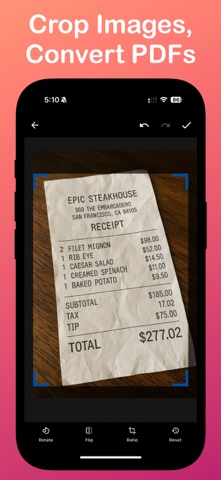
Basic image editing lets you crop and adjust before converting.
PDF Management Made Simple
Rename PDFs right in the app no file manager needed.
Duplicate any PDF in one tap for backups or templates.
Delete multiple PDFs at once to keep things organized.
Easy Sharing and Printing
Share a single PDF or select multiple PDFs to send at once via email, messaging apps, or cloud drives.
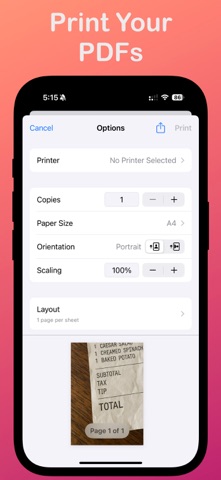
Print PDFs directly from your phone to any AirPrint-compatible printer.
Custom Layouts and Orientation
Choose from multiple paper sizes like A4, Letter, Legal, Executive, and more.
Set the orientation to portrait or landscape depending on your need.
Dark Mode for Better Focus
Comes with a beautiful dark theme to reduce eye strain and save battery on OLED screens.
Why Use This App
No Ads. Ever. No interruptions, no pop-ups. Just clean productivity.
Privacy First. Everything stays on your device. No uploads, no tracking.
Offline Ready. No internet? No problem. Every feature works completely offline.
Minimal Interface. Designed with simplicity in mind. Focus on your work, not the UI.
Fast and Reliable. Create PDFs in seconds, manage them with ease.
Use Cases
Scan and save receipts for budgeting or reimbursements
Convert handwritten notes to neatly organized PDFs
Submit assignments or documents in professional format
Archive travel documents or passport photos quickly
Create multi-page PDFs from your photo gallery or camera
Print ID photos or forms from your phone on the go
Whether you're a student, professional, freelancer, or just someone who likes keeping things neat this app has all the tools you need, without any unnecessary extras.
Start converting your photos to clean, professional-looking PDFs anytime, anywhere.
Download now and get more done, with less friction.
Terms of use: https://www.apple.com/legal/internet-services/itunes/dev/stdeula/