It doesn't have enough ratings yet to judge what users think.
Invoice & Receipt Maker: Quick is made and published by
JARI EELIS.
AppBrain is an independent app data site and isn't affiliated with JARI EELIS.
The app name, icon, screenshots and description belong to JARI EELIS and are shown as
published on the App Store.
About Invoice & Receipt Maker: Quick
Invoice & Receipt Maker: Quick is an utilities app developed by JARI EELIS.
User Ratings
Invoice & Receipt Maker: Quick is rated 1.00 out of 5 stars. The rating is based on one rating ratings.
App Information
Invoice & Receipt Maker: Quick is freely available from the App Store. The app size is 28.80 MB. The latest version available is 1.0.0. The last update was on February 16, 2026.
Technical Requirements
The app has a content rating of Everyone. The app has been available on the App Store since February 2026.
Description by JARI EELIS(from the App Store)
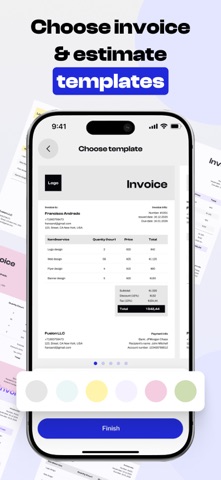
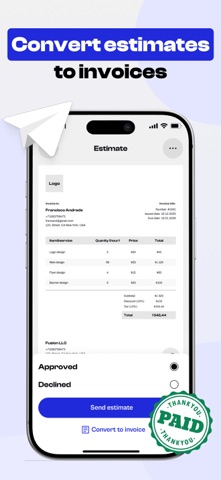
Invoice & Receipt Maker helps you create professional invoices and receipts quickly and easily. Designed for freelancers, small businesses, and professionals, the app simplifies billing and keeps your records organized.
Create branded invoices, manage clients, track payments, and share documents in just a few taps. With flexible templates and automatic calculations, you can save time, reduce errors, and get paid faster.
Invoice & Receipt Maker is a simple, reliable solution for managing your invoicing anytime, anywhere.
Key Benefits * Create professional invoices and receipts instantly * Customize templates with your business details and branding * Track payments and outstanding balances accurately * Manage clients, products, and services in one place * Export and share documents securely in multiple formats
Subscription Information: - Payment. Charges apply to your iTunes Account at purchase confirmation. - Auto-Renewal. Subscriptions renew automatically unless canceled at least 24 hours before the current period ends. - Renewal Charges. Your account will be charged for renewal within 24 hours prior to the end of the current period, based on the selected plan. - Manage Your Subscription. Go to your Account Settings after purchase to handle auto-renewal and other preferences.
Privacy Policy: https://telegra.ph/Privacy-policy-02-06-95 Terms Of Use: https://telegra.ph/Terms-of-use-02-06-4
Each subscription will automatically renew 3 days before the expiration date for
the same time period. Subscriptions can be cancelled at any time before the renewal.