Ipswich Grammar School is an overall app developed by Ipswich Grammar School.
Download Statistics
User Ratings
Ipswich Grammar School is rated 5.00 out of 5 stars. The rating is based on one rating ratings.
App Information
Ipswich Grammar School is FREE to download. The APK download size is 27.80 MB. The latest version available is 7.0.0. The last update was on January 12, 2025.
Technical Requirements
The app has a content rating of Everyone. The app has been available on Google Play March 2016.
Description
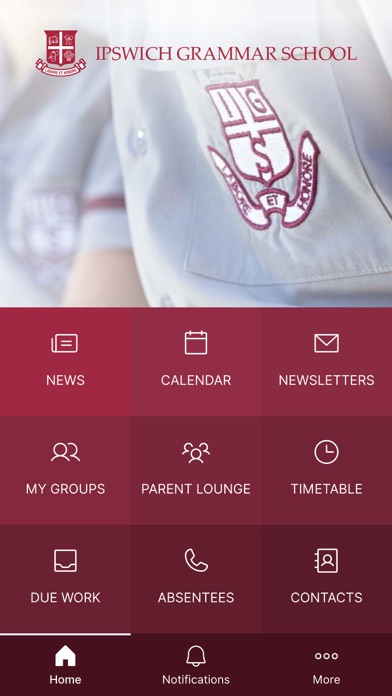
The Ipswich Grammar School App is developed in partnership with Digistorm Education and Alaress. It is designed to give parents, students and teachers a seamless environment with ready access to important information about events and daily activities at the School, as well as key contact details. The IGS App provides an easy way to access personalised content and communication from the School’s online environment, Schoolbox.
Key features:
The Dashboard: The dashboard provides an overview of the latest notices, unread notices, timetables for staff and students and a timeline view of the day’s events.
Messages: The messages section provides notifications of activity within Schoolbox. As content is added to groups that you are a member of and follow, you will receive a notification that will allow you to click through to the relevant Schoolbox page. Push notifications can be configured and used.
Calendar: The School Calendar contains details on events and key dates at the School. Click on the event to see further details and information or search for an event. The calendar can also be used as an eDiary with students having the ability to add homework tasks for completion. The calendar menu item will show how many events are in your calendar for that day.
Work: Students and staff will see a reminder in the app to any due work and its relevant date within Schoolbox.
Notices: The notices section contains daily communication from the School to parents, students and staff. The IGS App means you will receive the communication relevant to you.
Timetable: Parents, students and staff can see a copy of their 10 day timetable with an easy to read view of the current day’s timetable. By clicking on the class, students and staff will be able to access the class’ Schoolbox page.
Contacts: Call and email the school directly from IGS App. All key contact details are listed. You can also email and notify your child’s absence through the app.
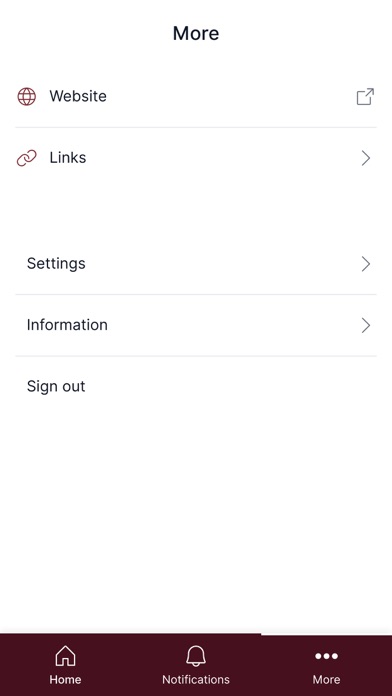
Links: Links to other frequency used online sites for parents, students and staff are provided here for easy access.
Settings: Settings allows you to review your settings and turn on push notifications. Clicking on notifications allows you to review your Message Settings in Schoolbox that will apply for both Schoolbox and the IGS App. From here you can choose the frequency and method for a range of different content within Schoolbox, as well as choose to follow groups to receive messages.
Each subscription will automatically renew 3 days before the expiration date for
the same time period. Subscriptions can be cancelled at any time before the renewal.