

IPTV fast is made and published by 丽娜 夏. AppBrain is an independent app data site and isn't affiliated with 丽娜 夏. The app name, icon, screenshots and description belong to 丽娜 夏 and are shown as published on the App Store.
AppBrain's verdict
Established- Rating on App Store
- 2.33
- 3 ratings
- Last updated
- January 7, 2026
- Size
- 5.89 MB
It doesn't have enough ratings yet to judge what users think.
User feedback
Ratings and reviews on the App StoreComments on IPTV fast for iOS
We don't have enough comments to show example comments. Please check back later.
Store listing
By 丽娜 夏, from the App Store

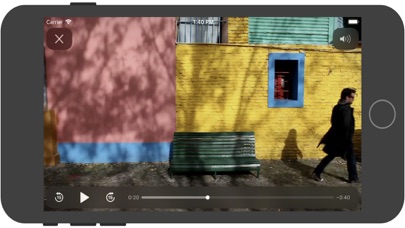

Description by 丽娜 夏 Written by the developer, not by AppBrain. Click to read.
Support M3U playlist formats, TXT playlist formats.
If you ever want to play M3U streams, if you need player supporting these live or non-live streams, the IPTV fast is a solution for these requirements.
- Built-in powerful player, No need to look for third party player to support these formats.
- Support Local M3U and TXT playlists, user can add playlists to their device
via iTunes's file sharing function (connecting their device to iTunes, then add playlists to its file sharing document).
- Support Remote playlists, user can add their http remote playlists.
Features
- Support m3u8 TV/Radio live or non-live stream, you can custom your own TV/Radio channel.
- Support TXT and M3U playlist.
- Support media formats such as m3u8, mp4, mp3. . . . . .
- Download Remote playlists to Local.
- Support My Favorites.
How it works?
1. Make your own playlist
1A. Make your own TXT playlist
Name your playlist as xxx.txt, then edit and save your file in format as below:
TV or Radio Channel,Media Source Link
One line one TV or Radio channel (do not forget The comma)
For example:
(line 1) TV 1,http://streamer.oodlz.it/hls/livestream.m3u8
(line 2) TV 2,http://stream.1music.hu/stream/1music.m3u8
(line 3) Radio 1,http://icestreaming.rai.it/1.mp3
etc. . . . . .
(Save your xxx.txt file as UTF-8)
1B. Make your own M3U playlist (format 1)
Name your playlist as xxx.txt, then edit and save your file in format as below:
#EXTM3U
#EXTINF:-1 tvg-logo=”sample.png” group-title=”No group”,Channel 1
Channel 1,https://edge.music-choice-play-chaina/play/chunklist.m3u8
#EXTINF:-1 tvg-logo=”sample.png” group-title=”No group”,Channel 2
Channel 2,https://nhkworld.webcdn.stream.ne.jp/live_wa_s.m3u8
#EXTINF:-1 tvg-logo=”sample.png” group-title=”No group”,Channel 3
Channel 3,http://77.89.199.174:81/hls/live2.m3u8
etc. . . . . .
Save your xxx.txt file as UTF-8 format, then change its extension from xxx.txt to xxx.m3u.
1C. Make your own M3U playlist (format 2)
Name your playlist as xxx.txt, then edit and save your file in format as below:
#EXTM3U
#EXTINF:-1 tvg-logo=”sample.png” group-title=”No group”,Channel 1
https://edge.music-choice-play-chaina/play/chunklist.m3u8
#EXTINF:-1 tvg-logo=”sample.png” group-title=”No group”,Channel 2
https://nhkworld.webcdn.stream.ne.jp/live_wa_s.m3u8
#EXTINF:-1 tvg-logo=”sample.png” group-title=”No group”,Channel 3
http://77.89.199.174:81/hls/live2.m3u8
etc. . . . . .
Save your xxx.txt file as UTF-8 format, then change its extension from xxx.txt to xxx.m3u.
2. Add your xxx.txt or xxx.m3u file to your device
2A. Add local playlists to your device
First, connecting your device t your computer,
(1) If your macOS is earlier than Catalina, Open iTunes, click file sharing find the IPTV fast, add your playlist to its file share document.
(2) If your macOS is Catalina or Big Sur or later, use Finder, you can drag your playlist to IPTV fast's file share document.
2B. Download remote playlist
First, upload your playlist the a website, get its download url, If all this done, open IPTV fast, enter your playlist download url, press download.
3. Relax and watch your favorite shows on your device
DISCLAIMER
- IPTV fast does not supply or include any media or content.
- IPTV fast has no affiliation with any third-party provider what so ever.
- Users must provide their own contents.
- I do not endorse the streaming of copyright protected material without permission of the copyright holder.
Safety and technology
Found in the app by AppBrain- Price
- Free
- App size
- 5.89 MB
- Content rating
- Everyone
Technologies used by IPTV fast
Releases
Updates seen on the App Store- Version
- 22.0
- Launched
- November 2018
No changelog data
Alternatives
Similar apps and more from 丽娜 夏Alternatives to IPTV fast

More from 丽娜 夏


Rankings
App Store top chartsApp Store Rankings for IPTV fast
About the app and developer
About IPTV fast
IPTV fast is an entertainment app developed by 丽娜 夏.
User Ratings
IPTV fast is rated 2.33 out of 5 stars. The rating is based on 3 ratings.
App Information
IPTV fast is freely available from the App Store. The app size is 5.89 MB. The latest version available is 22.0. The last update was on January 7, 2026.
Technical Requirements
The app has a content rating of Everyone. The app has been available on the App Store since November 2018.
Developer information for 丽娜 夏
Address:
Frequently asked questions about IPTV fast
Is IPTV fast free?
Yes. IPTV fast is free on the App Store.
Is IPTV fast still available?
Yes. IPTV fast is on the App Store, and the last update we saw was on January 7, 2026.
How large is IPTV fast?
IPTV fast is 5.89 MB.
Is IPTV fast suitable for children?
App Store rates the content of IPTV fast as suitable for everyone.
How do people rate IPTV fast?
IPTV fast scores 2.33 out of 5 stars, from 3 ratings on the App Store.
Who made IPTV fast?
IPTV fast was developed by 丽娜 夏. It is listed in the entertainment category on the App Store.
What are the best alternatives to IPTV fast?
People looking at IPTV fast also look at these entertainment apps: 湖南IPTV手机版.