

irBoard Lite
irBoard Lite is made and published by ITO SOFT DESIGN Inc. AppBrain is an independent app data site and isn't affiliated with ITO SOFT DESIGN Inc. The app name, icon, screenshots and description belong to ITO SOFT DESIGN Inc. and are shown as published on the App Store.
AppBrain's verdict
- Last updated
- October 12, 2026
- Size
- 40.1 MB
User feedback
Ratings and reviews on the App StoreComments on irBoard Lite for iOS
We don't have enough comments to show example comments. Please check back later.
Store listing
By ITO SOFT DESIGN Inc., from the App Store


Description by ITO SOFT DESIGN Inc. Written by the developer, not by AppBrain. Click to read.
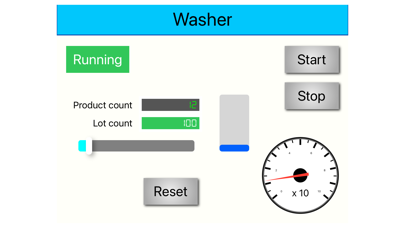
The control device known as a PLC (Programmable Logic Controller) has communication protocols. irBoard Lite communicates with PLCs via its protocol.
Additionally, it has the capability to communicate effectively with IoT devices, specifically the ESP32 device at present.
You don’t need additional software besides irBoard Lite because the screen editor is already included.
=====================================
irBoard Lite is a limited version of irBoard.
The Lite edition allows users to connect to only one project per day and the launch page only with a maximum of ten items.
And importing a project is not allowed.
To lift these limitations, you can either acquire an unlock item or redeem a ticket to access for four hours.
=====================================
FEATURE:
- You can conveniently monitor the status and operation of FA equipment and IoT devices.
- Although the FA equipment has fixed touch panels installed, the irBoard Lite on iOS devices offers superior portability.
- It is possible to remotely check the status of a device in PLCs.
- To ensure safety, manipulating connected PLC devices is only allowed on a single iOS device.
- By switching projects, you can easily connect to multiple FA machines using just one iOS device.
- irBoard Lite supports the following PLCs via Ethernet connection: MITSUBISHI Electric, KEYENCE, OMRON, and YOKOGAWA Electric, and support Modbus/TCP.
- It can also connect to an open-source PLC LadderDrive running on Raspberry Pi. (https://github.com/ito-soft-design/ladder_drive)
- The irBoard Library for ESP32 library supports ESP32 devices.(https://github.com/ito-soft-design/irboard_esp32)
- The irBoard.NET library supports Windows .NET applications.(https://github.com/ito-soft-design/irboard-dotnet)
- Using the LadderDrive protocol, allows for communication with IoT devices such as ESP32 without any difficulty.
- The screen editor has already been included. it is easy for you to make modifications to the pages.
=====================================
--- Notes ---
With irBoard Lite, you have the ability to turn devices on and off. If you require the interlocking of PLC-controlled devices, it is necessary to configure this on the PLC. To ensure safety, we suggest setting the status of such devices to read-only.
You can monitor the health status to determine if the connection is stable. If the connection is lost, it’s important to take precautionary measures when operating your PLC.
=====================================
Safety and technology
Found in the app by AppBrain- Price
- Free
- App size
- 40.1 MB
- Content rating
- High
Technologies used by irBoard Lite
Releases
Updates seen on the App Store- Version
- 3.1
- Launched
- September 2015
No changelog data
Alternatives
Similar apps and more from ITO SOFT DESIGN Inc.Alternatives to irBoard Lite








More from ITO SOFT DESIGN Inc.






Rankings
App Store top chartsApp Store Rankings for irBoard Lite
About the app and developer
About irBoard Lite
irBoard Lite is a productivity app developed by ITO SOFT DESIGN Inc.
User Ratings
The app has no ratings yet.
App Information
irBoard Lite is freely available from the App Store. The app size is 40.09 MB. The latest version available is 3.1. The last update was on October 12, 2026.
Technical Requirements
The app has a content rating of High Maturity. The app has been available on the App Store since September 2015.
Developer information for ITO SOFT DESIGN Inc.
Address: