

iSignatureSuite
iSignatureSuite is made and published by StepOver International GmbH. AppBrain is an independent app data site and isn't affiliated with StepOver International GmbH. The app name, icon, screenshots and description belong to StepOver International GmbH and are shown as published on the App Store.
AppBrain's verdict
- Last updated
- September 3, 2026
Rankings
App Store top chartsApp Store Rankings for iSignatureSuite
Competitors
Similar apps and more from StepOver International GmbHAlternatives to iSignatureSuite



More from StepOver International GmbH

Releases
Updates seen on the App Store- Version
- 6.4
- Launched
- August 2015
No changelog data
User feedback
Ratings and reviews on the App StoreComments on iSignatureSuite for iOS
We don't have enough comments to show example comments. Please check back later.
Technology
Found in the app by AppBrain- Price
- Free
- App size
- 13.2 MB
- Content rating
- Everyone
Technologies used by iSignatureSuite
About the app and developer
About iSignatureSuite
iSignatureSuite is a productivity app developed by StepOver International GmbH.
What is the rating of iSignatureSuite?
iSignatureSuite has no ratings yet.
Is iSignatureSuite free?
iSignatureSuite is free. The app size is 13.23 MB. The latest version available is 6.4. The last update was on September 3, 2026.
What are the requirements for iSignatureSuite?
The app has a content rating of Everyone. The app has been available on the App Store since August 2015.
Developer information for StepOver International GmbH
Address:
Frequently asked questions about iSignatureSuite
Is iSignatureSuite free?
Yes. iSignatureSuite is free on the App Store.
Is iSignatureSuite still available?
Yes. iSignatureSuite is on the App Store, and the last update we saw was on September 3, 2026.
How large is iSignatureSuite?
iSignatureSuite is 13.23 MB.
Is iSignatureSuite suitable for children?
App Store rates the content of iSignatureSuite as suitable for everyone.
Who made iSignatureSuite?
iSignatureSuite was developed by StepOver International GmbH. It is listed in the productivity category on the App Store.
What are the best alternatives to iSignatureSuite?
People looking at iSignatureSuite also look at these productivity apps: Foxit eSign, UniBridge, RETeval Barcode Generator, SmartSuite App, Intuitive Password®.
Store listing
By StepOver International GmbH, from the App Store
Description by StepOver International GmbH Written by the developer, not by AppBrain. Click to read.
This product is a stand-alone, free signature app and does not require any additional third-party software (such as Adobe Acrobat). However, this signature capturing app is also available to integrators as a component for their own apps.
It is necessary to have an account with a webSignatureOffice server (www.webSignatureOffice.com) in order to run iSignatureSuite.
Input:
• PDF/A documents created by the customer (via webSignatureOffice server)
• It is also possible for the above PDF documents to have customer-defined signature fields
• It is also possible for the above PDF documents to have customer-created form fields
Output:
• When the outgoing document is PDF/A compliant, the document remains PDF/A compliant after signing
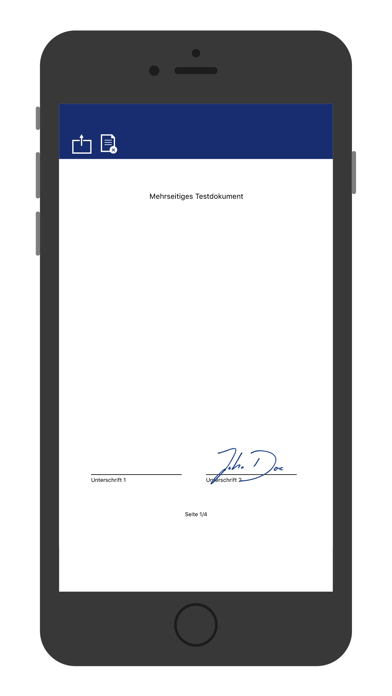
• ISO-compliant PDF signatures - can be checked using all standard products (e.g. Adobe Reader) and enables interoperability with other signature processes and programmes which conform with the standards
• Capture a handwritten electronic signature using an iPad
Ability to customise / integrate:
• Can also be fully integrated into customer apps as a component
Ease of use and user-friendliness:
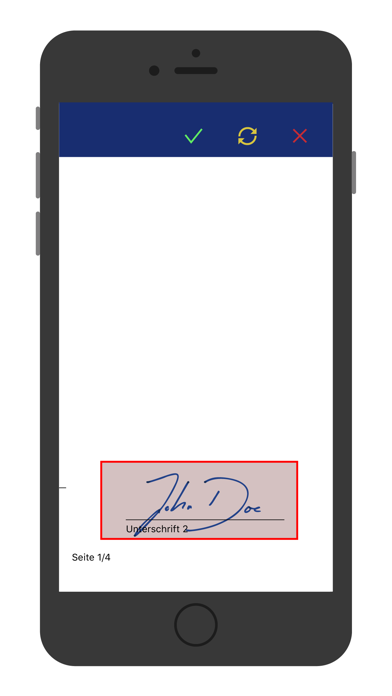
• Sign directly in the document (no separate signature window)
• Preview of the selected PDFs
• Allows browsing, zooming and continuous scrolling of PDF documents
• Filling out of PDF form fields and supports check boxes, radio buttons and drop-down menus
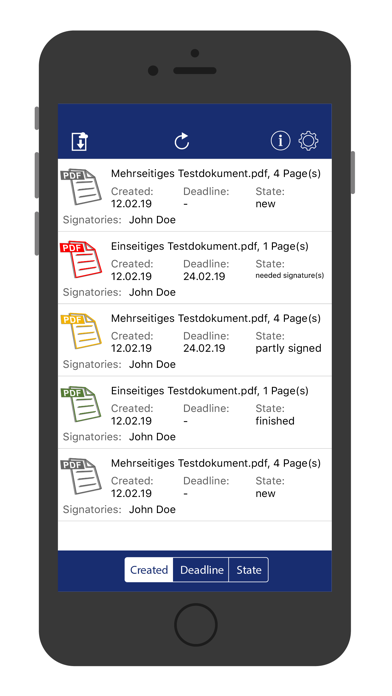
• Clear document management with status tracking, automatic reminder (for all signatories)
Automation:
• Template management (saving documents for re-use, including signature templates)
• Intelligent signature templates (e.g. automated positioning of signature fields, even for dynamic documents, e.g. using key words)
• Jumps automatically to the signature fields during the signing process and zooms in if necessary
• Handles compulsory and optional signature fields differently (stop at compulsory field = stop the whole signing process)
Security:
• Supports encryption on the iPad using biometric data with RSA 2048 Bit
• Delayed signing is possible at any time without compromising safety
• Form fields automatically locked once signed
• Signatures provided can easily be checked (using Adobe Acrobat Reader)
• Secure communication over https
By using the Apple Pencil and iSignatureSuite, you can now detect the pressure distribution of your signature, and your typeface is also detected more clearly. The Apple Pencil is currently only compatible with the iPad Pro.