
JPEG to PDF Converter
JPEG to PDF Converter is made and published by Daniel Triay Pons. AppBrain is an independent app data site and isn't affiliated with Daniel Triay Pons. The app name, icon, screenshots and description belong to Daniel Triay Pons and are shown as published on the App Store.
AppBrain's verdict
- Rating on App Store
- 5.00
- 3 ratings
- Last updated
- March 19, 2024
- Size
- 76.3 MB
It doesn't have enough ratings yet to judge what users think.
User feedback
Ratings and reviews on the App StoreComments on JPEG to PDF Converter for iOS
We don't have enough comments to show example comments. Please check back later.
Store listing
By Daniel Triay Pons, from the App Store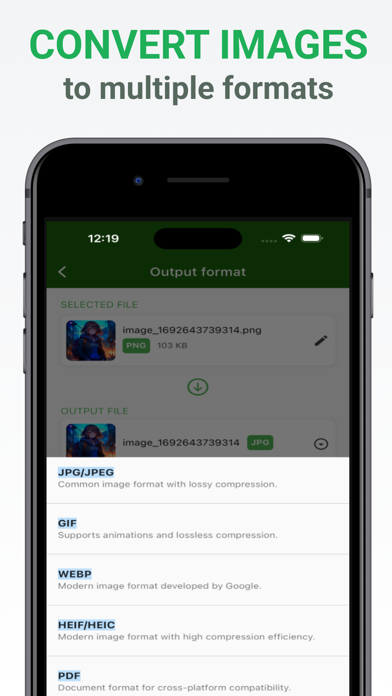
Description by Daniel Triay Pons Written by the developer, not by AppBrain. Click to read.
Are you tired of struggling with incompatible image formats? Need to convert images quickly and hassle-free? Look no further! Introducing Image Converter, the ultimate app for all your image format conversion needs. Say goodbye to format limitations and hello to seamless image conversion at your fingertips.
Key Features:
Wide Range of Supported Formats: Image Converter supports a comprehensive list of image formats, including PNG, JPG, JPEG, TIFF, BMP, GIF, WebP, HEIC, and HEIF. Whether you're working with photos, illustrations, or graphics, we've got you covered.
Local Conversion: Your privacy matters to us! Image Converter ensures that all your image conversions happen right on your device. We do not upload your images to external servers, guaranteeing the security of your valuable files.
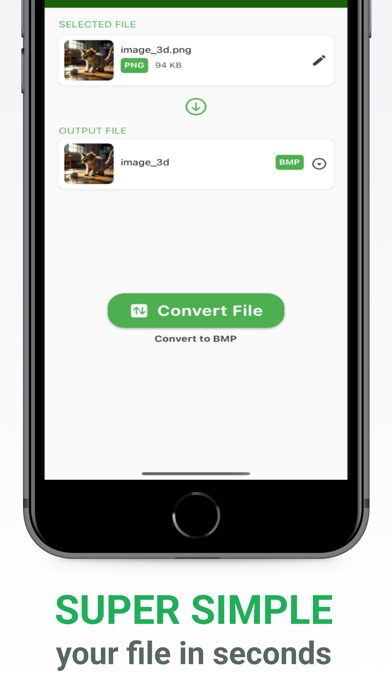
Easy-to-Use Interface: Our user-friendly interface is designed for simplicity and efficiency. You don't need to be a tech wizard to use Image Converter. Just select your files, choose the output format, and let the app handle the rest.
File Renaming: Customize your files with ease. Before converting, you have the option to rename your images to make them more organized and meaningful.
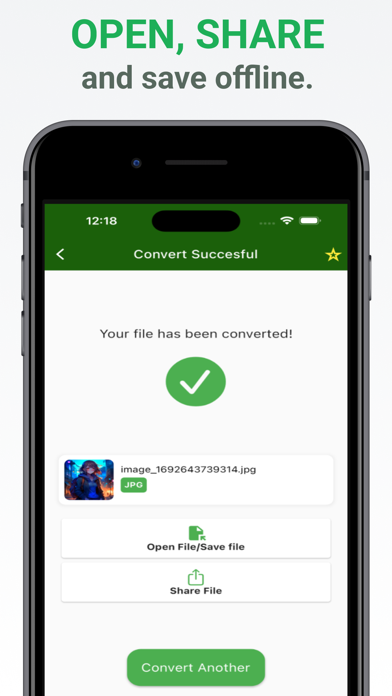
Share with Ease: Once your images are converted, you can easily share them with friends, family, or colleagues. No need to fumble with complex sharing options; Image Converter streamlines the process.
Batch Conversion: Save time by converting multiple images at once. Our batch conversion feature lets you process several files simultaneously, making it ideal for larger projects.
File Management: Image Converter includes a built-in file manager, allowing you to organize your converted images effortlessly. Sort, view, and manage your files conveniently.
Privacy and Security: We take your privacy seriously. Your images are never stored or transmitted to external servers. Image Converter operates locally on your device, ensuring complete data privacy.
Use Cases:
- Convert high-resolution images to smaller formats for easy sharing via email or social media.
- Change image formats to fit specific application requirements.
- Convert scanned documents into various formats for improved accessibility.
- Rename and organize photos for better file management.
With Image Converter, the possibilities are endless. Whether you're a professional graphic designer, a photography enthusiast, or simply someone who needs to convert images occasionally, our app empowers you to take control of your image files.
Unlock the full potential of your images by transforming them effortlessly between formats. Image Converter is your reliable, on-the-go solution for all your image conversion needs.
Experience the convenience, security, and versatility of Image Converter today. Download now and start converting your images like a pro!
Your feedback is valuable to us. If you have any questions, suggestions, or concerns, please reach out to our dedicated support team at [insert contact email address]. We are committed to delivering the best image conversion experience possible.
Get ready to convert, rename, and share your images with ease! Image Converter is your ultimate image format companion.
Terms of use: https://www.apple.com/legal/internet-services/itunes/dev/stdeula/
Safety and technology
Found in the app by AppBrain- Price
- Free
- App size
- 76.3 MB
- Content rating
- Everyone
Technologies used by JPEG to PDF Converter
Releases
Updates seen on the App Store- Version
- 1.2.0
- Launched
- September 2023
No changelog data
Alternatives
Similar apps and more from Daniel Triay PonsAlternatives to JPEG to PDF Converter




More from Daniel Triay Pons




Rankings
App Store top chartsApp Store Rankings for JPEG to PDF Converter
About the app and developer
About JPEG to PDF Converter
JPEG to PDF Converter is an utilities app developed by Daniel Triay Pons.
User Ratings
JPEG to PDF Converter is rated 5.00 out of 5 stars. The rating is based on 3 ratings.
App Information
JPEG to PDF Converter is freely available from the App Store. The app size is 76.29 MB. The latest version available is 1.2.0. The last update was on March 19, 2024.
Technical Requirements
The app has a content rating of Everyone. The app has been available on the App Store since September 2023.
Developer information for Daniel Triay Pons
Address: