



AppBrain's verdict
EstablishedWell rated- Rating on App Store
- 4.42
- 214 ratings
- Last updated
- March 19, 2025
- Size
- 15.7 MB
Users rate it well: 4.4 stars from 214 ratings.
User feedback
Ratings and reviews on the App StoreComments on Photo PDF: Converter & Printer for iOS
We don't have enough comments to show example comments. Please check back later.
Store listing
By Fitness Labs, from the App StoreDescription by Fitness Labs Written by the developer, not by AppBrain. Click to read.
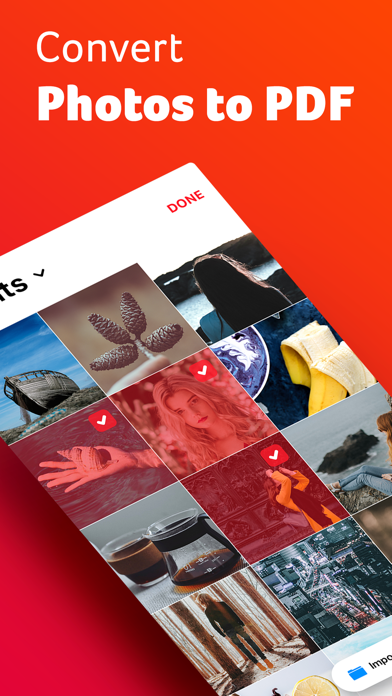
| Select your Photos.
Select up to 20 photos from your gallery or iCloud.
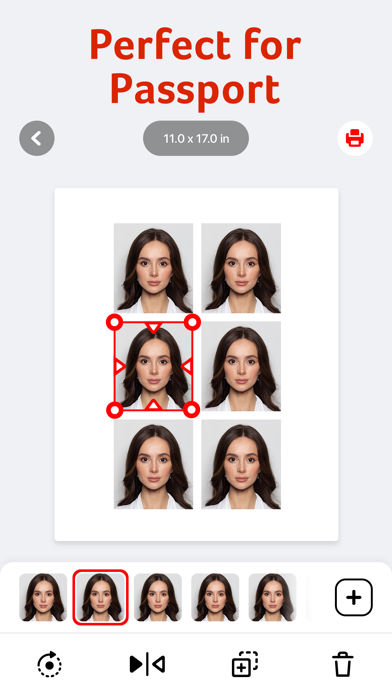
| 40 Page Sizes.
Select from our database of 40 standard page sizes for printing.
Add your own custom size for your printer or frame.
| Custom Layout
Rearrange your photos in a custom layout. Easily move photos in any part of the page. Crop your images to the desired size.
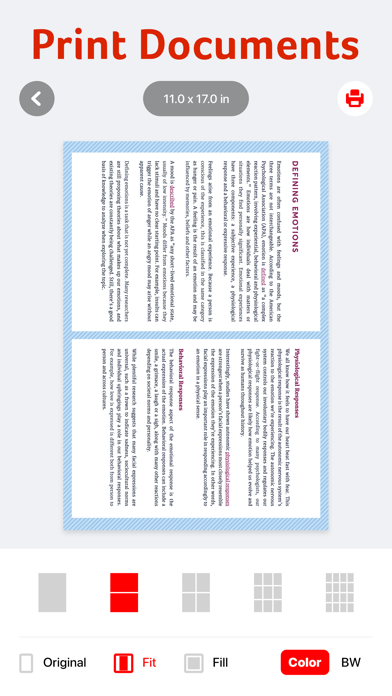
| Export to PDF
Export your canvas in PDF. Share it via Airdrop, email, or your contacts.
Print it directly from your phone on your wireless printer.
Safety and technology
Found in the app by AppBrain- Price
- Free
- App size
- 15.7 MB
- Content rating
- Everyone
Technologies used by Photo PDF: Converter & Printer
Releases
Updates seen on the App Store- Version
- 1.1.0
- Launched
- September 2021
No changelog data
Alternatives
Similar apps and more from Fitness LabsAlternatives to Photo PDF: Converter & Printer




More from Fitness Labs


Rankings
App Store top chartsApp Store Rankings for Photo PDF: Converter & Printer
About the app and developer
About Photo PDF: Converter & Printer
Photo PDF: Converter & Printer is an utilities app developed by Fitness Labs.
User Ratings
Photo PDF: Converter & Printer is rated 4.42 out of 5 stars. The rating is based on 210 ratings.
App Information
Photo PDF: Converter & Printer is freely available from the App Store. The app size is 15.74 MB. The latest version available is 1.1.0. The last update was on March 19, 2025.
Technical Requirements
The app has a content rating of Everyone. The app has been available on the App Store since September 2021.
Photo PDF: Converter & Printer is made and published by Fitness Labs. AppBrain is an independent app data site and isn't affiliated with Fitness Labs. The app name, icon, screenshots and description belong to Fitness Labs and are shown as published on the App Store.
Developer information for Fitness Labs
Address:
Frequently asked questions about Photo PDF: Converter & Printer
Is Photo PDF: Converter & Printer free?
Yes. Photo PDF: Converter & Printer is free on the App Store.
Is Photo PDF: Converter & Printer still available?
Yes. Photo PDF: Converter & Printer is on the App Store, and the last update we saw was on March 19, 2025.
How large is Photo PDF: Converter & Printer?
Photo PDF: Converter & Printer is 15.74 MB.
Is Photo PDF: Converter & Printer suitable for children?
App Store rates the content of Photo PDF: Converter & Printer as suitable for everyone.
How do people rate Photo PDF: Converter & Printer?
Photo PDF: Converter & Printer scores 4.42 out of 5 stars, from 214 ratings on the App Store.
Who made Photo PDF: Converter & Printer?
Photo PDF: Converter & Printer was developed by Fitness Labs. It is listed in the utilities category on the App Store.
What are the best alternatives to Photo PDF: Converter & Printer?
People looking at Photo PDF: Converter & Printer also look at these utilities apps: Picture to PDF converter, تحويل الصور الى pdf :Converter, Photo to PDF - Just One Click, Image to PDF & Photo Converter, Word to PDF Converter - Reader.