Word to PDF Converter - Reader
Word to PDF Converter - Reader is made and published by CONTENT ARCADE DUBAI LTD FZE. AppBrain is an independent app data site and isn't affiliated with CONTENT ARCADE DUBAI LTD FZE. The app name, icon, screenshots and description belong to CONTENT ARCADE DUBAI LTD FZE and are shown as published on the App Store.
AppBrain's verdict
EstablishedWell rated- Rating on App Store
- 4.26
- 385 ratings
- Last updated
- May 15, 2026
Users rate it well: 4.3 stars from 385 ratings.
Rankings
App Store top chartsApp Store Rankings for Word to PDF Converter - Reader
Competitors
Similar apps and more from CONTENT ARCADE DUBAI LTD FZEAlternatives to Word to PDF Converter - Reader
More from CONTENT ARCADE DUBAI LTD FZE
Also available on Google Play
Releases
Updates seen on the App Store- Version
- 9.7
- Launched
- February 2019
No changelog data
User feedback
Ratings and reviews on the App StoreComments on Word to PDF Converter - Reader for iOS
We don't have enough comments to show example comments. Please check back later.
Technology
Found in the app by AppBrain- Price
- Free
- App size
- 56.5 MB
- Content rating
- Everyone
Technologies used by Word to PDF Converter - Reader
About the app and developer
About Word to PDF Converter - Reader
Word to PDF Converter - Reader is a productivity app developed by CONTENT ARCADE DUBAI LTD FZE.
User Ratings
Word to PDF Converter - Reader is rated 4.26 out of 5 stars. The rating is based on 390 ratings.
App Information
Word to PDF Converter - Reader is freely available from the App Store. The app size is 56.50 MB. The latest version available is 9.7. The last update was on May 15, 2026.
Technical Requirements
The app has a content rating of Everyone. The app has been available on the App Store since February 2019.
Developer information for CONTENT ARCADE DUBAI LTD FZE
Address:
Store listing
By CONTENT ARCADE DUBAI LTD FZE, from the App StoreDescription by CONTENT ARCADE DUBAI LTD FZE Written by the developer, not by AppBrain. Click to read.
PDF converter not only convert the files but also merge and split them as well. PDF files are mostly used by professional designers and architects for presentation purpose. PDF to Image or Image to PDF can easily be converted if you have file present in the storage of your smartphone else you can upload the file from Dropbox or Google drive.
PDF converter comes with the following features.
1- Convert Word to PDF
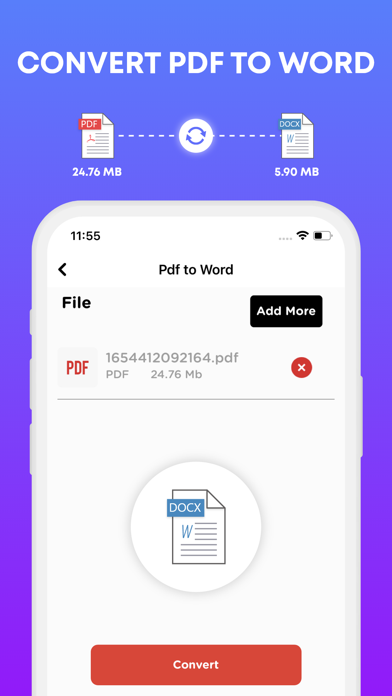
2- Convert PDF to Word
3- Convert PDF to JPG
4- Convert PowerPoint slides to PDF
5- Convert JPG to PDF
6- You can check your recently converted files in the main menu of the PDF Converter.
7- Share these files where you find necessary an online social network.
8- Add watermark to the areas in the PDF file for better explanations.
9- Unlock or lock PDF file so no one can access it without a password.
PDF files are the most secure way of sharing files over the internet. The reason is no one can copy content and cannot edit the file without permissions if it is locked.
Note:
Payment will be charged to your iTunes account at confirmation of purchase. Your subscription will automatically renew unless auto-renew is turned off at least 24-hours before the end of the current subscription period. Your account will be charged for renewal within 24-hours prior to the end of the current subscription period. Automatic renewals will cost the same price you were originally charged for the subscription. You can manage your subscriptions and turn off auto-renewal by going to your Account Settings on the App Store after purchase. Read our terms of service and Privacy Policy for more information.
Privacy Policy:
https://www.contentarcade.com/pdf-converter-privacy-poilcy
Terms of Use:
https://www.contentarcade.com/pdf-converter-terms-of-use