JustPlay is made and published by
Electronic Team, Inc.
AppBrain is an independent app data site and isn't affiliated with Electronic Team, Inc.
The app name, icon, screenshots and description belong to Electronic Team, Inc. and are shown as
published on the App Store.
About JustPlay
JustPlay is an entertainment app developed by Electronic Team, Inc.
User Ratings
The app has no ratings yet.
App Information
JustPlay costs $4.99. The app size is 135.28 MB. The latest version available is 2.7. The last update was on October 16, 2024.
Technical Requirements
The app has a content rating of Everyone. The app has been available on the App Store since May 2019.
Description by Electronic Team, Inc.(from the App Store)
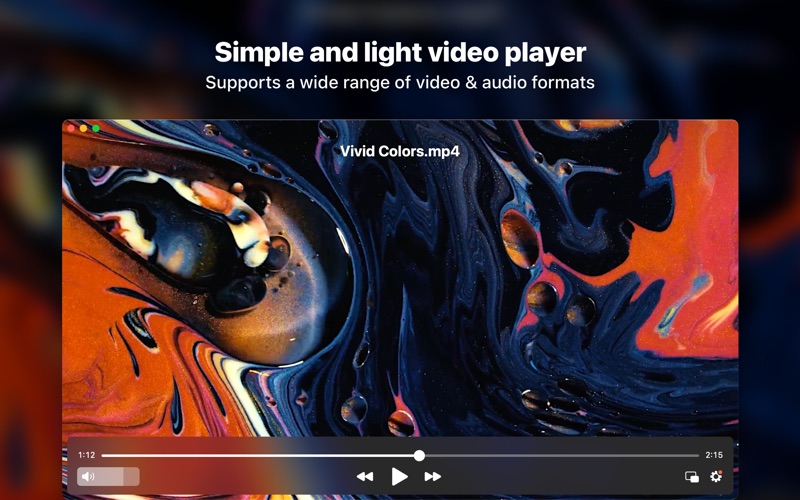
A simple media player that will just play any video or audio file you have. JustPlay supports MP4, AVI, MOV, SWF, DAT, MKV, MP3, FLAC, M4V, FLV, etc. You won't need additional codecs or plugins - this tiny player actually comes packed with all necessary stuff, but you won't even notice - that's how compact it is!
No matter how simple and small the player is, it'll easily handle your 4K and 8K videos thanks to its hardware accelerated decoding functionality. JustPlay can run natively both on Apple Silicon Macs and on Intel-based Macs.
**Playback settings:**
JustPlay allows for flexible playback adjustments. You can set any playback speed, set the subtitle or sound delay whenever there is need. Even the arrow key timeskip interval can be adjusted. When you start the player, it can resume the playback right away with the previously selected subtitles and soundtrack, or you can choose to always start at a pause. You can loop the file and it'll play continuously for as long as you want. One can easily go frame by frame forward and back in JustPlay. Picture-in-Picture mode can be enabled for convenient background viewing or listening.
**Video image settings:**
Adjust brightness, saturation, contrast, gamma, hue, noise reduction and sharpness.
**Audio equalizer:**
Tune up the sound to your liking as precisely as you want or use presets for various types of music and spaces: Large Hall, Party, Pop, Club, Soft Rock, etc.
**Deinterlacing option**
Getting frustrated with irritating horizontal stripes on fast moving objects of your video? Deinterlace option will fix it!
**Flexible screen settings**
During a video playback you can fit the player window to the video size, watch a video in full screen mode, and enjoy the on-screen display of various controls and information. An option will allow you to preserve aspect ratio when resizing the window.
**Flash settings**
When playing Flash files you can adjust their quality: choose from high, medium, and low. You also get to enable/disable Flash local security and the sending/receiving of data over the network.
**Audio settings**
Choose the audio language from those available. Also, JustPlay can automatically load external audio tracks. You can choose which ones to load: those containing name of the movie, with exactly same name, or all audio tracks from folder. An audio visualizer with numerous options is available.
When you need an audio output device other than default, you can easily choose the available ones in the player's settings. Depending on the device you selected you can enjoy the sound ranging from 2.0 to 7.1.
JustPlay supports S/PDIF connection for AC3/DTS audio.
**Subtitles**
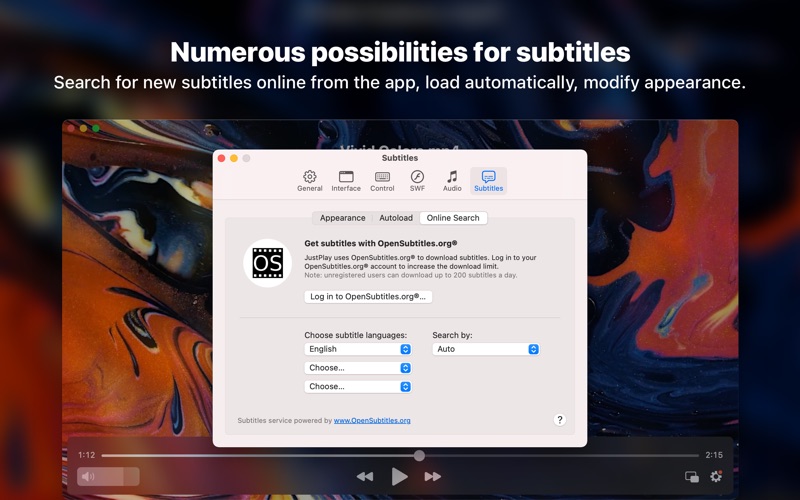
There is a lot you can do with subtitles in JustPlay. You can change their appearance (encoding, font, size, text, border, background color) and move the subtitle box around, as well as choose the preferred language. Forced subtitles can be enabled or disabled. If the subtitles come with the file, JustPlay offers an option to display them automatically. In case there were no subtitles included, you can use the opensubtitles.com search that we integrated into JustPlay for your utter convenience. The downloaded subtitles can be saved as files.
**Interface**
JustPlay interface includes many useful features, such as timeline preview thumbnails and time format options. Mac-specific controls, such as Touch Bar and media keys, are enabled. For example, preview thumbnails can be displayed on the Touch Bar. Accessibility support is available and it’s being improved constantly.
Each subscription will automatically renew 3 days before the expiration date for
the same time period. Subscriptions can be cancelled at any time before the renewal.