

MacDroid - Manager for Android
MacDroid - Manager for Android is made and published by Electronic Team, Inc. AppBrain is an independent app data site and isn't affiliated with Electronic Team, Inc. The app name, icon, screenshots and description belong to Electronic Team, Inc. and are shown as published on the App Store.
AppBrain's verdict
- Last updated
- June 30, 2026
Rankings
App Store top chartsApp Store Rankings for MacDroid - Manager for Android
Competitors
Similar apps and more from Electronic Team, Inc.More from Electronic Team, Inc.


Releases
Updates seen on the App Store- Version
- 2.10
- Launched
- July 2023
No changelog data
User feedback
Ratings and reviews on the App StoreComments on MacDroid - Manager for Android for iOS
We don't have enough comments to show example comments. Please check back later.
Technology
Found in the app by AppBrain- Price
- Free
- App size
- 20.0 MB
- Content rating
- Everyone
Technologies used by MacDroid - Manager for Android
About the app and developer
About MacDroid - Manager for Android
MacDroid - Manager for Android is an utilities app developed by Electronic Team, Inc.
What is the rating of MacDroid - Manager for Android?
MacDroid - Manager for Android has no ratings yet.
Is MacDroid - Manager for Android free?
MacDroid - Manager for Android is free. The app size is 20.01 MB. The latest version available is 2.10. The last update was on June 30, 2026.
What are the requirements for MacDroid - Manager for Android?
The app has a content rating of Everyone. The app has been available on the App Store since July 2023.
Developer information for Electronic Team, Inc.
Address:
Store listing
By Electronic Team, Inc., from the App Store


Description by Electronic Team, Inc. Written by the developer, not by AppBrain. Click to read.
Have the power to seamlessly transfer any type of file from and to any folder on your Android device. Whether it's images, videos, music, or any other files, our Android file manager for Mac has got you covered.
MacDroid perfectly transfers:
- Images stored in any Android folder - default DCIM, Download, Screenshots, or any other folder, including those you’ve created.
- Videos located in any folder on your Android phone - Camera, Downloads, Movies, or any other folder, including those you’ve created.
- Musiс saved to any folder on Android - Music folder, or any other folder you’ve created.
- As said above, any other files between any other folders on both sides.
- Moreover, even whole folders with files.
But that’s not all! The app enables data transfer between Mac and Android's SD card as well as internal storage, depending on your phone's settings.
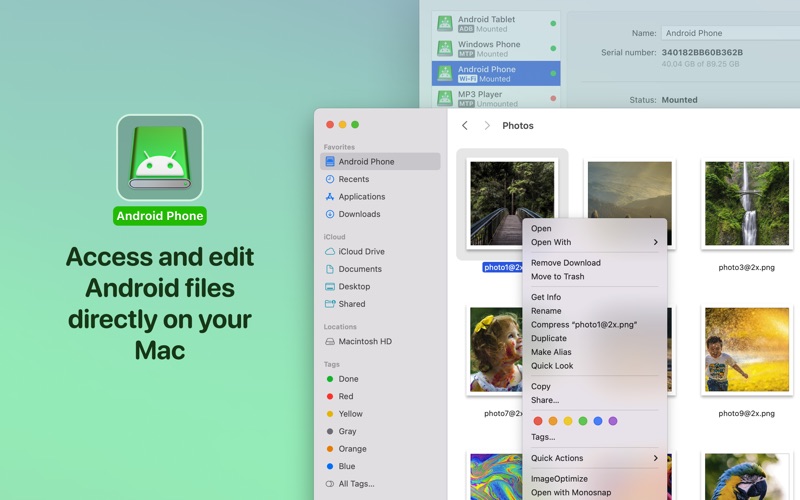
The convenience of MacDroid eliminates the need for tedious back-and-forth file copying, setting it apart as the exclusive Android file transfer tool for Mac. You can effortlessly open and edit Android files on your Mac and save any modifications directly to your Android phone. Besides that, the app offers you the ability to take control of your Android folders - copy, create, delete, duplicate, or rename them—all from the comfort of your Mac.
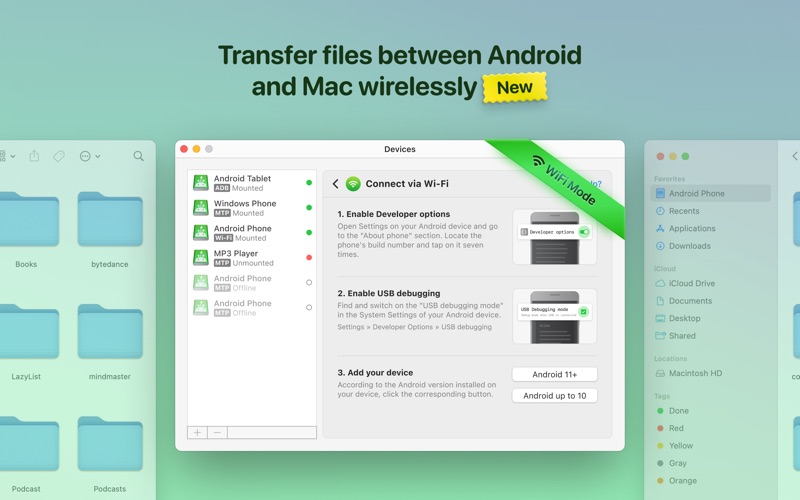
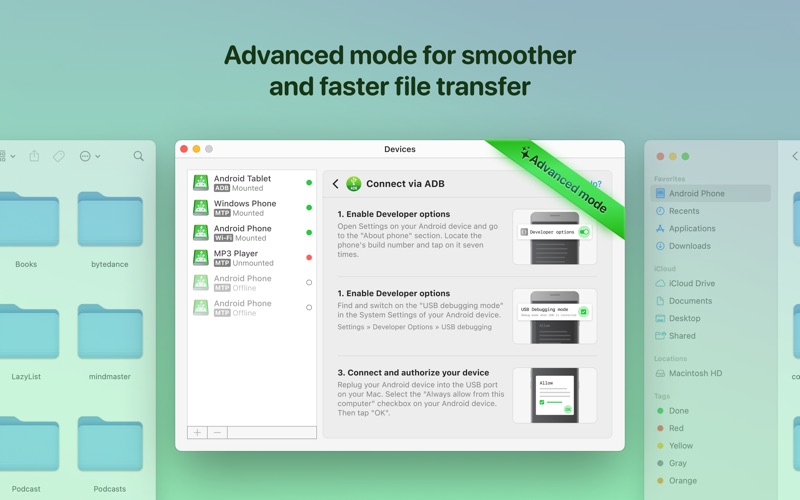
Discover the ultimate compatibility experience with MacDroid. No matter whether you are using Android 4.x or higher or even an MTP device. Yes, you heard it right! While using the app, you can enjoy the convenience of transferring files across a wide range of devices, not only between Mac and Android but also with any MTP device you have. With MacDroid, there is no need to install any additional apps on your Android device. Simply connect it to your Mac via Wi-Fi or using a USB cable and launch the app.
MacDroid offers two versions: a free version and MacDroid PRO, which is available as an Annual subscription (with a 7-day free trial) and a one-time Lifetime purchase.
The free version is perfect for those who need to move files from Android to Mac (one direction only). It provides you with convenient access to all your Android files, allowing you to effortlessly view and copy them to your Mac.
If you need the full power of bidirectional file transfer, MacDroid PRO is the way to go. It allows you to transfer files in both directions - from Android to Mac and from Mac to Android. Besides that, you also gain the ability to edit files stored on your smartphone using your favorite Mac apps, even without transferring the files to your computer.
Experience the convenience and efficiency of MacDroid - the ultimate Android file transfer for Mac. Try it today and elevate your file transfer experience to new heights!
** Subscriptions are auto-renewable unless canceled.
- The cancellation of the current subscription is not possible during the active subscription period.
- Subscription will be automatically renewed unless auto-renewal is turned off at least 24 hours prior to the end of the current period.
- At the time of renewal, your account will be charged for the amount of your current subscription within a 24-hour time frame before the beginning of the new period. All costs are as described above.
Privacy Policy: https://www.electronic.us/company/policies/
Terms of use: https://www.electronic.us/company/policies/terms/