

Kaite is made and published by PLUS Corporation. AppBrain is an independent app data site and isn't affiliated with PLUS Corporation. The app name, icon, screenshots and description belong to PLUS Corporation and are shown as published on the App Store.
AppBrain's verdict
Established- Rating on App Store
- 3.00
- 1 ratings
- Last updated
- September 26, 2025
It doesn't have enough ratings yet to judge what users think.
Rankings
App Store top chartsApp Store Rankings for Kaite
Competitors
Similar apps and more from PLUS CorporationAlternatives to Kaite






More from PLUS Corporation

Releases
Updates seen on the App Store- Version
- 1.0.9
- Launched
- October 2019
No changelog data
User feedback
Ratings and reviews on the App StoreComments on Kaite for iOS
We don't have enough comments to show example comments. Please check back later.
Technology
Found in the app by AppBrain- Price
- Free
- App size
- 14.9 MB
- Content rating
- Everyone
Technologies used by Kaite
About the app and developer
About Kaite
Kaite is a productivity app developed by PLUS Corporation.
User Ratings
Kaite is rated 3.00 out of 5 stars. The rating is based on one rating ratings.
App Information
Kaite is freely available from the App Store. The app size is 14.93 MB. The latest version available is 1.0.9. The last update was on September 26, 2025.
Technical Requirements
The app has a content rating of Everyone. The app has been available on the App Store since October 2019.
Developer information for PLUS Corporation
Address:
Store listing
By PLUS Corporation, from the App Store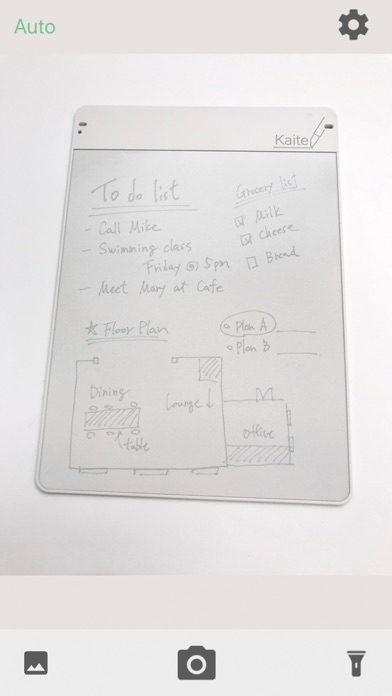


Description by PLUS Corporation Written by the developer, not by AppBrain. Click to read.
Easy to use. Just launch the app and shoot the Kaite itself, it automatically recognizes the writing surface, corrects the tilt, etc., and makes it easy to see and digitize cleanly. Digitized memos can be saved to the camera roll, sent to email or cloud, and easily recorded and shared.
* PLUS Clean Note Kaite is required to use the functions of this app. For details, please check our website.
https://www.plus-vision.com/jp/product/kaite/
[Main functions]
1. photograph
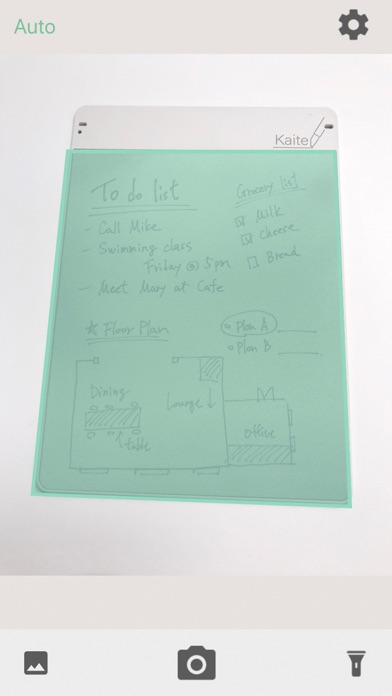
When the Kaite unit is placed on the shooting screen, the writing surface is automatically recognized and shot. Corrects tilt and trapezoidal distortion during shooting, and makes the data clear and easy to read.
2. Brightness / contrast adjustment
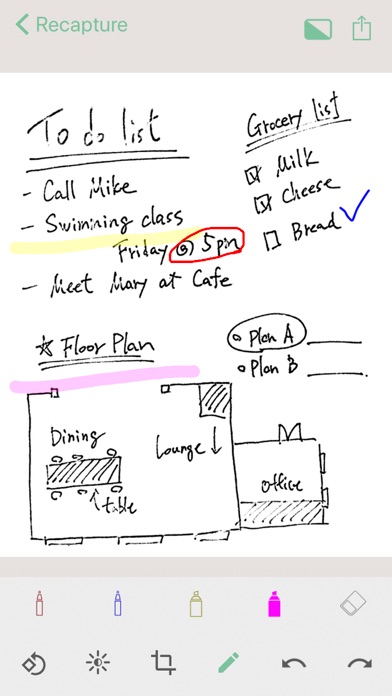
You can adjust the brightness and contrast of the correction screen to your liking.
3. trimming
You can cut out the necessary area of the corrected image.
4). Drawing tools
You can write the corrected image with a pen or marker.
5). Save format selection
You can select the image storage format as JPEG or PDF.
【Other features】
-Shooting mode setting (automatic / manual switching)
・ Rotation function
・ Help
[How to use the app]
1. Launch the app.
2. Make sure that the entire Kaite body fits on the shooting screen. The writing surface is automatically detected and shot.
3. When the correction screen is displayed, you can edit and save the brightness and contrast.
* Writing content may not be stored cleanly if the light from the lighting is reflected on the plate. Please shoot without lighting.