

Keybuild is made and published by Jamie Froggatt. AppBrain is an independent app data site and isn't affiliated with Jamie Froggatt. The app name, icon, screenshots and description belong to Jamie Froggatt and are shown as published on the App Store.
AppBrain's verdict
Established- Rating on App Store
- 4.13
- 48 ratings
- Last updated
- October 8, 2024
- Size
- 2.34 MB
It doesn't have enough ratings yet to judge what users think. Its best ranking is #86 in Top Paid, Utilities in Australia.
User feedback
Ratings and reviews on the App StoreComments on Keybuild for iOS
We don't have enough comments to show example comments. Please check back later.
Store listing
By Jamie Froggatt, from the App Store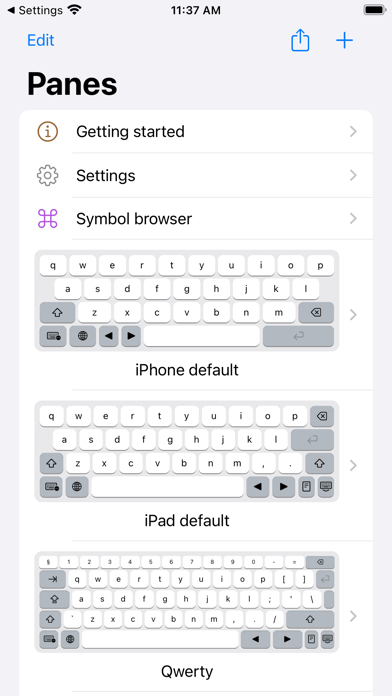
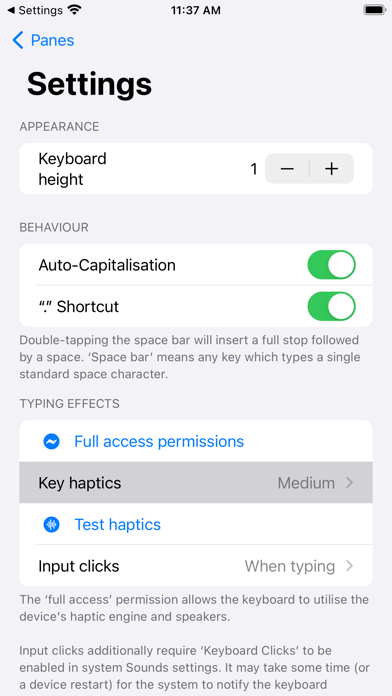
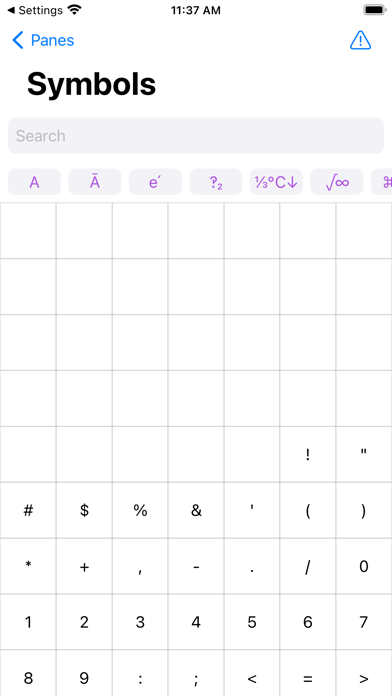
Description by Jamie Froggatt Written by the developer, not by AppBrain. Click to read.
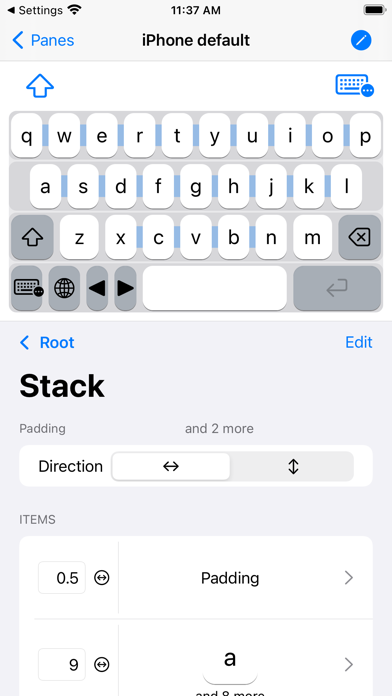
Touchscreen keyboards don't need to be one-size-fits-all, so let's change that! With Keybuild, you choose the layout, the keys, everything.
Keys can be set up to type whatever you want! Letters, greek letters (ɑ, β, ɣ), maths symbols (π, ∫, ∑), arrows (↑→↓←), or even your favourite emoji can be added and organised depending on your needs.
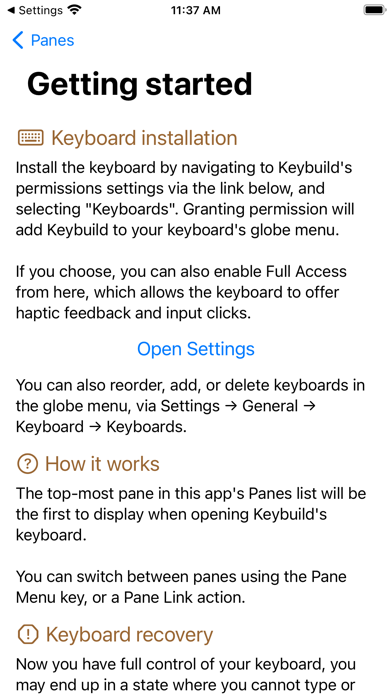
Create multiple ‘panes’, each containing keys arranged using a stack-based layout, and switch between them with either an automatic menu, or direct links.
Add a small number row to your Qwerty keyboard, or have a try using Azerty or Colemak layouts. Build a keyboard that can keep up with your maths-heavy university course, or specialist profession. Or just make a dashboard for your favourite emoji. Or do all that and more, it's up to you!
This app does its best to supports VoiceOver, and accessibility APIs.
Technical note: This app is 99% SwiftUI, which is as close as you can get while we wait for the ‘SwiftUI Lifecycle’ to come to Custom Keyboard Extensions! SwiftUI powers this app's advanced functionality, as well as some of its more unusual bugs. :)
Disclaimer: This iPad app is available on Apple Silicon Macs, but macOS currently does not support keyboard extensions. Still waiting for that tablet Mac!
Safety and technology
Found in the app by AppBrain- Price
- $3.99
- App size
- 2.34 MB
- Content rating
- Everyone
Technologies used by Keybuild
Releases
Updates seen on the App Store- Version
- 1.7.4
- Launched
- January 2021
No changelog data
Alternatives
Similar apps and more from Jamie FroggattAlternatives to Keybuild






More from Jamie Froggatt



Rankings
App Store top charts- Highest rank
- #86
- Chart
- Top Paid
- Utilities
- Country
- Australia
About the app and developer
About Keybuild
Keybuild is an utilities app developed by Jamie Froggatt.
What is the rating of Keybuild?
Keybuild is rated 4.13 out of 5 stars, based on 48 ratings.
Is Keybuild free?
Keybuild costs $3.99. The app size is 2.34 MB. The latest version available is 1.7.4. The last update was on October 8, 2024.
What are the requirements for Keybuild?
The app has a content rating of Everyone. The app has been available on the App Store since January 2021.
Developer information for Jamie Froggatt
Address:
Frequently asked questions about Keybuild
Is Keybuild free?
No. Keybuild costs $3.99 on the App Store.
Is Keybuild still available?
Yes. Keybuild is on the App Store, and the last update we saw was on October 8, 2024.
How large is Keybuild?
Keybuild is 2.34 MB.
Is Keybuild suitable for children?
App Store rates the content of Keybuild as suitable for everyone.
How do people rate Keybuild?
Keybuild scores 4.13 out of 5 stars, from 48 ratings on the App Store.
Who made Keybuild?
Keybuild was developed by Jamie Froggatt. It is listed in the utilities category on the App Store.
What are the best alternatives to Keybuild?
People looking at Keybuild also look at these utilities apps: MyKeyboard Legacy, MyKeyboard - Custom Keyboard, Textcraft, Skyle, TechniCalc Calculator.