

Kintai-chan is made and published by Takuya Aso. AppBrain is an independent app data site and isn't affiliated with Takuya Aso. The app name, icon, screenshots and description belong to Takuya Aso and are shown as published on the App Store.
AppBrain's verdict
- Last updated
- January 5, 2024
- Size
- 3.36 MB
User feedback
Ratings and reviews on the App StoreComments on Kintai-chan for iOS
We don't have enough comments to show example comments. Please check back later.
Store listing
By Takuya Aso, from the App StoreDescription by Takuya Aso Written by the developer, not by AppBrain. Click to read.
Opening the app on your PC or smartphone and contacting attendance is surprisingly troublesome. With this app, you can make smart attendance notifications with just a few taps on the screen of your Apple Watch. Register the Slack post settings and each attendance word in advance, and tap the corresponding cell from the list to complete the post.
It may be possible to use it as a to-do list for housework and share it with your family.
■ How to use
1. Install this App
2. Enter the required information in Slack Settings
3. Register the activity you want to post
4. Select from the list and tap the cell to post to Slack
■ Register / Edit / Delete activities
Preset data with a set of Emoji and words is provided at the time of installation. Register, edit, or delete as necessary. You can register by tapping the "New entry" cell at the bottom of the activity list. To edit the activity, tap the 3-point button on the upper right of the cell and edit as appropriate. You can delete an activity by swiping the cell to the left.
■ Slack Settings
The information required for a Slack post is a Webhook URL and a GitHub account. Get the Webhook URL for the attendance channel you want to post and enter it. The GitHub account is used to get the poster's nickname and image. If you enter a nickname, that will be given priority. Your favorite color is reflected in the color of the Attachment bar. If there is no input, the theme color of this app (#009944) will be used.
Enter each value on the paired iPhone. Copy and paste is also possible.
■ Post Settings
The activity is a set of Emoji and words. If you turn on the switch, you can post Emoji as a set when posting. You can also post only words, too.
■ Set Complication
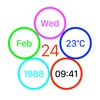
Please consider setting Complication. And then you can launch this App immediately, and posting is completed with 2 taps!
■ Feedback
If you have some feedback, please access the bellow Support page and contact me.
https://github.com/MilanistaDev/KintaiChanSupport
Safety and technology
Found in the app by AppBrain- Price
- Free
- App size
- 3.36 MB
- Content rating
- Everyone
Technologies used by Kintai-chan
Releases
Updates seen on the App Store- Version
- 1.0.5
- Launched
- July 2021
No changelog data
Alternatives
Similar apps and more from Takuya AsoAlternatives to Kintai-chan


More from Takuya Aso


Rankings
App Store top chartsApp Store Rankings for Kintai-chan
About the app and developer
About Kintai-chan
Kintai-chan is an utilities app developed by Takuya Aso.
User Ratings
The app has no ratings yet.
App Information
Kintai-chan is freely available from the App Store. The app size is 3.36 MB. The latest version available is 1.0.5. The last update was on January 5, 2024.
Technical Requirements
The app has a content rating of Everyone. The app has been available on the App Store since July 2021.
Developer information for Takuya Aso
Address:
Frequently asked questions about Kintai-chan
Is Kintai-chan free?
Yes. Kintai-chan is free on the App Store.
Is Kintai-chan still available?
Yes. Kintai-chan is on the App Store, and the last update we saw was on January 5, 2024.
How large is Kintai-chan?
Kintai-chan is 3.36 MB.
Is Kintai-chan suitable for children?
App Store rates the content of Kintai-chan as suitable for everyone.
Who made Kintai-chan?
Kintai-chan was developed by Takuya Aso. It is listed in the utilities category on the App Store.
What are the best alternatives to Kintai-chan?
People looking at Kintai-chan also look at these utilities apps: Comato / 調剤電卓・計算ツール, Shift Unit, GPS Speedometer・Miles per hour, Timy - timer, stopwatch, laps, CaDASMART.