

KubiTarock is made and published by Paul Kubitscheck. AppBrain is an independent app data site and isn't affiliated with Paul Kubitscheck. The app name, icon, screenshots and description belong to Paul Kubitscheck and are shown as published on the App Store.
AppBrain's verdict
- Last updated
- August 5, 2026
Rankings
App Store top chartsApp Store Rankings for KubiTarock
Competitors
Similar apps and more from Paul KubitscheckAlternatives to KubiTarock





More from Paul Kubitscheck

Releases
Updates seen on the App Store- Version
- 2026.6.0
- Launched
- August 2024
No changelog data
User feedback
Ratings and reviews on the App StoreComments on KubiTarock for iOS
We don't have enough comments to show example comments. Please check back later.
Technology
Found in the app by AppBrain- Price
- Free
- App size
- 56.3 MB
- Content rating
- Everyone
Technologies used by KubiTarock
About the app and developer
About KubiTarock
KubiTarock is a games app developed by Paul Kubitscheck.
User Ratings
The app has no ratings yet.
App Information
KubiTarock is freely available from the App Store. The app size is 56.26 MB. The latest version available is 2026.6.0. The last update was on August 5, 2026.
Technical Requirements
The app has a content rating of Everyone. The app has been available on the App Store since August 2024.
Developer information for Paul Kubitscheck
Address:
Store listing
By Paul Kubitscheck, from the App Store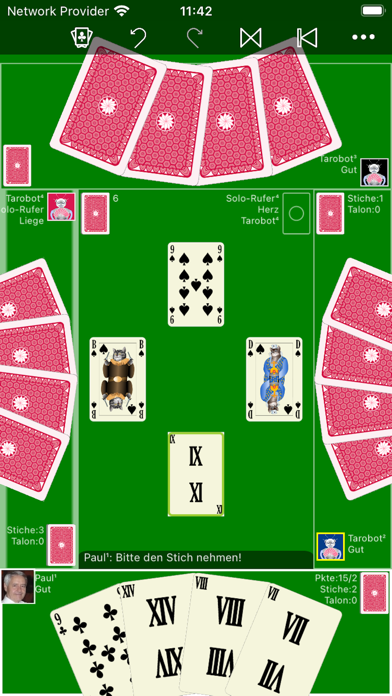




Description by Paul Kubitscheck Written by the developer, not by AppBrain. Click to read.
The complete deck contains 54 cards, 32 color suit cards and 22 tarock cards. The color suits are: Clubs, Diamonds, Hearts, and Spades. The Tarock cards are labeled by roman numerals from I, II, III, to XXII and function in the game as a permanent suit of trumps. The playing order is counter-clockwise. The game starts with an auction process: The player with the highest bidding becomes the game declarer. There are positive games and negative games: In a positive game, the declarer must achieve a minimum number of points to win. In a negative game, the declarer must achieve the announced number of tricks (0 to 3) exactly. Basically, in all games, players have to follow suit. In negative games additionally, each player must overtrump if possible. Because there are special games for the forehand player, it never happens that all players pass and no game comes out.
The current version provides 4 playing modes:
- Offline mode
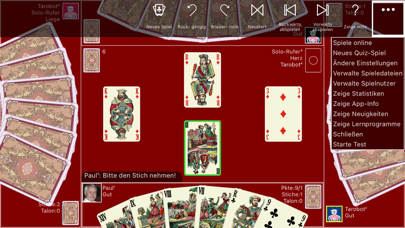
In this mode, the user controls at least one player. All other players will be controlled by the simulator "Tarobot". The simulator by the way sees only those cards the human player would also see. But you, too, can let the "Tarobot" assist you in playing. If you select the appropriate setting, it marks the action (playing card) on the user interface that it would perform in your place. You can also undo and redo all actions of the game.
- Learning mode
In the learning mode you can question any action that the "Tarobot" simulator proposes for you. He will then tell you the reasons why he thinks the action makes sense. Of course, the Tarobot is not a person who takes into account the psychology of other players. He is a pure numeric, who expresses everything in numbers to evaluate them with his algorithms. But he knows all the rules and can give the beginner important hints when practicing the game.
- Quiz mode
This mode is a variant of the offline mode. In addition to enjoying the game, you can train your memory and improve your playing skills. Randomly selected questions about the game status are presented to you during the game. After you have selected the correct answer from a list of possible answers, the solution is presented to you immediately. Your answers are scored with points. In the quiz statistics you can see the development of your success in relation to the calendar. Depending on your level of success, you will also receive symbolic rewards such as a flower pot, medal and cup.
- Online mode
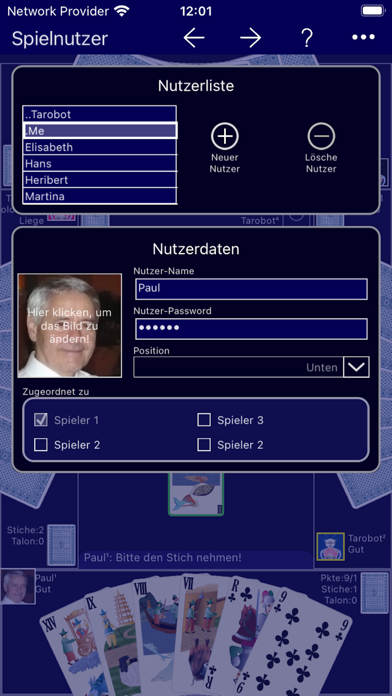
In this mode, a maximum of 4 members of an online group can play against each other online. In addition, up to 3 members can participate as bystanders in a session. If less than 4 online players join a session, the remaining players are simulated. A Skype audio conference should be held in parallel with the online session so that participants can talk just as they would in a real card round.
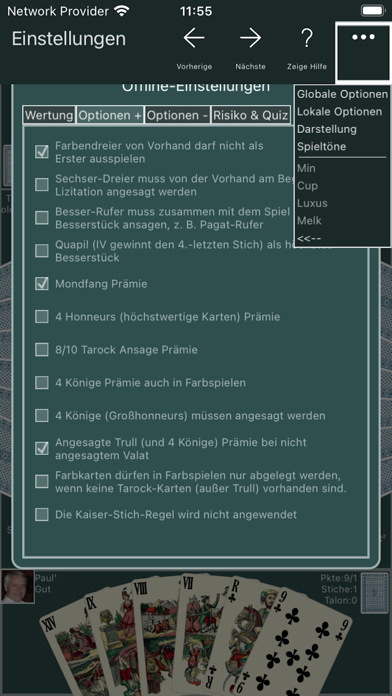
The user interface offers a wide range of setting options for both game parameters and game display. You can also activate the voice output. Then you can hear the announcements of the simulated players, for example, and don't have to pay so much attention to the screen display.
From version 2023.01 on KubiTarock can be used with two different licenses:
- Offline license
* Total free of charge.
* Online playing not supported.
- Online license
* Limited usage time and limited number of online games can be extended by purchasing add-ons.
* All playing modes supported.
* To switch to the online license, you must set up an account with an e-mail address. To switch back to the free offline license, you only need to delete the account.