

LensMentor
LensMentor is made and published by COOL-MIND INNOVATIONS PTE. LTD. AppBrain is an independent app data site and isn't affiliated with COOL-MIND INNOVATIONS PTE. LTD. The app name, icon, screenshots and description belong to COOL-MIND INNOVATIONS PTE. LTD. and are shown as published on the App Store.
AppBrain's verdict
- Rating on App Store
- 4.50
- 2 ratings
- Last updated
- October 5, 2026
It doesn't have enough ratings yet to judge what users think.
Rankings
App Store top chartsApp Store Rankings for LensMentor
Competitors
Similar apps and more from COOL-MIND INNOVATIONS PTE. LTD.Alternatives to LensMentor


More from COOL-MIND INNOVATIONS PTE. LTD.


Releases
Updates seen on the App Store- Version
- 2.7.0
- Launched
- February 2026
No changelog data
User feedback
Ratings and reviews on the App StoreComments on LensMentor for iOS
We don't have enough comments to show example comments. Please check back later.
Technology
Found in the app by AppBrain- Price
- Free
- App size
- 119.0 MB
- Content rating
- Everyone
Technologies used by LensMentor
About the app and developer
About LensMentor
LensMentor is a photo & video app developed by COOL-MIND INNOVATIONS PTE. LTD.
User Ratings
LensMentor is rated 4.50 out of 5 stars. The rating is based on 2 ratings.
App Information
LensMentor is freely available from the App Store. The app size is 119.02 MB. The latest version available is 2.7.0. The last update was on October 5, 2026.
Technical Requirements
The app has a content rating of Everyone. The app has been available on the App Store since February 2026.
Developer information for COOL-MIND INNOVATIONS PTE. LTD.
COOL-MIND INNOVATIONS PTE. LTD.
Address:
Frequently asked questions about LensMentor
Is LensMentor free?
Yes. LensMentor is free on the App Store.
Is LensMentor still available?
Yes. LensMentor is on the App Store, and the last update we saw was on October 5, 2026.
How large is LensMentor?
LensMentor is 119.02 MB.
Is LensMentor suitable for children?
App Store rates the content of LensMentor as suitable for everyone.
How do people rate LensMentor?
LensMentor scores 4.50 out of 5 stars, from 2 ratings on the App Store.
Who made LensMentor?
LensMentor was developed by COOL-MIND INNOVATIONS PTE. LTD. It is listed in the photo & video category on the App Store.
What are the best alternatives to LensMentor?
People looking at LensMentor also look at these photo & video apps: LensMate: AI Photo Guide, MagicCam-Pro Camera、Photo, AuraCam: LUT Filter Camera, Layerlight - HDR Photo Editor, CPCam.
Store listing
By COOL-MIND INNOVATIONS PTE. LTD., from the App Store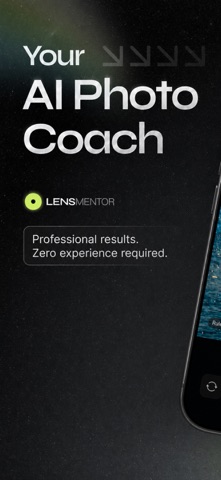


Description by COOL-MIND INNOVATIONS PTE. LTD. Written by the developer, not by AppBrain. Click to read.
It helps you shoot better photos without getting lost in complex settings. LensMentor analyzes your live view and gives practical guidance for composition, pose, filters, exposure, and camera settings. In new version, dedicated shooting modes make creative captures easier: Portrait, Light Trail, Motion Blur, Starry Sky, and Star Trail.
Key Features
• AI Framing beyond portraits: get AI crop and composition recommendations for more scenes and aspect ratios, not only people
• Dual-Camera mode: standard + ultra‑wide, front camera included, live previews on one screen
• Dedicated shooting modes: Standard, Portrait, Light Trail, Motion Blur, Starry Sky, and Star Trail
• Creative long-exposure capture: stack moving lights, soft motion, clean night skies, or star trails with live progress and mode-specific duration controls
• Portrait mode: depth-based background blur with adjustable depth control on supported rear cameras
• Pose Guide for portraits: use built-in pose overlays or import your own reference image to guide portraits and selfies
• Scene-based recommendations: portrait, landscape, food, night, sunset—get suggested filters and shooting settings before you press the shutter
• Custom filter import: bring in .cube LUT filters and manage your own looks
• Auto + Pro controls: switch between automatic shooting and manual ISO, shutter, focus, white balance, exposure, and zoom controls
• Pro tools: RAW/ProRAW where supported, live histogram, zebra exposure warning, leveling tools, Live Photo where available, and photo frame options
• Cleaner camera UI: redesigned mode strip, effect previews, compact parameter controls, and clearer capture status
• No ads: core camera features are free, with advanced features available through Pro trial and one-time unlock
Designed for everyday photographers, creators, travelers, and enthusiasts who want better framing, steadier shooting, and more creative results from an iPhone camera.
Terms of Use: https://www.apple.com/legal/internet-services/itunes/dev/stdeula/
Privacy Policy: https://lensmentor.coolmind-innovations.com/privacy.html