

Let Me Focus
Let Me Focus is made and published by mysteryfiles.nl. AppBrain is an independent app data site and isn't affiliated with mysteryfiles.nl. The app name, icon, screenshots and description belong to mysteryfiles.nl and are shown as published on the App Store.
AppBrain's verdict
- Last updated
- February 23, 2025
Rankings
App Store top chartsApp Store Rankings for Let Me Focus
Competitors
Similar apps and more from mysteryfiles.nlMore from mysteryfiles.nl








Releases
Updates seen on the App Store- Version
- 1.2
- Launched
- December 2023
No changelog data
User feedback
Ratings and reviews on the App StoreComments on Let Me Focus for iOS
We don't have enough comments to show example comments. Please check back later.
Technology
Found in the app by AppBrain- Price
- $0.99
- App size
- 1.25 MB
- Content rating
- Everyone
Technologies used by Let Me Focus
About the app and developer
About Let Me Focus
Let Me Focus is a productivity app developed by mysteryfiles.nl.
User Ratings
The app has no ratings yet.
App Information
Let Me Focus costs $0.99. The app size is 1.25 MB. The latest version available is 1.2. The last update was on February 23, 2025.
Technical Requirements
The app has a content rating of Everyone. The app has been available on the App Store since December 2023.
Developer information for mysteryfiles.nl
Address:
Frequently asked questions about Let Me Focus
Is Let Me Focus free?
No. Let Me Focus costs $0.99 on the App Store.
Is Let Me Focus still available?
Yes. Let Me Focus is on the App Store, and the last update we saw was on February 23, 2025.
How large is Let Me Focus?
Let Me Focus is 1.25 MB.
Is Let Me Focus suitable for children?
App Store rates the content of Let Me Focus as suitable for everyone.
Who made Let Me Focus?
Let Me Focus was developed by mysteryfiles.nl. It is listed in the productivity category on the App Store.
Store listing
By mysteryfiles.nl, from the App Store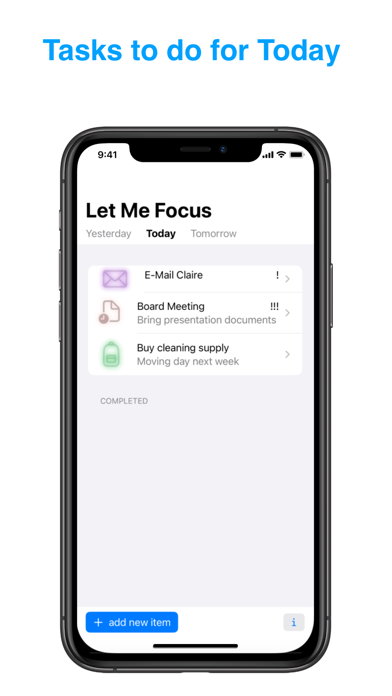
Description by mysteryfiles.nl Written by the developer, not by AppBrain. Click to read.
There are three sections: Today, Tomorrow and Yesterday.
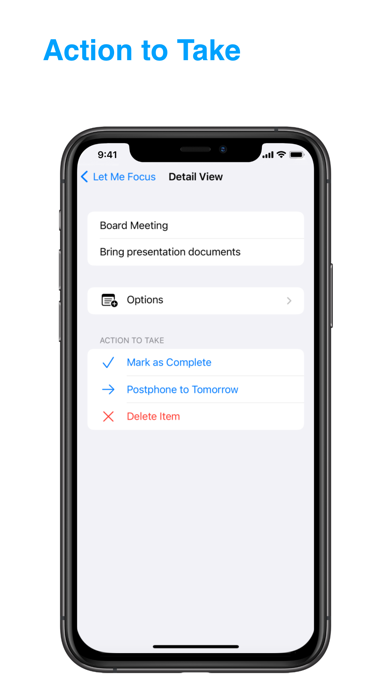
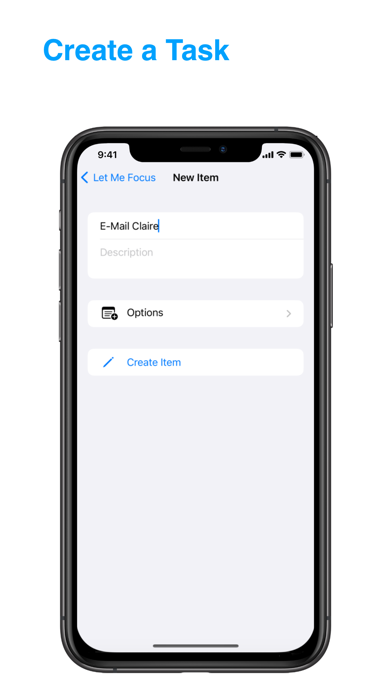
Creating a default task item is super easy. Just enter the name of the task in the subject field and additional descriptions if you want, after this just press the create button. The task item itself will be listed in the Today section, mark it as complete when it’s done or postpone it to Tomorrow. Older tasks will automatically be moved to Yesterday.
You can additionally enable extra options for your task items, like setting an alert time or customize it with icons and colors to differentiate the task items.
Use charts to track the average completed items for a week or a different time period.
Widgets on the iPhone are supported, this enables you to see a quick summary of the task items for Today on your homescreen.
Shortcuts support enables you to acces various parts of the application straight from the search bar, shortcut app, control center or Siri.