

LiftLogic: Weightlifting
LiftLogic: Weightlifting is made and published by Andre Havasi. AppBrain is an independent app data site and isn't affiliated with Andre Havasi. The app name, icon, screenshots and description belong to Andre Havasi and are shown as published on the App Store.
AppBrain's verdict
- Rating on App Store
- 4.60
- 10 ratings
- Last updated
- October 17, 2026
It doesn't have enough ratings yet to judge what users think.
Rankings
App Store top chartsApp Store Rankings for LiftLogic: Weightlifting
Competitors
Similar apps and more from Andre HavasiAlternatives to LiftLogic: Weightlifting


More from Andre Havasi


Releases
Updates seen on the App Store- Version
- 4.11.0
- Launched
- February 2025
No changelog data
User feedback
Ratings and reviews on the App StoreComments on LiftLogic: Weightlifting for iOS
We don't have enough comments to show example comments. Please check back later.
Technology
Found in the app by AppBrain- Price
- Free
- App size
- 110.8 MB
- Content rating
- Everyone
Technologies used by LiftLogic: Weightlifting
About the app and developer
About LiftLogic: Weightlifting
LiftLogic: Weightlifting is a health & fitness app developed by Andre Havasi.
User Ratings
LiftLogic: Weightlifting is rated 4.60 out of 5 stars. The rating is based on 10 ratings.
App Information
LiftLogic: Weightlifting is freely available from the App Store. The app size is 110.79 MB. The latest version available is 4.11.0. The last update was on October 17, 2026.
Technical Requirements
The app has a content rating of Everyone. The app has been available on the App Store since February 2025.
Developer information for Andre Havasi
Address:
Store listing
By Andre Havasi, from the App Store


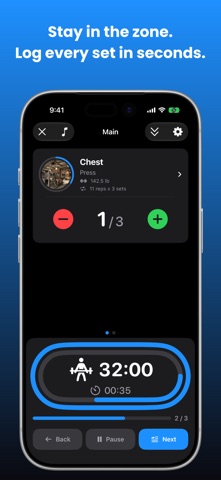
Description by Andre Havasi Written by the developer, not by AppBrain. Click to read.
Your training lives on your iPhone and syncs privately through your own iCloud account. No subscription. No paywall. No account to create: open the app and log your first set.
TRACK EVERY WORKOUT
• Log barbell, dumbbell, cable, machine, and bodyweight exercises
• 400+ exercise library built right into the app: photos and step-by-step instructions, ready offline
• Track sets, reps, weight, tempo, and rest periods
• Build a workout from a list you can actually see, with warmup and cooldown kept separate
• Auto-resume interrupted workouts within 24 hours
HIT PERSONAL RECORDS
• Automatic PR detection for weight, reps, and volume
• Visual progress charts showing your strength climb over time
• Volume tracking by muscle group and total tonnage
• Muscle balance view with a timeframe selector to keep your split even
• Streak and consistency tracking to keep you showing up
TRAIN SMARTER
• A weekly plan that builds itself around your recovery, created right on your iPhone and never on a server
• Daily recovery score from HRV, sleep, and resting heart rate
• Workouts that adapt automatically: push hard when you can, back off when you should
• Repeating routines that rotate through your week for you
• Schedule any workout and get a reminder that opens straight to your session
• 4-week PR projections so you know where your numbers are headed
TRACK YOUR NUTRITION
• Log calories and macros in seconds, with no tedious math
• Scan a barcode for instant nutrition facts
• Search thousands of foods, or type your own in a few taps
• Save your go-to meals and re-log them with one tap
• Browse your history on a calendar and back-fill any day you missed
• Syncs your meals straight to Apple Health
APPLE WATCH
• Start workouts, log sets, and track rest timers from your wrist
• Real-time heart rate during training
• Live workout activity in Dynamic Island and on your Lock Screen
LOCK SCREEN + WIDGETS
• Today's recovery score at a glance
• Home screen widgets for your streak, last workout, and weekly stats
YOUR DATA STAYS YOURS
• No sign in and no password, because there is no account to create or lose access to
• Everything is stored on your iPhone first, so the app works with no signal at all
• Your photos and videos stay on your device too, synced only through your own iCloud
• Private iCloud sync keeps your iPhone and iPad in step
• New iPhone? Your workouts come back from iCloud the moment you open the app
• If your iCloud fills up, nothing is lost: your sessions wait and upload themselves once you free space
• Export your full training history whenever you want
• Anonymous usage analytics help improve the app, and one switch in Settings turns them off
Learn more: https://www.liftlogic.fit
Privacy Policy: https://www.liftlogic.fit/privacy
Terms of Use: https://www.liftlogic.fit/terms