

Little Canvas is made and published by Data Code. AppBrain is an independent app data site and isn't affiliated with Data Code. The app name, icon, screenshots and description belong to Data Code and are shown as published on the App Store.
AppBrain's verdict
- Last updated
- January 26, 2026
Rankings
App Store top chartsApp Store Rankings for Little Canvas
Competitors
Similar apps and more from Data CodeMore from Data Code




Releases
Updates seen on the App Store- Version
- 1.0
- Launched
- January 2026
No changelog data
User feedback
Ratings and reviews on the App StoreComments on Little Canvas for iOS
We don't have enough comments to show example comments. Please check back later.
Technology
Found in the app by AppBrain- Price
- Free
- App size
- 5.74 MB
- Content rating
- Everyone
Technologies used by Little Canvas
About the app and developer
About Little Canvas
Little Canvas is an education app developed by Data Code.
User Ratings
The app has no ratings yet.
App Information
Little Canvas is freely available from the App Store. The app size is 5.74 MB. The latest version available is 1.0. The last update was on January 26, 2026.
Technical Requirements
The app has a content rating of Everyone. The app has been available on the App Store since January 2026.
Developer information for Data Code
Address:
Store listing
By Data Code, from the App Store

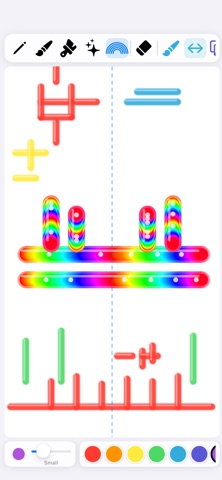
Description by Data Code Written by the developer, not by AppBrain. Click to read.
DRAW WITH FUN BRUSHES
Choose from 7 unique brush types that feel just like the real thing:
- Pencil - for detailed sketches and fine lines
- Marker - bold, smooth strokes with vibrant colors
- Crayon - textured strokes that feel hand-drawn
- Sparkle - add magical shimmer to your art
- Rainbow - paint with all the colors at once
- Spray - create cool airbrushed effects
- Eraser - fix mistakes easily
ADD STICKERS & STAMPS
Decorate your drawings with 40+ adorable stickers! Choose from:
- Animals: cats, dogs, butterflies, fish & more
- Nature: sun, moon, stars, trees & rainbows
- Fun: smiley faces, balloons, crowns & party poppers
- Shapes: hearts, stars, circles & diamonds
- Transport: cars, planes & bicycles
CREATE CUSTOM STICKERS
Turn any photo into a sticker! Our smart AI technology automatically removes backgrounds to create perfect custom stickers from your camera or photo library.
SYMMETRY DRAWING
Create beautiful patterns with symmetry modes:
- Mirror Mode - draw on both sides at once
- Flip Mode - create top and bottom reflections
- Kaleidoscope - make 4-way magical patterns
WATCH YOUR ART COME ALIVE
The coolest feature for young artists! Play back your drawing as an animation and watch every stroke appear just like magic. Choose timelapse or trace mode to see your creation unfold.
SHARE EVERYWHERE
Export your animated drawings as:
- MP4 videos
- GIFs for iMessage
- Instagram Stories format
- TikTok-ready videos
DESIGNED FOR KIDS
- Clean, colorful interface with big buttons
- Works on both iPhone and iPad
- Dark mode / Chalkboard style available
- Shake to start over
- 50 levels of undo/redo
- Auto-saves your work
- No ads or in-app purchases
BEAUTIFUL BACKGROUNDS
Choose from multiple canvas colors, including chalkboard mode for a unique drawing experience.
GALLERY
Save unlimited drawings to your personal gallery. Open old drawings anytime to continue your masterpiece or watch the animation replay.
Creative Drawing is perfect for:
- Preschoolers learning to draw
- Kids who love art and creativity
- Rainy day entertainment
- Screen-free creative time (well, almost!)
- Making personalized cards and gifts
Download Creative Drawing today and unleash your child's creativity!