

LogMeIn Pro & Central
LogMeIn Pro & Central is made and published by GoTo Group, Inc. AppBrain is an independent app data site and isn't affiliated with GoTo Group, Inc. The app name, icon, screenshots and description belong to GoTo Group, Inc. and are shown as published on the App Store.
AppBrain's verdict
EstablishedLoved by users- Rating on App Store
- 4.66
- 11,857 ratings
- Last updated
- July 29, 2026
Users love it: 4.7 stars from 11,857 ratings.
Rankings
App Store top chartsApp Store Rankings for LogMeIn Pro & Central
Competitors
Similar apps and more from GoTo Group, Inc.Alternatives to LogMeIn Pro & Central


More from GoTo Group, Inc.





Releases
Updates seen on the App Store- Version
- 4.1.9552
- Launched
- December 2011
No changelog data
User feedback
Ratings and reviews on the App StoreComments on LogMeIn Pro & Central for iOS
We don't have enough comments to show example comments. Please check back later.
Technology
Found in the app by AppBrain- Price
- Free
- App size
- 27.3 MB
- Content rating
- Everyone
Technologies used by LogMeIn Pro & Central
About the app and developer
About LogMeIn Pro & Central
LogMeIn Pro & Central is a business app developed by GoTo Group, Inc.
What is the rating of LogMeIn Pro & Central?
LogMeIn Pro & Central is rated 4.66 out of 5 stars, based on 12 thousand ratings.
Is LogMeIn Pro & Central free?
LogMeIn Pro & Central is free. The app size is 27.26 MB. The latest version available is 4.1.9552. The last update was on July 29, 2026.
What are the requirements for LogMeIn Pro & Central?
The app has a content rating of Everyone. The app has been available on the App Store since December 2011.
Developer information for GoTo Group, Inc.
Address:
Frequently asked questions about LogMeIn Pro & Central
Is LogMeIn Pro & Central free?
Yes. LogMeIn Pro & Central is free on the App Store.
Is LogMeIn Pro & Central still available?
Yes. LogMeIn Pro & Central is on the App Store, and the last update we saw was on July 29, 2026.
How large is LogMeIn Pro & Central?
LogMeIn Pro & Central is 27.26 MB.
Is LogMeIn Pro & Central suitable for children?
App Store rates the content of LogMeIn Pro & Central as suitable for everyone.
How do people rate LogMeIn Pro & Central?
LogMeIn Pro & Central scores 4.66 out of 5 stars, from 11,857 ratings on the App Store.
Who made LogMeIn Pro & Central?
LogMeIn Pro & Central was developed by GoTo Group, Inc. It is listed in the business category on the App Store.
What are the best alternatives to LogMeIn Pro & Central?
People looking at LogMeIn Pro & Central also look at these business apps: RemotePC Remote Desktop, RealVNC Viewer: Remote Desktop, Splashtop Business, Splashtop Remote Desktop, Windows App Mobile.
Store listing
By GoTo Group, Inc., from the App Store
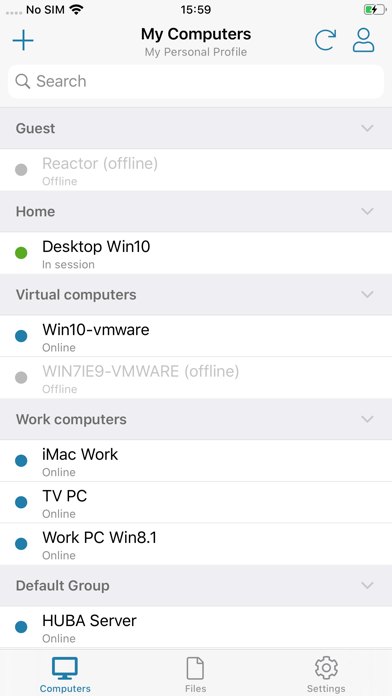
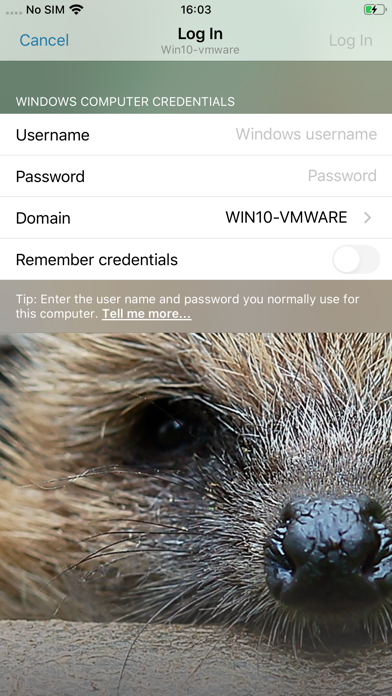
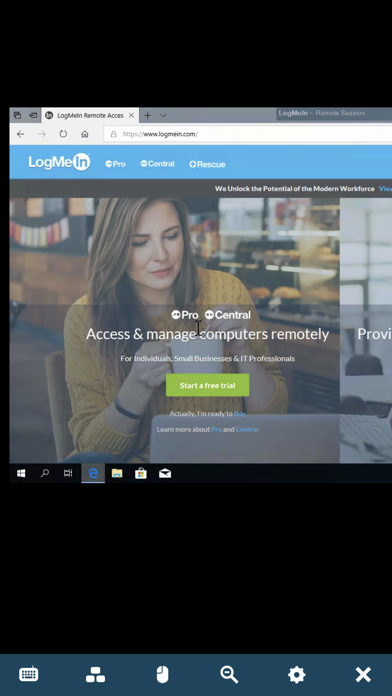

Description by GoTo Group, Inc. Written by the developer, not by AppBrain. Click to read.
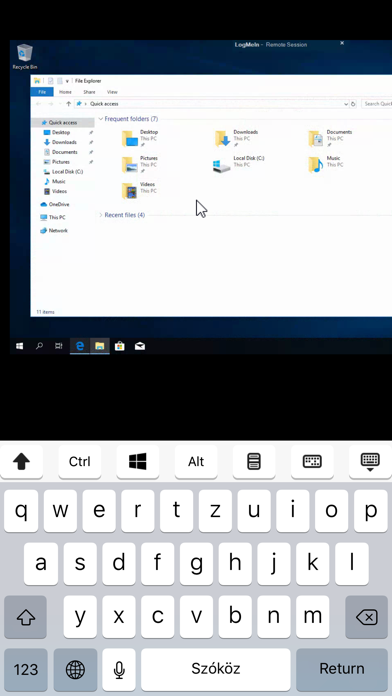
LogMeIn Pro & Central gives LogMeIn Pro and Central subscribers remote access to PCs and Macs over Wi-Fi or mobile data.
Note: to use this free app you must first have a LogMeIn subscription on the computer(s) you want to access.
****************
How to use:
1. Install the app
2. Go to the PC or Mac you want to access and install the LogMeIn software.
3. Launch the app from your iPhone or iPad to access your computer
For detailed step-by-step instructions, please read the LogMeIn Getting Started Guide.
With LogMeIn Pro & Central you can:
• Access your home and work computers on the go
• Control your Mac or PC as if you’re sitting right in front of it
• Get to your computer files and edit them from your iPad/iPhone
• Remotely run any application on your computer from your iPad/iPhone
Features include:
• Mouse and screen settings – choose your preferred method of remote control with scroll mode
• Magnifying glass and zoom slider – zoom by mouse, slide or with your fingers
• Quick access to your files with File Manager – save files directly to your iPhone or iPad so you can work on them offline, or move and copy files between devices.
• Change display color, resolution and network speed to maximize remote control performance.
• HD video and sound – watch videos located on your computer in HD and sound stream remotely
• Photo App Management – easily access and transfer photos
• Attach any number of files, including photos and emails
• Multi-monitor view – shake your device or three-finger swipe to switch between monitors
****************
We love your feedback!
X/Twitter: @GoTo