

Lyric Creator
Lyric Creator is made and published by CASIO COMPUTER CO., LTD. AppBrain is an independent app data site and isn't affiliated with CASIO COMPUTER CO., LTD. The app name, icon, screenshots and description belong to CASIO COMPUTER CO., LTD. and are shown as published on the App Store.
AppBrain's verdict
- Rating on App Store
- 2.67
- 6 ratings
- Last updated
- December 16, 2025
It doesn't have enough ratings yet to judge what users think.
Rankings
App Store top chartsApp Store Rankings for Lyric Creator
Competitors
Similar apps and more from CASIO COMPUTER CO., LTD.











Releases
Updates seen on the App Store- Version
- 2.0.2
- Launched
- January 2022
No changelog data
User feedback
Ratings and reviews on the App StoreComments on Lyric Creator for iOS
We don't have enough comments to show example comments. Please check back later.
Technology
Found in the app by AppBrain- Price
- Free
- App size
- 396.5 MB
- Content rating
- Everyone
Technologies used by Lyric Creator
About the app and developer
About Lyric Creator
Lyric Creator is a music app developed by CASIO COMPUTER CO., LTD.
What is the rating of Lyric Creator?
Lyric Creator is rated 2.67 out of 5 stars, based on 6 ratings.
Is Lyric Creator free?
Lyric Creator is free. The app size is 396.50 MB. The latest version available is 2.0.2. The last update was on December 16, 2025.
What are the requirements for Lyric Creator?
The app has a content rating of Everyone. The app has been available on the App Store since January 2022.
Developer information for CASIO COMPUTER CO., LTD.
Address:
Frequently asked questions about Lyric Creator
Is Lyric Creator free?
Yes. Lyric Creator is free on the App Store.
Is Lyric Creator still available?
Yes. Lyric Creator is on the App Store, and the last update we saw was on December 16, 2025.
How large is Lyric Creator?
Lyric Creator is 396.50 MB.
Is Lyric Creator suitable for children?
App Store rates the content of Lyric Creator as suitable for everyone.
How do people rate Lyric Creator?
Lyric Creator scores 2.67 out of 5 stars, from 6 ratings on the App Store.
Who made Lyric Creator?
Lyric Creator was developed by CASIO COMPUTER CO., LTD. It is listed in the music category on the App Store.
What are the best alternatives to Lyric Creator?
People looking at Lyric Creator also look at these music apps: Petitlyrics Maker, KORG iWAVESTATION, KORG iMono/Poly, Chordjam, Fugue Machine : MIDI Sequencer.
Store listing
By CASIO COMPUTER CO., LTD., from the App Store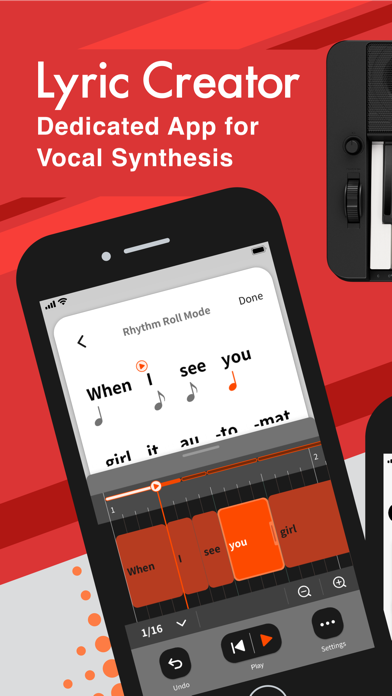

Description by CASIO COMPUTER CO., LTD. Written by the developer, not by AppBrain. Click to read.
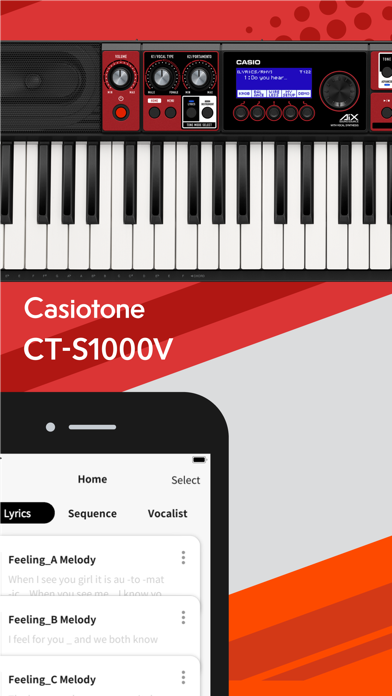
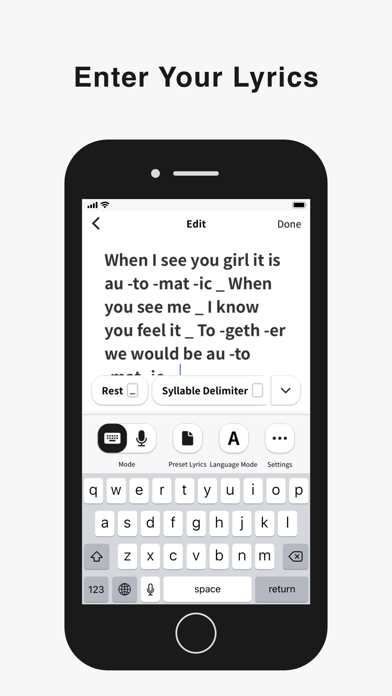
Favorite song lyrics and original creations alike can be entered in English and Japanese using your iOS device via Casio’s own Lyric Creator app. This text is automatically divided into syllable units (though you can also assign divisions manually and group multiple syllables together), and after exporting the resulting data to your CT-S1000V, you’re ready to play.
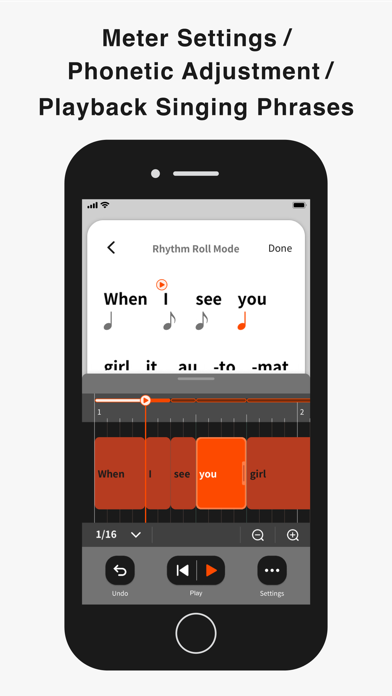
Set the Meter
In Phrase Mode, the playback meter of the lyrics is determined by assigning note values (8th notes, quarter notes, etc.) to the individual syllable units and inserting rests. In addition to the traditional input of note symbols, you can now also edit the note values by visually dragging boxes along grid lines for more intuitive control. Individual lyric tones include tempo data, which can be adjusted both during the playback of singing phrases in the app as well as when playing on the CT-S1000V. Tempo can also be synced to the MIDI clock from your DAW or other external MIDI device to ensure that your vocal phrasing always remains in time regardless of how adventurous you get.
Get Granular with Phrasing and Diction
Users with the appetite for a truly granular approach can go even deeper and edit the phonemes that comprise individual syllables. And besides crafting clearer vocal diction, this process can be used to approximate regional accents or mimic the pronunciation of words in languages other than English and Japanese. (Note that the available phoneme library consists only of sounds that occur in standard English and Japanese.)
Playback Singing Phrases
Preview lyrics phrases directly in the app, in any tempo. Instantly check the rhythm and how the lyric phrase will sound before transferring the lyric data to an instrument.
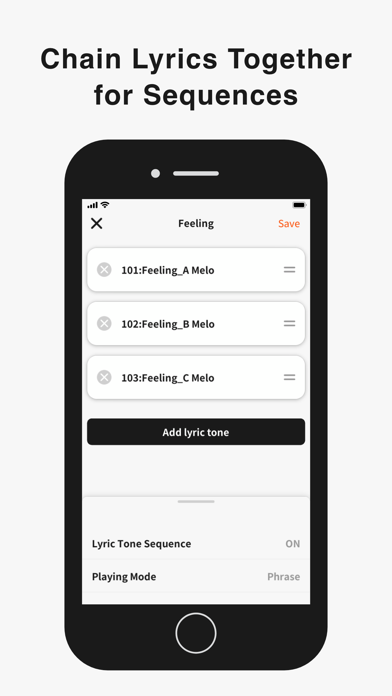
Chain Lyrics Together for Longer Sequences
While Lyric Creator places a limit on the length of lyric that can be entered (up to 100 eighth-note syllables), once uploaded to your CT-S1000V, individual lyrics can be chained together into much longer sequences. This function allows you to fine tune individual sections at the input stage before combining them within your CT-S1000V to create a complete song.
Create Your Own Vocalists
The Lyric Creator app can also be used to transform a WAV audio sample (16bit/44.1kHz, mono/stereo, max. 10 seconds in length) stored within your mobile device into an original Vocalist patch that can then be loaded into the CT-S1000V. The editing interface allows you to set characteristics such as age, gender, vocal range, and vibrato.
The CT-S1000V’s 22 Vocalist presets have each been designed for maximum clarity of enunciation by blending different waveforms with elements such as white noise, and as such User Vocalist waveforms may not achieve the same level of articulation. But with some experimentation you can create new sounds, including abstract ones akin to the CT-SV1000V’s Animal preset.
Connecting the CT-S1000V to Your Smart Device
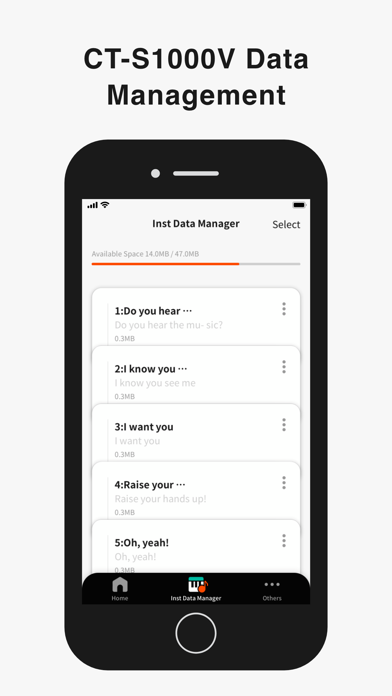
Once the Lyric Creator app is installed on your smartphone or tablet, you can start transferring lyrics, sequences, vocal samples, etc., by connecting your device to your CT-S1000V via a USB cable. While connected, you can also use the app to view how much space is available on the CT-S1000V’s internal drive, delete files, and edit file names. Program files are exported using a proprietary format that enables sharing between CT-S1000V users. You can also import Music XML lyric data and note values from your DAW.