

M2 AR Measure App
M2 AR Measure App is made and published by Measure Square Corp. AppBrain is an independent app data site and isn't affiliated with Measure Square Corp. The app name, icon, screenshots and description belong to Measure Square Corp. and are shown as published on the App Store.
AppBrain's verdict
Established- Rating on App Store
- 4.10
- 10 ratings
- Last updated
- January 30, 2024
It doesn't have enough ratings yet to judge what users think.
Rankings
App Store top chartsApp Store Rankings for M2 AR Measure App
Competitors
Similar apps and more from Measure Square Corp.Alternatives to M2 AR Measure App






More from Measure Square Corp.






Releases
Updates seen on the App Store- Version
- 2.1.4
- Launched
- January 2018
No changelog data
User feedback
Ratings and reviews on the App StoreComments on M2 AR Measure App for iOS
We don't have enough comments to show example comments. Please check back later.
Technology
Found in the app by AppBrain- Price
- Free
- App size
- 20.7 MB
- Content rating
- Everyone
Technologies used by M2 AR Measure App
About the app and developer
About M2 AR Measure App
M2 AR Measure App is an utilities app developed by Measure Square Corp.
What is the rating of M2 AR Measure App?
M2 AR Measure App is rated 4.10 out of 5 stars, based on 10 ratings.
Is M2 AR Measure App free?
M2 AR Measure App is free. The app size is 20.67 MB. The latest version available is 2.1.4. The last update was on January 30, 2024.
What are the requirements for M2 AR Measure App?
The app has a content rating of Everyone. The app has been available on the App Store since January 2018.
Developer information for Measure Square Corp.
Address:
Store listing
By Measure Square Corp., from the App Store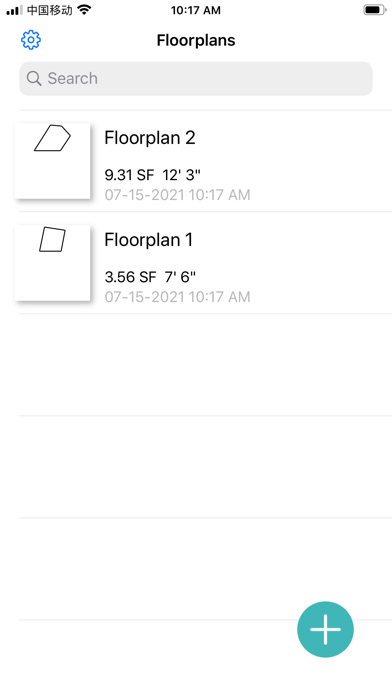
Description by Measure Square Corp. Written by the developer, not by AppBrain. Click to read.
Quick Steps To Get Started:
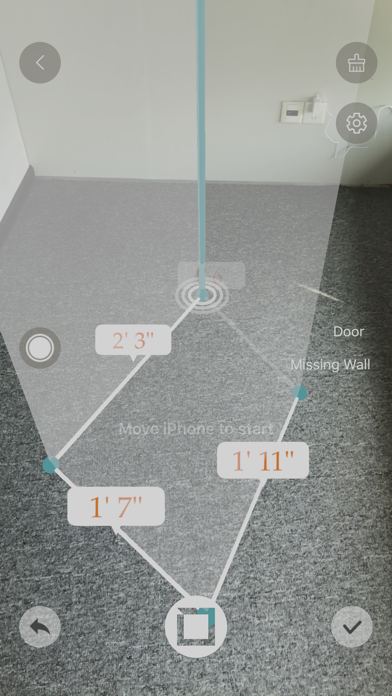
1. Position the camera toward the floor and turn it around to calibrate your phone's cameras - to get things ready for the AR (Augmented Reality) magic.
2. When the calibration sign disappears, aim the pointer at a corner of the room, tap the green button and then move to next corner.
3. Once you get back to the starting point, the pointer will snap into place -- closing the room shape.
4. To view surface products in a room, tap on the Product icon and select a texture to apply to the area.
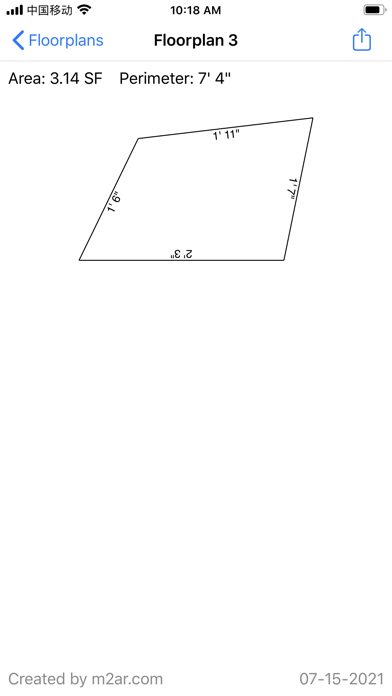
5. Continue measuring additional rooms if needed. And when finished, tap the Check Mark icon to complete your floorplan and you can then email it to a local flooring store or contractor.
AR technology is at its early stages and the accuracy for measurement depends on a few factors: good lighting conditions, steady camera movement, consistent surface textures and the positioning of the app's digital pointer. In other words, it is normal for things to be a few percentages off. To get a more accurate measurement, you will need to use a professional device like a laser meter. But then again, Apple continues to improve its AR technology platform - and we'll make sure to update our app along the way.