

Maestro Lite is made and published by Patrick Q. Kelly. AppBrain is an independent app data site and isn't affiliated with Patrick Q. Kelly. The app name, icon, screenshots and description belong to Patrick Q. Kelly and are shown as published on the App Store.
AppBrain's verdict
Established- Rating on App Store
- 3.00
- 10 ratings
- Last updated
- March 12, 2023
It doesn't have enough ratings yet to judge what users think.
Rankings
App Store top chartsApp Store Rankings for Maestro Lite
Competitors
Similar apps and more from Patrick Q. KellyAlternatives to Maestro Lite







More from Patrick Q. Kelly




Releases
Updates seen on the App Store- Version
- 7.0
- Launched
- before 2010
No changelog data
User feedback
Ratings and reviews on the App StoreComments on Maestro Lite for iOS
We don't have enough comments to show example comments. Please check back later.
Technology
Found in the app by AppBrain- Price
- Free
- App size
- 10.6 MB
- Content rating
- Everyone
Technologies used by Maestro Lite
About the app and developer
About Maestro Lite
Maestro Lite is a music app developed by Patrick Q. Kelly.
User Ratings
Maestro Lite is rated 3.00 out of 5 stars. The rating is based on 10 ratings.
App Information
Maestro Lite is freely available from the App Store. The app size is 10.64 MB. The latest version available is 7.0. The last update was on March 12, 2023.
Technical Requirements
The app has a content rating of Everyone. The app has been available on the App Store since before 2010.
Developer information for Patrick Q. Kelly
Address:
Store listing
By Patrick Q. Kelly, from the App Store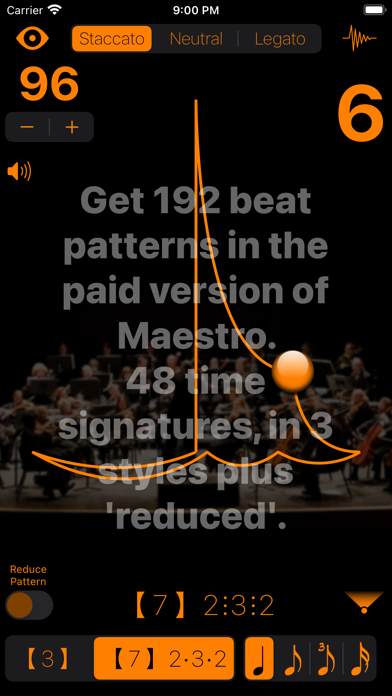
Description by Patrick Q. Kelly Written by the developer, not by AppBrain. Click to read.
Be able to practice without the click, while keeping to a strict tempo. Always know where you are INSIDE the beat with the traditional musical beat patterns developed over ages of musical performance practice, not an arbitrary circle or side to side motion for all meters and styles.
This metronome is an invaluable learning tool for conductors when using the Conductor's Point of View.
All the conducting patterns are based on Max Rudolf's "Grammar of Conducting" and my professional conducting experience of 20+ years.
Instructions:
Double tap to start. Swipe horizontally or pinch to stop.
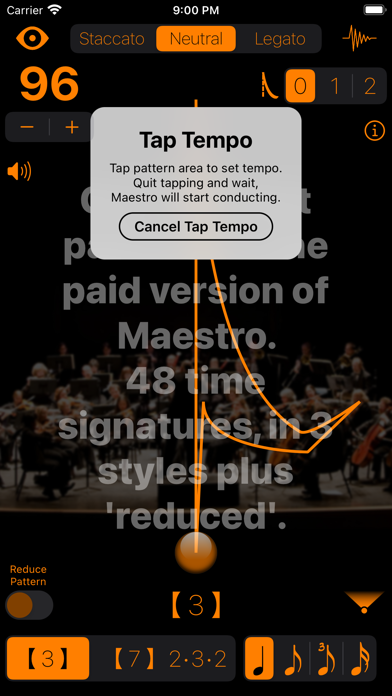
Long Press triggers Tap Tempo, tap anywhere more than twice to set the tempo. Then wait and it will start conducting.
Features:
• Adjust the tempo, 16 to 256 bpm, by dragging up/down anywhere, using the + and - buttons, or by tapping it via Tap Tempo
• Maestro Lite has 2 beat patterns (meters): 3 and 7(2+3+2)
- The paid version of Maestro has 48 different meters: 1 through 12(3+3+3+3)
• Staccato, Neutral, Legato, and Reduced (see below) pattern styles
• Patterns are displayed from the Performer's or Conductor's Point of View
• Optional 2, 3, or 4 subdivisions of the beat
• Set 0, 1, or 2 'pick-up' beats (get playing quicker)
*** While you can demo the preferences in Maestro Lite, it will NOT save your choices. ***
Preferences:
• Tryout 16 types of 'tick and 'tock' sounds
• Change colors of the baton, pattern and texts
• Alter the transparencies of the beat pattern and background image
A note about pattern variations and reductions:
A 5/4 bar can be divided either 3+2 or 2+3 depending on the music.
The 'Reduced' style:
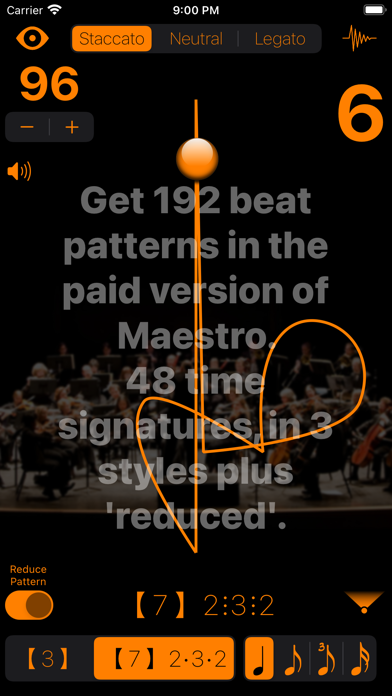
At faster tempos, a legato 3 pattern turns into a one pattern while still clicking the three beats. A 6(2+2+2) changes into 3 while a 6(3+3) changes into 2 while still clicking 6 beats.
The Automatic Reduction setting automatically adjusts the pattern when the tempo reaches a level that requires it. Switching the Reduced Pattern switch on, forces the reduced pattern at all tempos.
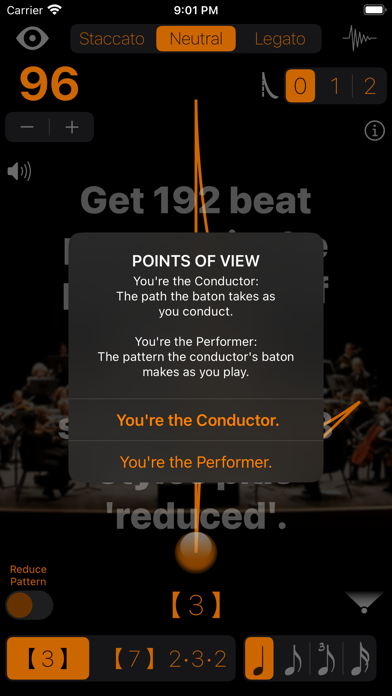
Conductor's Point of View - automatically flips the beat pattern for conductors to learn and practice the patterns. This mode shows you the path the tip of your baton should take while conducting.
Performer’s Point of View - the conductor’s beat pattern as seen from the ensemble musicians. Recommended view while practicing your instrument.
Supports all orientations for easier use while plugged in.