AppBrain
AppBrain
  • Apps
  • Apps being viewed right now Trending apps today Most popular apps All-time most installed apps Top rated apps iPhone and iPad apps
  • Intelligence ▾
    Intelligence overview → Track any Android app or your whole market
    Track & analyze
    Keyword Tracker & OptimizerTrack & improve Play rankings App Performance ReportOne-off PDF for any app StatisticsFree Android & Play market stats
    Promote your app
    Featured Apps App Links
  • Intelligence
  • Pricing
  • Dashboard
  • Sign up
  • Log in
App Store Apps > Productivity > MakePDF: Document Merger
MakePDF: Document Merger icon

MakePDF: Document Merger

by Pedro Jose Pereira Vieito · Productivity · $5.99
On the App Store since February 2017 · Data updated 2026-10-14
App Store

MakePDF: Document Merger is made and published by Pedro Jose Pereira Vieito. AppBrain is an independent app data site and isn't affiliated with Pedro Jose Pereira Vieito. The app name, icon, screenshots and description belong to Pedro Jose Pereira Vieito and are shown as published on the App Store.

AppBrain's verdict

Established
Rating on App Store
4.50
2 ratings
Last updated
September 18, 2026
Size
12.5 MB

It doesn't have enough ratings yet to judge what users think.

User feedback

Ratings and reviews on the App Store

Comments on MakePDF: Document Merger for iOS

We don't have enough comments to show example comments. Please check back later.

Store listing

By Pedro Jose Pereira Vieito, from the App Store
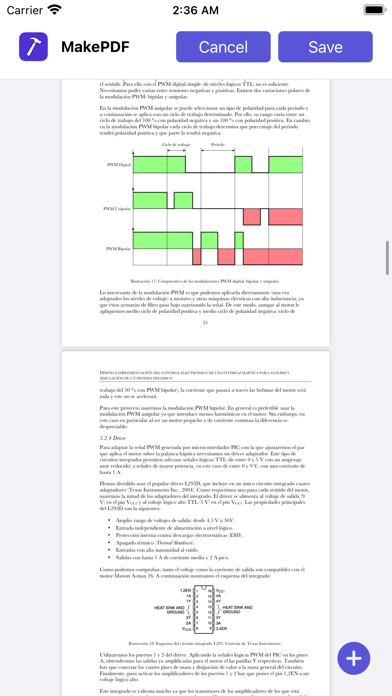
MakePDF: Document Merger Screenshot 1 of 6
MakePDF: Document Merger Screenshot 2 of 6
MakePDF: Document Merger Screenshot 3 of 6
MakePDF: Document Merger Screenshot 4 of 6
MakePDF: Document Merger Screenshot 5 of 6
MakePDF: Document Merger Screenshot 6 of 6
Screenshots by Pedro Jose Pereira Vieito, from the the App Store listing
Description by Pedro Jose Pereira Vieito Written by the developer, not by AppBrain. Click to read.
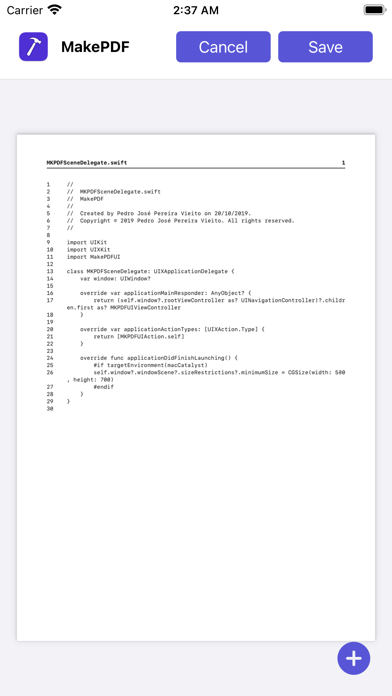
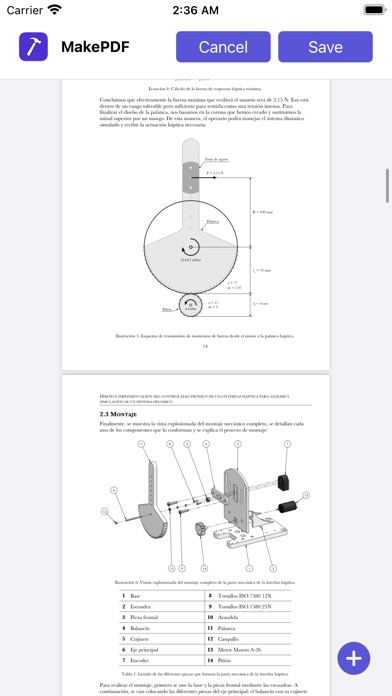
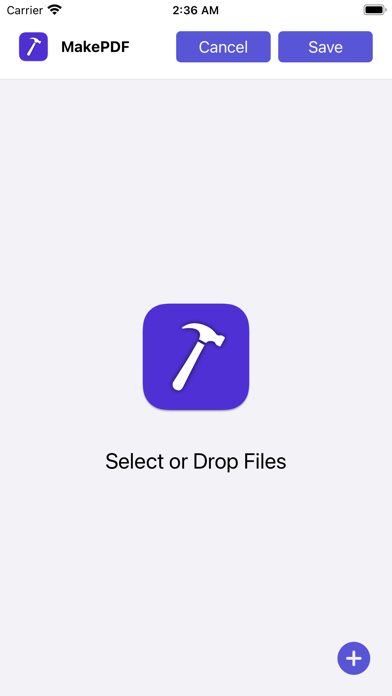
MakePDF allows you to merge multiple files into a single PDF quickly by selecting or dropping documents and images.

MakePDF supports a wide variety of files:
• Any plain text file.
• Source code files (MakePDF will render them with line numbers!).
• HTML files.
• Images and photos.
• Word and Pages documents (supported on macOS).
• PowerPoint and Keynote presentations (supported on macOS).
• Excel and Numbers spreadsheets (supported on macOS).
• And of course, PDFs.

On macOS, MakePDF uses Apple Events to automate the native apps for each file format to ensure the best quality in the final PDF.

MakePDF is designed to create PDFs quickly: when you select a folder, it automatically sorts the files alphabetically and uses SmartPath technology to suggest the output file name and save location.

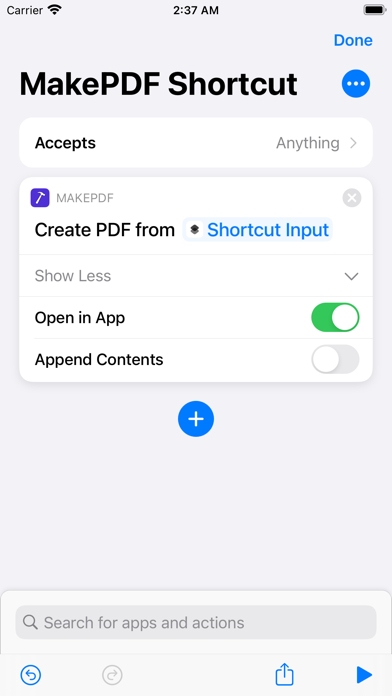
MakePDF also includes advanced features like multiple window support, keyboard shortcuts, and automation with Shortcuts.

MakePDF supports macOS, iOS, and iPadOS.

Notes:
• On macOS, MakePDF can automate the following native apps to achieve the best PDF quality: Microsoft Word, Microsoft Excel, Microsoft PowerPoint, Pages, Numbers, Keynote, and Preview.

Privacy by Design: MakePDF works completely on-device and never stores or sends any information outside of the protected app sandbox.
Official page on the App Store

Safety and technology

Found in the app by AppBrain
Price
$5.99
App size
12.5 MB
Content rating
Everyone

Technologies used by MakePDF: Document Merger

Releases

Updates seen on the App Store
Version
2.3.1
Launched
February 2017

No changelog data

Alternatives

Similar apps and more from Pedro Jose Pereira Vieito

Alternatives to MakePDF: Document Merger

Line-Writer: Flexible Template icon Line-Writer: Flexible Template
TAKESHI ONO
0.0
$4.99
Scanner (2022) icon Scanner (2022)
EXEYSOFT
0.0
Free
Refurbsy icon Refurbsy
Ritesh Kumar
0.0
Free
StoryLines - Write and Track icon StoryLines - Write and Track
Insidious Logic Systems, LLC
3.2
Free
5 ratings
Mindi for Safari icon Mindi for Safari
Sergey Meshkov
2.5
Free
2 ratings
Timesheet tasks: Time Deposit icon Timesheet tasks: Time Deposit
Jorge Romanos
4.6
Free
33 ratings
GTW - Markdown & Text Editor icon GTW - Markdown & Text Editor
Christoph Gogolin
3.1
$5.99
32 ratings
Aegis Timer icon Aegis Timer
Appdromeda OU
4.2
Free
4 ratings

More from Pedro Jose Pereira Vieito

MakePass: AI Wallet Editor icon MakePass: AI Wallet Editor
Pedro Jose Pereira Vieito
4.4
Free
288 ratings
HomeBot for HomeKit icon HomeBot for HomeKit
Pedro Jose Pereira Vieito
4.3
$5.99
18 ratings
OverPicture for Safari icon OverPicture for Safari
Pedro Jose Pereira Vieito
4.2
$3.99
12 ratings
BrowserMask for Safari icon BrowserMask for Safari
Pedro Jose Pereira Vieito
3.0
$3.99
7 ratings
AirWeight for Bluetooth Scales icon AirWeight for Bluetooth Scales
Pedro Jose Pereira Vieito
3.5
$3.99
6 ratings
VoiceExpress: Audio to Text icon VoiceExpress: Audio to Text
Pedro Jose Pereira Vieito
3.0
$5.99
2 ratings
WhatsShare for WhatsApp icon WhatsShare for WhatsApp
Pedro Jose Pereira Vieito
0.0
$3.99
HomeControl Menu for HomeKit icon HomeControl Menu for HomeKit
Pedro Jose Pereira Vieito
0.0
Free

Rankings

App Store top charts

App Store Rankings for MakePDF: Document Merger

This app is not ranked

About the app and developer

About MakePDF: Document Merger

MakePDF: Document Merger is a productivity app developed by Pedro Jose Pereira Vieito.

What is the rating of MakePDF: Document Merger?

MakePDF: Document Merger is rated 4.50 out of 5 stars, based on 2 ratings.

Is MakePDF: Document Merger free?

MakePDF: Document Merger costs $5.99. The app size is 12.49 MB. The latest version available is 2.3.1. The last update was on September 18, 2026.

What are the requirements for MakePDF: Document Merger?

The app has a content rating of Everyone. The app has been available on the App Store since February 2017.

Developer information for Pedro Jose Pereira Vieito

Pedro Jose Pereira Vieito

Address:

Share MakePDF: Document Merger

Apps other people are watching Popular Productivity Apps Top new apps Today's trending apps Price drops on Google Play
Line-Writer: Flexible Template icon Line-Writer: Flexible Template
Scanner (2022) icon Scanner (2022)
Refurbsy icon Refurbsy
StoryLines - Write and Track icon StoryLines - Write and Track
Mindi for Safari icon Mindi for Safari
Timesheet tasks: Time Deposit icon Timesheet tasks: Time Deposit
GTW - Markdown & Text Editor icon GTW - Markdown & Text Editor
Aegis Timer icon Aegis Timer
Overview Alternatives Reviews Rankings Technology
AppBrain Intelligence premium content

Subscribe now to get full and unlimited access to AppBrain Intelligence. You'll have access to:

  • App Intelligence dashboard (performance timeline, competitor comparison, country rankings, insight cards)
  • Detailed ranking data per app
  • Full timeline per developer
  • Device market shares data per country
  • Unlimited keyword tracking
1 Month

$75/mo
(billed every month)

SAVE 0%
Subscribe
3 Months

$65/mo
($195 billed every 3 months)

SAVE 13%
Subscribe
1 Year

$57.50/mo
($690 billed every year)

SAVE 23%
Subscribe
Each subscription will automatically renew 3 days before the expiration date for the same time period. Subscriptions can be cancelled at any time before the renewal.

AppBrain is an app data site, we track rankings, ratings, installs for all apps and games on Google Play and the App Store. AppBrain doesn't host app files or APKs, all install links go directly to the official store. All trademarks are owned by their respective owners. As an Amazon Associate AppBrain earns from qualifying purchases.

More apps

  • Top Android apps being viewed
  • Line Rider stats
  • PolyFootball
  • Clipbox

App statistics

  • Android statistics
  • Google Play Developer stats
  • Trending Android Apps
  • Trending iOS apps
  • Top popular Apps
  • Buy the best Android phone
  • Buy & sell app businesses

About AppBrain

  • Contact
  • Privacy
  • Documentation
  • DMCA takedowns
  • Articles
  • Blog
  • The AppBrain advertising system
© 2010-2026 - AppBrain