

MarginNote 3
MarginNote 3 is made and published by Beijing Yunsi Software Technology Co., Ltd. AppBrain is an independent app data site and isn't affiliated with Beijing Yunsi Software Technology Co., Ltd. The app name, icon, screenshots and description belong to Beijing Yunsi Software Technology Co., Ltd and are shown as published on the App Store.
AppBrain's verdict
EstablishedLoved by users- Rating on App Store
- 4.70
- 5,045 ratings
- Last updated
- November 29, 2025
Users love it: 4.7 stars from 5,045 ratings.
Rankings
App Store top chartsApp Store Rankings for MarginNote 3
Competitors
Similar apps and more from Beijing Yunsi Software Technology Co., LtdAlternatives to MarginNote 3





Releases
Updates seen on the App Store- Version
- 3.7.32
- Launched
- August 2018
No changelog data
User feedback
Ratings and reviews on the App StoreComments on MarginNote 3 for iOS
We don't have enough comments to show example comments. Please check back later.
Technology
Found in the app by AppBrain- Price
- Free
- App size
- 392.4 MB
- Content rating
- High
Technologies used by MarginNote 3
About the app and developer
About MarginNote 3
MarginNote 3 is a productivity app developed by Beijing Yunsi Software Technology Co., Ltd.
What is the rating of MarginNote 3?
MarginNote 3 is rated 4.70 out of 5 stars, based on 5 thousand ratings.
Is MarginNote 3 free?
MarginNote 3 is free. The app size is 392.42 MB. The latest version available is 3.7.32. The last update was on November 29, 2025.
What are the requirements for MarginNote 3?
The app has a content rating of High Maturity. The app has been available on the App Store since August 2018.
Developer information for Beijing Yunsi Software Technology Co., Ltd
Store listing
By Beijing Yunsi Software Technology Co., Ltd, from the App Store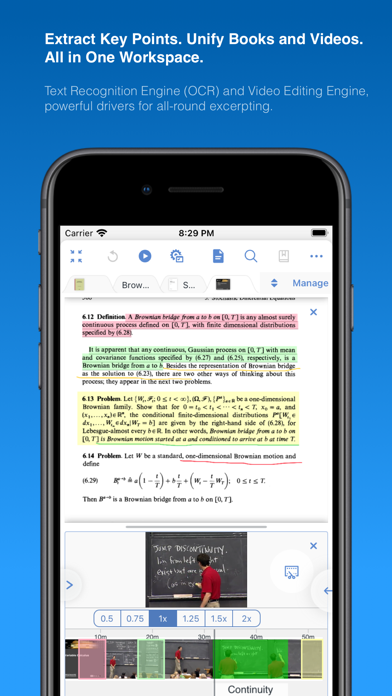
Description by Beijing Yunsi Software Technology Co., Ltd Written by the developer, not by AppBrain. Click to read.
Integrating powerful tools for book annotation, mindmapping, flashcards and more, to build up your reading notes as never before.
============================================
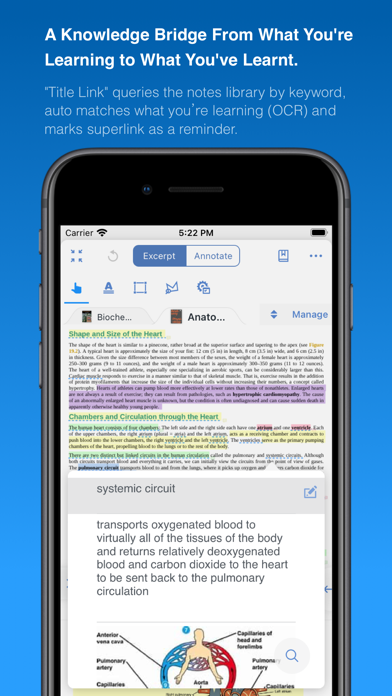
Welcome to MarginNote. This is a highly powerful reading and study software and is applicable to Mac, iPad, and iPhone. By integrating the PDF/EPUB reader and multiple powerful study tools, MarginNote will enable learners to reorganize and connect knowledge from different aspects, then memorize and grasp it accordingly.
Whatever your profession, such as student, educator, researcher, lawyer, or life-long learner, you may annotate and take notes through MarginNote, organize notes via Mindmap and Outline, connect knowledge horizontally via Hashtag and raise memory effect via the Flashcards.
You will discover what MarginNote does is not to simply integrate these tools. Instead, it combines them deeply and skillfully, which makes it easier for users to toggle between different tools.
What's New in MarginNote 3
* New and Clean UI Completely redesigned.
* Improved performance and Running more smoothly
* Support both Document Reading mode & Study Reading mode.
* Excerpts & Note-taking
* Enhanced Handwriting & apple-pencil support.
* Support TextBox on PDF.
* Support direct text-typing & sketching when editing note cards.
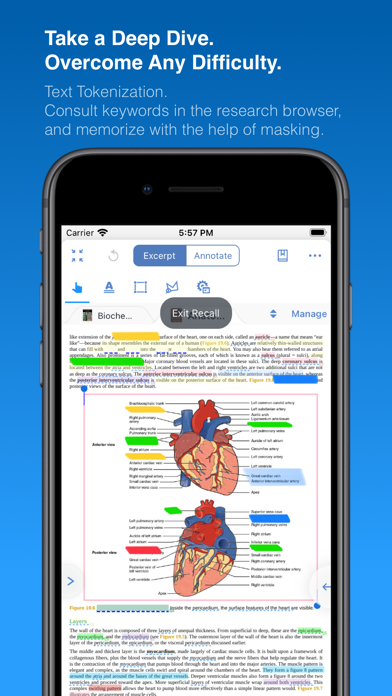
* Support Auto OCR when excerpting on scanned PDFs.
* Emphasis & Cloze
* Support direct emphasis in powerful Emphasis mode both on PDF or Outline.
* Support auto convert emphasis to Cloze in CardDeck.
* Support creating Image-Occlusion flashcards.
* Multi-Documents
* Support both document tabs & split views to switch between documents.
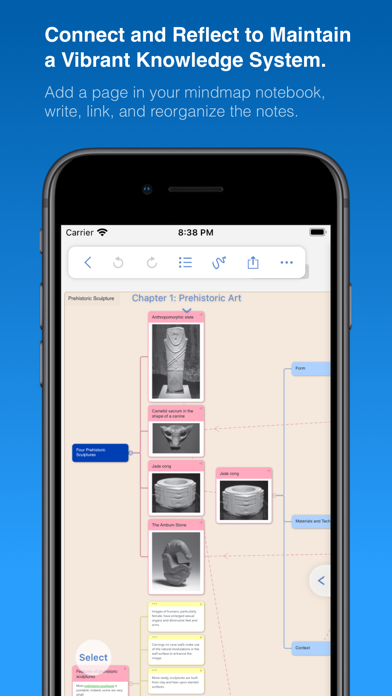
* MindMap
* Auto grouping new excerpts by Document Table of Contents.
* Support new brach display mode: Framework.
* Swipe/Drag gestures to slide in/out Outline & Documents in Study mode.
* Enhanced grouped cut/paste, drag to merge,.. etc.
* Outline
* Improved search and displaying keywords in results.
* Improved styles.
* CardDeck:
* View Flashcards in MindMap mode and Document mode.
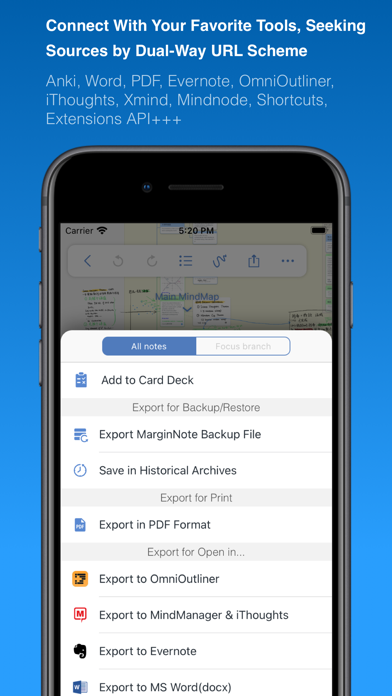
* Enhanced Anki Export: Card styles, Image occlusions, Cloze
* Enhanced Research web browser.
* iCloud Sync
* Fixed several design issue in previous versions.
* More stable & improved performance.
* Categories
* Separate categories for Document, Study and Review.
* Trash
* Recover data from Trash and make data more safe.
* Trial
* 14-days free trial.
MarginNote 2 features:
Reading:
- Support PDF and EPUB format;
Annotating and NoteTaking:
- Support text highlight and rectangular highlight;
- Add notes directly at the page margin; the note editing area will not overlap with the book content at all;
- Text, voice, picture, sketching and many other forms of comments in note;
- Add hashtags to notes to facilitate the connection of notes;
Outline and Mindmap:
- Outline and Mindmap in one view;
- Create Outline tree by swipe gestures;
- Multi-selection editing such as group, merge, clone, etc;
- Quick searching and filtering according to colors, hashtags, books.
Flashcard:
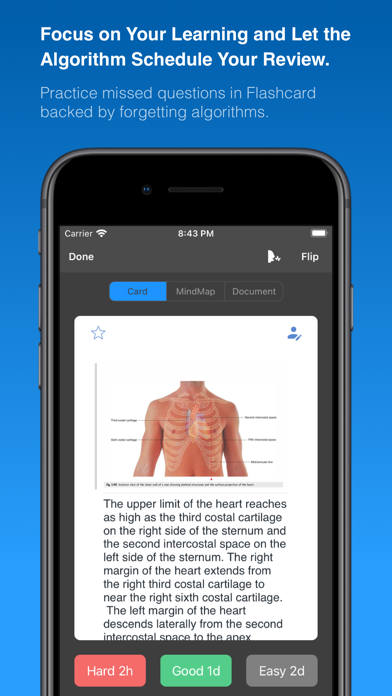
- Highlights and notes can be automatically turned into flashcards for review;
- Spaced repetition adopting the Anki-based algorithm;
- Switch to the linking book page at any time;
iPad Pro & Apple pencil:
- Split View of multiple tasks;
- High-precision drawing by Apple pencil;
- Fine tuned for Apple pencil;
- Keyboard shortcuts;
Import, Export and Sync:
- Import webpages and notes from Evernote;
- Export flashcards to Anki;
- Export Outline to OmniOutliner;
- Export Mindmap to iThoughts or MindManager;
- Export to Evernote;
- Export all the margin notes, MindManager, Outline and Pages to a printable PDF;
- Sync books & notes with iCloud;
Terms of Use:
https://www.marginnote.com/press/marginnote-3-term-of-use
Privacy Policy:
https://www.iubenda.com/privacy-policy/92678020