McDonald's Japan is an overall app developed by 日本マクドナルド株式会社.
Download Statistics
User Ratings
McDonald's Japan is rated 4.59 out of 5 stars. The rating is based on 160 ratings.
App Information
McDonald's Japan is FREE to download. The APK download size is 103.49 MB. The latest version available is 5.5.50. The last update was on July 21, 2026.
Technical Requirements
The app has a content rating of Everyone. The app has been available on Google Play June 2011.
Description
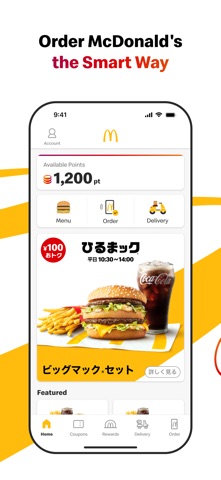
McDonald's Official App for Japan The McDonald's official app offers not only daily coupons and latest information but also allows you to complete your order and payment seamlessly.
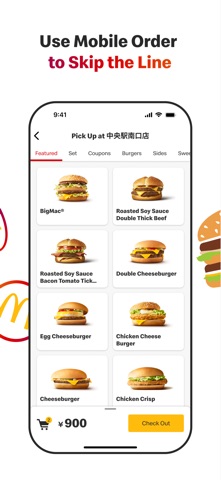
Features Available: • Access to the Latest Coupons Enjoy exclusive coupons that can be used in-store or through mobile orders. Show the coupon number to the staff by selecting "Use in Store" or choose a coupon from the mobile order menu category. • Check McDonald’s Menu Access detailed information about McDonald's products, including ingredients, allergy information, and nutritional content. • Discover the Latest News Find recommended news and products tailored to you right on the home screen. • Order and pay via the App with Mobile Order You can complete your order and payment entirely through the app. Skip the line and receive your food directly at your table (not available in certain restaurants or hours). • Order from home and have your meal delivered by McDelivery® Service via the App.
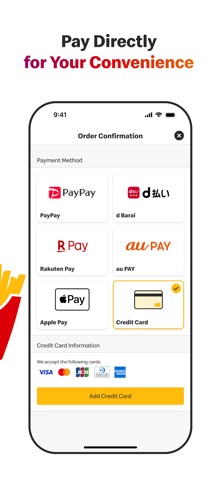
How to Use Mobile Order: Step 1: Log In To use coupons or place an order, you need to register and log in. If you've forgotten your password, you can reset it via the "Forgot Password" option. Please ensure that you can receive emails from info@nsp.mdj.jp. Step 2: Choose a Restaurant Select the restaurant where you would like to receive your order. Please check the available restaurants in the app. Step 3: Select Your Menu Choose your favorite menu items. Coupons can also be used. Please note that some coupons available for mobile orders may differ from those available at the Front Counter. Step 4: Choose Your Pickup Method Select from table delivery (table service), counter pickup, takeout, park & go, or Drive-Thru. Pickup options may vary by restaurant and time. Table service, park & go, and drive-thru are not available at all locations. Step 5: Choose Your Payment Method You can pay with a credit card (VISA, Master, JCB, Diners, American Express), d-Barai, PayPay, Rakuten Pay, au PAY, LINE Pay, or Apple Pay . Please Complete the Following Step After Arriving at the Restaurant Step 6: Receive Your Order Once you arrive at the restaurant, confirm your payment to start the preparation of your order. Enjoy your freshly prepared food.
How to Use McDelivery® Service: Step 1: Log In To place an order, you need to register and log in. If you've forgotten your password, you can reset it via the "Forgot Password" option. Please ensure that you can receive emails from info@nsp.mdj.jp. Step 2: Select Delivery Address and Time Choose whether you want to order now or reserve a delivery time. Reservations can be made from one day to two hours prior to the desired delivery time. Step 3: Select Your Menu Choose your favorite menu items. Step 4: Choose Your Payment Method You can pay with cash, credit card (VISA, Master, JCB, Diners, American Express), d-barai, PayPay, Rakuten Pay, au PAY, LINE Pay, or Apple Pay . Please note that cash payments are not available at some locations. Step 5: Receive Your Order Our delivery staff will bring your freshly prepared meal to your specified address. If you prefer a no-contact delivery, you can select the "Leave at the Door" option when ordering. • Please note: • Delivery times vary by location. • Orders for the breakfast menu must be placed by 10:20 AM. • Minimum order value is ¥1,500 (¥1,000 for breakfast). • A delivery fee of ¥300 applies.
AppBrain offers valuable information about your app and those of your competitors. Join AppBrain for free and claim this app to view more ranking data, view history etc.
Each subscription will automatically renew 3 days before the expiration date for
the same time period. Subscriptions can be cancelled at any time before the renewal.