Merge PDF - PDF Combiner is made and published by
Artiom Yakoventsev.
AppBrain is an independent app data site and isn't affiliated with Artiom Yakoventsev.
The app name, icon, screenshots and description belong to Artiom Yakoventsev and are shown as
published on the App Store.
About Merge PDF - PDF Combiner
Merge PDF - PDF Combiner is an utilities app developed by Artiom Yakoventsev.
What is the rating of Merge PDF - PDF Combiner?
Merge PDF - PDF Combiner has no ratings yet.
Is Merge PDF - PDF Combiner free?
Merge PDF - PDF Combiner is free. The app size is 8.34 MB. The latest version available is 1.0. The last update was on April 3, 2026.
What are the requirements for Merge PDF - PDF Combiner?
The app has a content rating of Everyone. The app has been available on the App Store since April 2026.
Description by Artiom Yakoventsev(from the App Store)
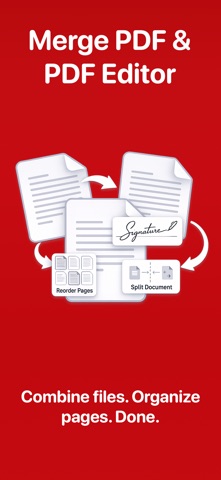
Merge PDF - PDF Combiner is the fastest way to combine, split, and manage PDFs on your iPhone and iPad. Whether you need to merge contracts, split reports, sign documents, or convert files — everything happens right on your device, offline and secure.
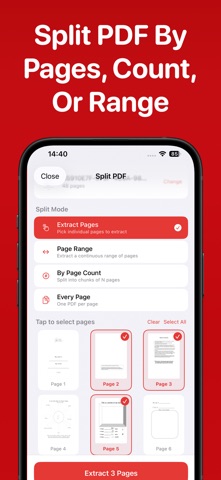
Merge & Split PDF Combine multiple PDFs and images into a single document with full page-level reorder control. Split PDFs by page range, page count, or extract every page into individual files.
Organize Pages Sort, rearrange, add, or remove pages with visual thumbnails and drag-and-drop controls. Insert pages from other PDFs, photos, or add blank pages at any position.
Convert Anything Turn images into PDFs with A4, Letter, or original sizing. Convert text, Docx docs, or scanned pages to PDF. Export PDF pages as high-quality JPEG or PNG.
Sign & Annotate Add signatures by drawing, typing, or uploading. Place names, dates, text, and stamps anywhere on any page with drag, resize, and rotate. Draw and annotate with full Apple Pencil support including pen, highlighter, and ruler tools.
Secure Your Documents Lock PDFs with AES 256-bit encryption using user and owner passwords. Unlock password-protected files instantly.
Powerful PDF Tools Crop pages with interactive drag handles and rule-of-thirds grid. Rotate pages individually or all at once. Add text or image watermarks with full position, opacity, and rotation control. Scan physical documents with your camera and convert to PDF.
Built for Productivity Full operation history with file sizes, dates, and quick preview. Re-edit, rename, or share any file from your history. Works entirely offline, your files never leave your device.
Perfect for students, professionals, and anyone who works with documents daily. Download Merge PDF - PDF Combiner and take control of your PDFs today.
Subscription required to save or share results To save or share compressed/edited files, a subscription is required: - Weekly (3-day free trial) - Lifetime
Terms of use: https://www.apple.com/legal/internet-services/itunes/dev/stdeula Privacy Policy: https://img2pdf.org/privacy-policy/
Each subscription will automatically renew 3 days before the expiration date for
the same time period. Subscriptions can be cancelled at any time before the renewal.