Mid East Drummer - Percussion
Mid East Drummer - Percussion is made and published by Lumbeat. AppBrain is an independent app data site and isn't affiliated with Lumbeat. The app name, icon, screenshots and description belong to Lumbeat and are shown as published on the App Store.
AppBrain's verdict
EstablishedLoved by users- Rating on App Store
- 4.63
- 105 ratings
- Last updated
- April 21, 2024
Users love it: 4.6 stars from 105 ratings.
Rankings
App Store top chartsApp Store Rankings for Mid East Drummer - Percussion
Competitors
Similar apps and more from LumbeatAlternatives to Mid East Drummer - Percussion
More from Lumbeat

Releases
Updates seen on the App Store- Version
- 1.41
- Launched
- December 2017
No changelog data
User feedback
Ratings and reviews on the App StoreComments on Mid East Drummer - Percussion for iOS
We don't have enough comments to show example comments. Please check back later.
Technology
Found in the app by AppBrain- Price
- $17.99
- App size
- 165.8 MB
- Content rating
- Everyone
Technologies used by Mid East Drummer - Percussion
About the app and developer
About Mid East Drummer - Percussion
Mid East Drummer - Percussion is a music app developed by Lumbeat.
User Ratings
Mid East Drummer - Percussion is rated 4.63 out of 5 stars. The rating is based on 110 ratings.
App Information
Mid East Drummer - Percussion costs $17.99. The app size is 165.83 MB. The latest version available is 1.41. The last update was on April 21, 2024.
Technical Requirements
The app has a content rating of Everyone. The app has been available on the App Store since December 2017.
Developer information for Lumbeat
Address:
Frequently asked questions about Mid East Drummer - Percussion
Is Mid East Drummer - Percussion free?
No. Mid East Drummer - Percussion costs $17.99 on the App Store.
Is Mid East Drummer - Percussion still available?
Yes. Mid East Drummer - Percussion is on the App Store, and the last update we saw was on April 21, 2024.
How large is Mid East Drummer - Percussion?
Mid East Drummer - Percussion is 165.83 MB.
Is Mid East Drummer - Percussion suitable for children?
App Store rates the content of Mid East Drummer - Percussion as suitable for everyone.
How do people rate Mid East Drummer - Percussion?
Mid East Drummer - Percussion scores 4.63 out of 5 stars, from 105 ratings on the App Store.
Who made Mid East Drummer - Percussion?
Mid East Drummer - Percussion was developed by Lumbeat. It is listed in the music category on the App Store.
What are the best alternatives to Mid East Drummer - Percussion?
People looking at Mid East Drummer - Percussion also look at these music apps: DrumJam, StepBud - AUv3 MIDI Sequencer, cykle, Yukawa - AUv3 Plug-in Effect, BLEASS Dragonfly.
Store listing
By Lumbeat, from the App StoreDescription by Lumbeat Written by the developer, not by AppBrain. Click to read.
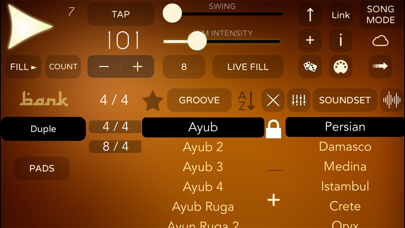
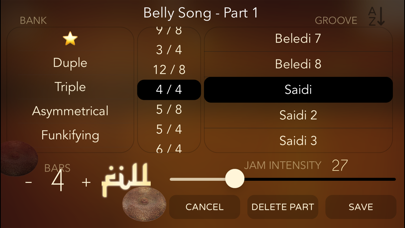
Middle East grooves are the one greatest rhythmic richness, with a large number of different measures. From the common 4 / 4 time to the most interesting and exotic asymmetrical rhythms, like 7/8, 5/8, 15 / 16, 11/ 16 ...
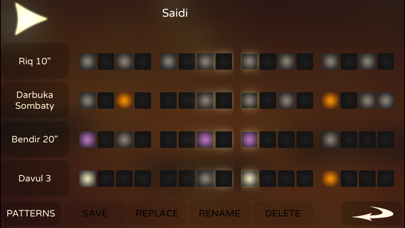
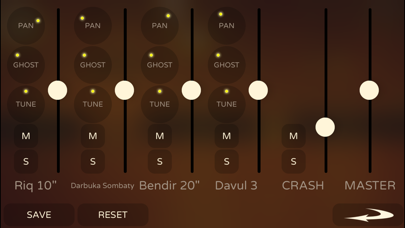
Multilayered sounds with Round Robin samples. Bendir, Darbuka, Riq, Dahola, Davul, Tar, Tarija ...
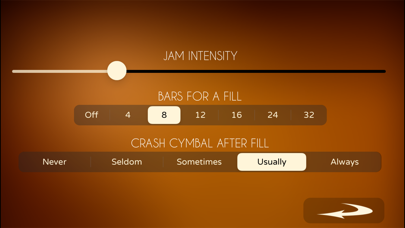
- The Jam Function improvise like human percussionist. Just set the level of variations and fills and play.
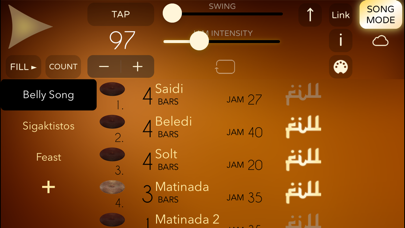
- Song Mode. Create song structures in seconds.
- Midi Out / In
- Midi Sync
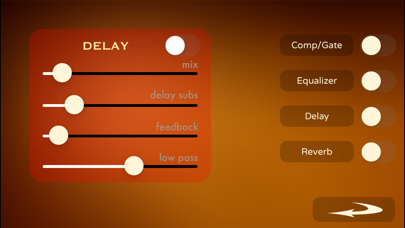
- 4 Effects to combine, including Compressor/Gate, Equalizer, Delay and Reverb.
- Random generators to get creative ideas instantly.
- Ableton Link Sync
- Inter-App Audio
- Control several parameters with midi Control Change and Program Change.
--- MIDI Control - Notes Mode
Play / Stop - Midi Note G2 / Program Change 13
Midi CC 0: Rhythm
Midi CC 7: Master Volume
Midi CC 11: Swing
Midi CC 32: Bank
Midi CC 91: Reverb Gain
Select Soundset: Program Change (Notes Live Pad Mode)
--- Live Pad Midi Controls:
* Program Change Mode (default setting)
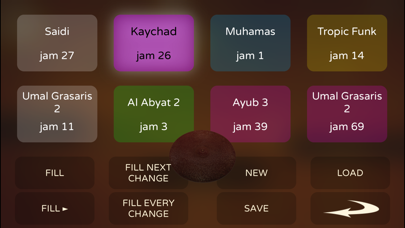
PC 0 to PC7 : Select Pad
PC8: Fill
PC12: Fill for the next Pad change
PC10: Fill for every Pad change
PC11: Fill & Start / End
PC13: Play
* Notes Mode (default setting)
C3 to G3 : Select Pad
C2: Fill
D2: Fill for the next Pad change
E2: Fill for every Pad change
A2: Fill & Start / End.
- Song Mode Controls: (Notes Live Pad Mode)
Midi Note C2: Preview Song
Midi Note D2: Next Song
* Double press to edit a part or song
* Long press to move parts or songs