

Mirror For Chromecast App
Mirror For Chromecast App is made and published by AirBeamTV BV. AppBrain is an independent app data site and isn't affiliated with AirBeamTV BV. The app name, icon, screenshots and description belong to AirBeamTV BV and are shown as published on the App Store.
AppBrain's verdict
Established- Rating on App Store
- 3.85
- 787 ratings
- Last updated
- July 23, 2026
Users are divided: 3.9 stars from 787 ratings.
Rankings
App Store top chartsApp Store Rankings for Mirror For Chromecast App
Competitors
Similar apps and more from AirBeamTV BVAlternatives to Mirror For Chromecast App






More from AirBeamTV BV




Releases
Updates seen on the App Store- Version
- 6.2.15
- Launched
- June 2018
No changelog data
User feedback
Ratings and reviews on the App StoreComments on Mirror For Chromecast App for iOS
We don't have enough comments to show example comments. Please check back later.
Technology
Found in the app by AppBrain- Price
- Free
- App size
- 197.5 MB
- Content rating
- Everyone
Technologies used by Mirror For Chromecast App
About the app and developer
About Mirror For Chromecast App
Mirror For Chromecast App is a photo & video app developed by AirBeamTV BV.
User Ratings
Mirror For Chromecast App is rated 3.85 out of 5 stars. The rating is based on 790 ratings.
App Information
Mirror For Chromecast App is freely available from the App Store. The app size is 197.46 MB. The latest version available is 6.2.15. The last update was on July 23, 2026.
Technical Requirements
The app has a content rating of Everyone. The app has been available on the App Store since June 2018.
Developer information for AirBeamTV BV
Address:
Store listing
By AirBeamTV BV, from the App Store


Description by AirBeamTV BV Written by the developer, not by AppBrain. Click to read.
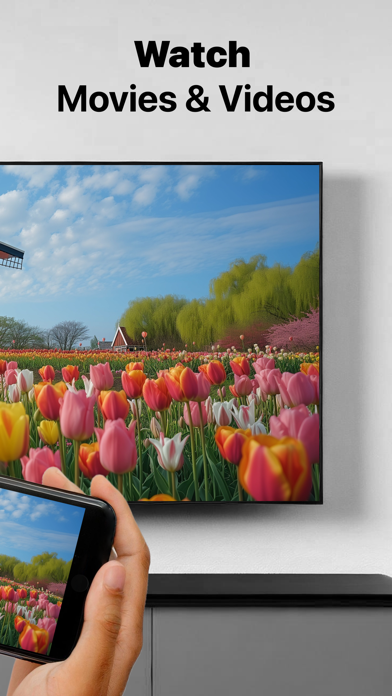
In using the app, there will be a couple of seconds of latency (usually between 2 and 4). So this mirroring is not suitable for gaming.
However, it is very suitable for watching movies, giving presentations, watching photos, and much more!
How the app works:
1. Make sure that your iPhone or iPad is connected to the same local network as your Chromecast. Don't use multiple VLANs or subnets.
2. Launch the Mirror for Chromecast app. It will start looking for your Chromecast devices on your local network. When a Chromecast is found, please select it.
3. Turn on notifications for this app. We will not spam you, but we will use this to let you know if your Chromecast is working correctly or not. So please, please allow it, otherwise when things don't work as they should, you are left in the dark.
4. Click on Start Mirroring to start mirroring on the Chromecast that is currently selected. After that, you can just go to any other app on your iPhone or iPad and the mirroring just continues to run.
5. To stop mirroring, there are two options. (1) click on the red top bar that you will see on your iPhone or iPad. (2) Go to the Mirror for Chromecast app and click on Stop Mirroring.
You can purchase the Mirror for Chromecast Pro Version through an in app purchase.
The Pro Version has the following features:
1. Removes the watermark from the player on TV
2. Provides for free lifetime updates of the app
3. Enables sound even when the watermark is displayed on TV
* Payment will be charged to iTunes Account at confirmation of purchase.
* Subscription automatically renews unless auto-renew is turned off at least 24-hours before the end of the current period.
* Account will be charged for renewal within 24-hours prior to the end of the current period, and identify the cost of the renewal.
* Subscriptions may be managed by the user and auto-renewal may be turned off by going to the user’s Account Settings after purchase.
* Any unused portion of a free trial period, if offered, will be forfeited when the user purchases a subscription to that publication, where applicable.
Feel free to check:
Our Terms of Use: http://bit.ly/ToU-MfC
Our Privacy Policy: https://www.airbeam.tv/privacy-policy/
Limitations and known issues:
DRM
Some apps block Screen Mirroring. This means that application developers can choose themselves if they want to block Screen Mirroring. For instance, Netflix, Disney and AppleTV+ have decided to block this.
There is a simple test that you can do to see if the app that you want to mirror has blocked Screen Mirroring:
Open that particular app and slide up Control Center on your iPhone/iPad. Then, click on Screen Recording and start recording the screen to your Camera Roll. Watch the app that you want to mirror and at some point stop the screen recording. Then go to your Photos app and watch the video that was recorded. If the recorded video shows the app you want to mirror, it works fine. If the video is empty, then the app you want to mirror does not allow Screen Mirroring.
About Screen Recording and Privacy
Even though there are notifications about Screen Recording, we don't record your screen into files and we don't send any content to a server. We only temporarily store data in memory, before it is streamed to TV. Upon streaming, the content is removed from memory.
Support:
If you have questions or would like to provide feedback, please send us an e-mail or chat with us on our Facebook page.
When you like the app, please don't forget to give it a positive rating! Thanks in advance from the AirBeamTV development team!
Please give us feedback by mailing to support@airbeam.tv
Chromecast is a trademark of Google LLC.