

MistAI is made and published by Mist Systems. AppBrain is an independent app data site and isn't affiliated with Mist Systems. The app name, icon, screenshots and description belong to Mist Systems and are shown as published on the App Store.
AppBrain's verdict
Established- Rating on App Store
- 4.07
- 15 ratings
- Last updated
- September 9, 2026
It doesn't have enough ratings yet to judge what users think.
Rankings
App Store top chartsApp Store Rankings for MistAI
Competitors
Similar apps and more from Mist Systems







Releases
Updates seen on the App Store- Version
- 2.3.1
- Launched
- August 2017
No changelog data
User feedback
Ratings and reviews on the App StoreComments on MistAI for iOS
We don't have enough comments to show example comments. Please check back later.
Technology
Found in the app by AppBrain- Price
- Free
- App size
- 66.8 MB
- Content rating
- Everyone
Technologies used by MistAI
About the app and developer
About MistAI
MistAI is an utilities app developed by Mist Systems.
User Ratings
MistAI is rated 4.07 out of 5 stars. The rating is based on 15 ratings.
App Information
MistAI is freely available from the App Store. The app size is 66.79 MB. The latest version available is 2.3.1. The last update was on September 9, 2026.
Technical Requirements
The app has a content rating of Everyone. The app has been available on the App Store since August 2017.
Developer information for Mist Systems
Address:
Store listing
By Mist Systems, from the App Store





Description by Mist Systems Written by the developer, not by AppBrain. Click to read.
Mist AI supports the user roles mentioned below:
• Admin role: Access to all the application features.
• Installer role: Limited access. They can only do the initial setup of devices in the Org.
Mist AI has the following features:
LOGIN
• Allows users with the admin/installer role to securely log in with their existing Mist account.
• Log in via SSO and biometric authentication.
CLAIM DEVICE
• Claim a Juniper Switch(es), Wan edge routers, Mist edge, and Mist Access Point(s) to an Org or Site using a Claim or QR code(if not already claimed via activation code).
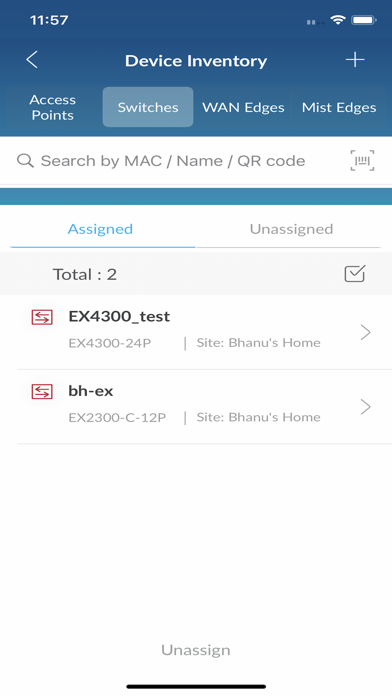
DEVICE INVENTORY
• Fast and easy way to search devices by name, mac, or scanning a QR at the Org level.
• View list and count of devices on the Org Level.
• An efficient way to assign multiple devices to a Site.
• View device model and associate Site name.
SITE INFORMATION
• View Juniper Switch(es), Wan edge routers, Mist edge and Mist Access Point(s) in list view.
• View Access Points in map view.
• Fast and easy way to search devices by name, mac, or scanning a QR at the Site level.
• View the total number of devices on the Site.
• Device status (connected or disconnected).
• Navigate to the device detail page.
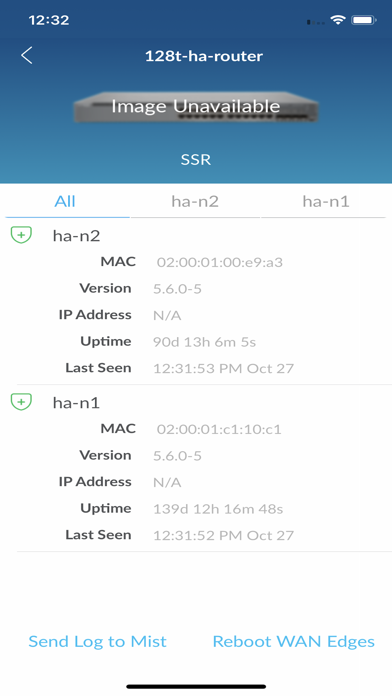
DEVICE DETAILS
• View device details such as name, mac, status (connected/disconnected), firmware version, and uptime.
• Unassign, Unclaim, or Replace devices.
• Remove the Access Point from a map. (AP only)
• Allows placement of an Access Point on a floor plan with the ability to set AP height and LED orientation.(AP only)
MIST AI APP REQUIREMENTS
• Mist Account.
• Admin/Installer role access to the deployment Org.
• Juniper Switch(es), Wan edge routers, Mist edge and Mist Access Point(s)
USER MANUAL
• https://www.mist.com/documentation/mist-ai-mobile-app/