

Modrift is made and published by Noriyuki Katahara. AppBrain is an independent app data site and isn't affiliated with Noriyuki Katahara. The app name, icon, screenshots and description belong to Noriyuki Katahara and are shown as published on the App Store.
AppBrain's verdict
- Last updated
- August 19, 2026
Rankings
App Store top chartsApp Store Rankings for Modrift
Competitors
Similar apps and more from Noriyuki KataharaAlternatives to Modrift


More from Noriyuki Katahara

Releases
Updates seen on the App Store- Version
- 2.0.0
- Launched
- June 2026
No changelog data
User feedback
Ratings and reviews on the App StoreComments on Modrift for iOS
We don't have enough comments to show example comments. Please check back later.
Technology
Found in the app by AppBrain- Price
- Free
- App size
- 57.1 MB
- Content rating
- Everyone
Technologies used by Modrift
About the app and developer
About Modrift
Modrift is a productivity app developed by Noriyuki Katahara.
What is the rating of Modrift?
Modrift has no ratings yet.
Is Modrift free?
Modrift is free. The app size is 57.06 MB. The latest version available is 2.0.0. The last update was on August 19, 2026.
What are the requirements for Modrift?
The app has a content rating of Everyone. The app has been available on the App Store since June 2026.
Developer information for Noriyuki Katahara
Address:
Frequently asked questions about Modrift
Is Modrift free?
Yes. Modrift is free on the App Store.
Is Modrift still available?
Yes. Modrift is on the App Store, and the last update we saw was on August 19, 2026.
How large is Modrift?
Modrift is 57.06 MB.
Is Modrift suitable for children?
App Store rates the content of Modrift as suitable for everyone.
Who made Modrift?
Modrift was developed by Noriyuki Katahara. It is listed in the productivity category on the App Store.
What are the best alternatives to Modrift?
People looking at Modrift also look at these productivity apps: Tertiary Markdown, Markdown My Words, Plotted: Planner & To Do List, NotePlus - Markdown Editor, SalesNote: Customer CRM.
Store listing
By Noriyuki Katahara, from the App Store




Description by Noriyuki Katahara Written by the developer, not by AppBrain. Click to read.
Key features
- Open Markdown files (.md / .txt / .markdown) with clean formatted rendering
- Launch straight from Files or any app via "Open in Modrift"
- Keep your own working home (iCloud › Modrift): list, create and organise files there
- Switch between Home (by place) and Recent (by time)
- Toggle between edit and preview with one tap
- A formatting toolbar above the keyboard in edit mode — headings, lists, checkboxes, bold and more, one tap each
- Automatic saving (no manual save button)
- Full-text search, and sorting by date modified or name
- Turn to landscape for longer lines — easier on long paragraphs and tables
- Japanese / English interface
Beyond Markdown
- View images (PNG / JPEG / GIF / HEIC / WebP) with pinch to zoom — free
- View PDFs with paging and zoom — Modrift Pro (one-time purchase)
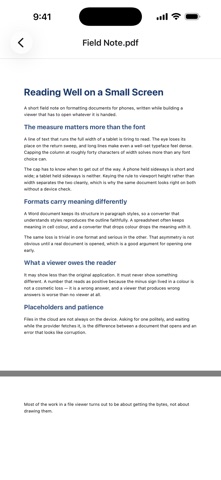
- View Word documents (.docx) formatted, with headings, lists and tables — Modrift Pro
- View Excel workbooks (.xlsx) as tables, with sheet switching — Modrift Pro
Markdown, text and images stay free. Only PDF, Word and Excel viewing is part of Modrift Pro — a single one-time purchase, no subscription.
These formats are view-only; they cannot be edited.
About your home and editing
- Files in your home (iCloud › Modrift) are editable in place, and edits sync to iCloud
- Files outside your home (Dropbox / Google Drive, or iCloud Drive outside the Modrift folder) are view-only. To edit one, use "Copy to Home" and edit the copy (the original is not written back)
- You can choose whether your home lives in iCloud or on this iPhone, in Settings
Relationship to the Files app
Modrift complements the Files app rather than replacing it. Leave general folder management to Files; Modrift focuses on formatted Markdown viewing, light editing, and tidying its own home folder.
The name combines Mo (Mobile / Motion) + drift — the idea of thoughts and files flowing freely on mobile.