

Month Calendar 2
Month Calendar 2 is made and published by Procrasty. AppBrain is an independent app data site and isn't affiliated with Procrasty. The app name, icon, screenshots and description belong to Procrasty and are shown as published on the App Store.
AppBrain's verdict
EstablishedTop 10- Best rank
- #6
- Top Paid, Denmark
- Rating on App Store
- 3.89
- 9 ratings
- Last updated
- December 18, 2022
It doesn't have enough ratings yet to judge what users think. Its best ranking is #6 in Top Paid, Productivity in Denmark.
Rankings
App Store top charts- Highest rank
- #6
- Chart
- Top Paid
- Productivity
- Country
- Denmark
Competitors
Similar apps and more from ProcrastyAlternatives to Month Calendar 2







Releases
Updates seen on the App Store- Version
- 17.3.1
- Launched
- February 2011
No changelog data
User feedback
Ratings and reviews on the App StoreComments on Month Calendar 2 for iOS
We don't have enough comments to show example comments. Please check back later.
Technology
Found in the app by AppBrain- Price
- $3.99
- App size
- 57.0 MB
- Content rating
- Everyone
Technologies used by Month Calendar 2
About the app and developer
About Month Calendar 2
Month Calendar 2 is a productivity app developed by Procrasty.
User Ratings
Month Calendar 2 is rated 3.89 out of 5 stars. The rating is based on 9 ratings.
App Information
Month Calendar 2 costs $3.99. The app size is 56.98 MB. The latest version available is 17.3.1. The last update was on December 18, 2022.
Technical Requirements
The app has a content rating of Everyone. The app has been available on the App Store since February 2011.
Developer information for Procrasty
Address:
Store listing
By Procrasty, from the App Store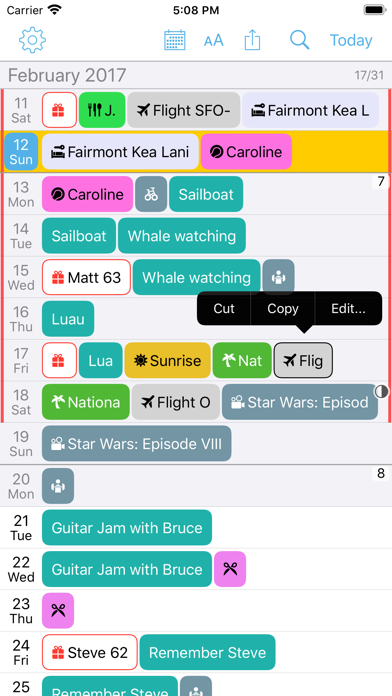
Description by Procrasty Written by the developer, not by AppBrain. Click to read.
Month Calendar has the overview you would expect from your large wall calendar, not a smartphone screen.
SMART BROWSING
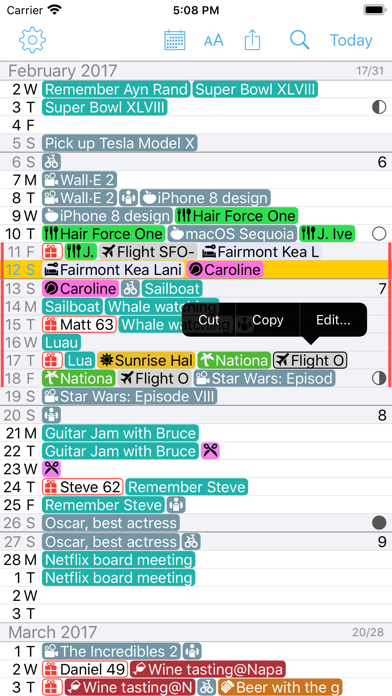
• In Month Calendar you continuously scroll weeks or even months with a flick of your finger.
• You are still able to zoom in (just double tap) and get detailed in-place overview of a week or day.
• All accomplished in the same overview.
• This makes the calendaring tasks you do much easier to achieve.
• You don't need a lot of different views of your calendar to change between. You need one that is absolutely awesome. Month Calendar, because it's that simple.
DAZZLING DECORATIONS
• Use color and icons and other decorations to personalize your Month Calendar and get the best overview.
• Decorations are matched to the event texts given your search terms. If a match is found the selected color and icon is shown with event.
• This way for instance an event for a haircut can be shown as a scissor icon instead of text.
• Also you could have your vacation calendar shown as just a vertical line to the right and left for the day, and hide the event completely.
• This helps to organize your month overview because it ensures more room for other events.
• It makes your Month Calendar visual and compelling, and gets you that convenient overview at a glance.
• Decorations are configured once and after this it works with all your events, both new and old.
OTHER GREAT MONTH CALENDAR FEATURES
• With Month Calendar you can browse your events in the past and plan into the future.
• You can search all your events in the month view and instantly find what your are looking for.
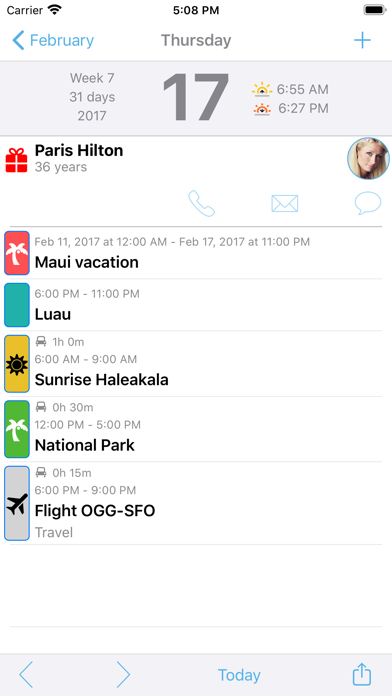
• Get the birthdays for all your contacts right in Month Calendar with picture and age.
• Get a birthday alarm and easy access to send a fun birthday message.
• See the four phases of the moon in month view and day view.
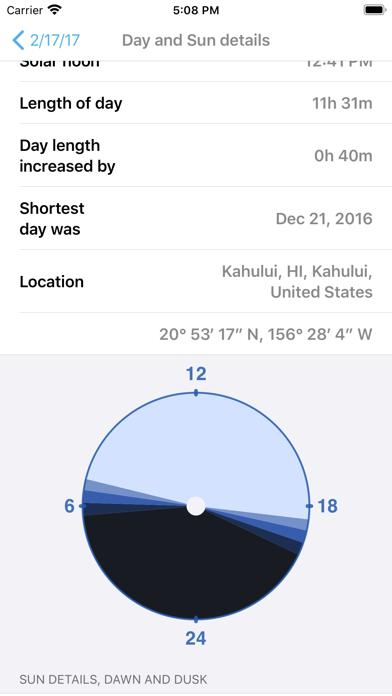
• Get beautiful information on sunrise, sunset and day length for your location right in day view, as well as a details page.
SYNCHRONIZES AND SHARES
• Month Calendar works seamlessly with your exsisting calendars right away.
• If you are already using iCloud, Exchange, Google, Yahoo!, Aol, Outlook.com, Facebook Events or other calendar accounts supported on your iPhone, Month Calendar just works.
• Month Calendar is also an iPad app and it will synchronize your devices using iCloud.
• Month Calendar supports shared calendars as well, this way you can share calendars with your family and friends in a safe way.
VOICEOVER
• The unique way of presenting days and events in Month Calendar is actually the most natural and intuitive way as well.
• It makes Month Calendar particularly useful for VoiceOver users.
• We have been taking great care to ensure the calendar works great with VoiceOver.
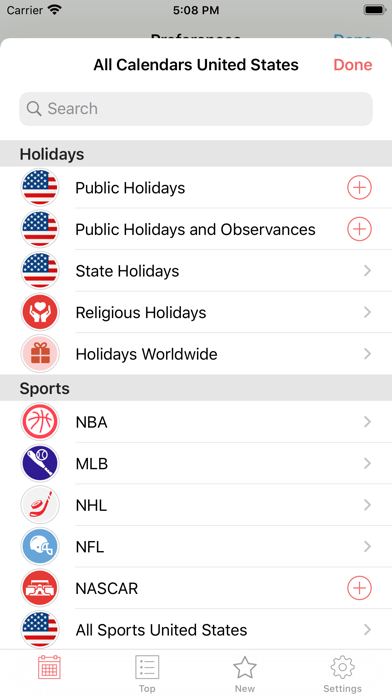
PREMIUM CALENDARS
With a yearly subscription you get full and ongoing access to the Calendar Store including (live) updates in your calendar. A subscription always starts with a one-month free trial, so you can try before you buy. 1 year subscriptions for the Calendar Store start at $1.99. Payment will be charged to your iTunes Account at confirmation of purchase and after the 1 month free trial. Subscriptions automatically renew unless auto-renew is turned off at least 24-hours before the end of the current period. Your account will be charged for renewal within 24-hours prior to the end of the current 1 year period. You can turn off auto-renew at any time from your iTunes account settings. Cancellation of the current active subscription period is not allowed.
Find the full terms and conditions, and our privacy policy, at http://procrasty.com/terms-of-service and http://procrasty.com/privacy-policy respectively.