Download Android Apps and Games
AppBrain
  • Apps
  • Apps being viewed right now Trending apps today Most popular apps All-time most downloaded apps Top rated apps
  • Intelligence ▾
    Intelligence overview → Track any Android app or your whole market
    Track & analyze
    Keyword Tracker & OptimizerTrack & improve Play rankings App Performance ReportOne-off PDF for any app StatisticsFree Android & Play market stats
    Promote your app
    Featured Apps App Links
  • Intelligence
  • Pricing
  • Dashboard
  • Sign up
  • Log in
Last updated on: 2026-06-10
App Store Apps > Productivity > VO Calendar
VO Calendar icon

VO Calendar

1.2.5
Tom van Zummeren
4.57
7 reviews
$3.99

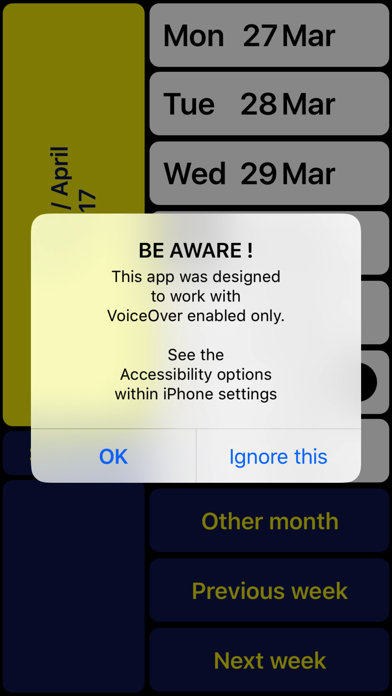
VO Calendar Screenshot 1 of 4
VO Calendar Screenshot 2 of 4
VO Calendar Screenshot 3 of 4
VO Calendar Screenshot 4 of 4
Download from the App Store

About VO Calendar

VO Calendar is an overall app developed by Tom van Zummeren.

Download Statistics

User Ratings

VO Calendar is rated 4.57 out of 5 stars. The rating is based on 7 ratings.

App Information

VO Calendar costs $3.99 to download. The APK download size is 769.00 kB. The latest version available is 1.2.5. The last update was on November 22, 2023.

Technical Requirements

The app has a content rating of Everyone. The app has been available on Google Play January 2013.

Description
NOTE: Can only be used together with VoiceOver (for blind and partially sighted people).

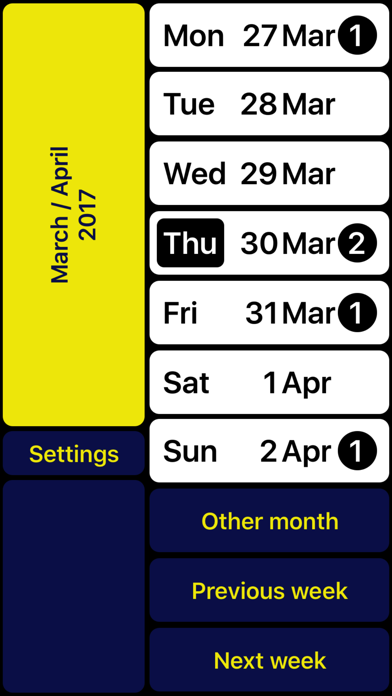
VO Calendar is a weekly calendar specifically designed to be used with VoiceOver.

The result of this VoiceOver-only design is not only a smoother navigation through the app. It also makes it possible for the VoiceOver speech to give smart summaries depending on the context. This prevents you from having to go through each event
Individually.

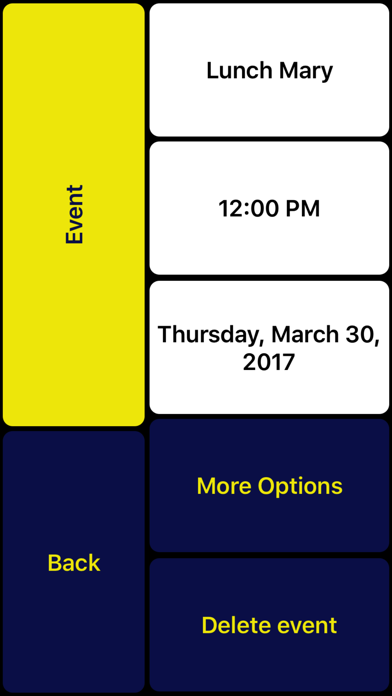
Existing events are automatically synchronized. If you prefer not to type, you can record voice memos instead.

You can use VO Calendar with the VoiceOver gestures you are used to.

However, there is an even faster way. With the screen being split into two halves you can scan the right half of the screen with your right thumb. A single tap with your left thumb then is enough to activate the concerning function. After getting used to you will find out this helps you to browse through your calendar even quicker.

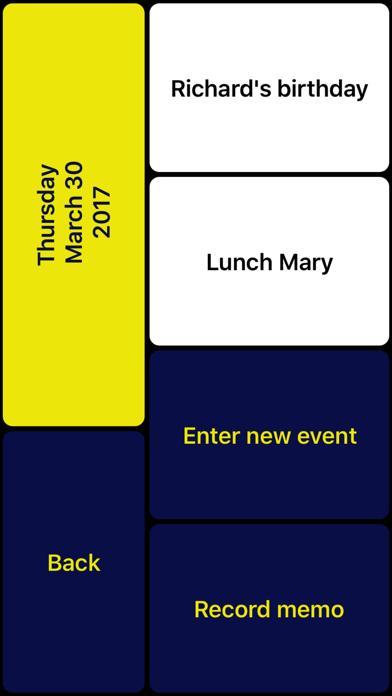
The left bottom always contains the ‘Return’ button so you can still reach it with your right thumb (being an L-shaped layout). At the top left you can always find a summary of the current screen content. In case you are left-handed you can swap left and right.

Note: If you have multiple calendars configured, VO Calendar will show all concerning events. New events will be assigned to your iPhone’s default calendar. Change the default calendar in: Settings > Mail, Contacts, Calendars > Default Calendar.

VO Calendar is developed in cooperation with Royal Dutch Visio, Centre of Expertise for blind and partially sighted people (www.visio.org).

We appreciate your opinion and are always interested in hearing from you. Feel free to leave your feedback in the form of a review or contact us at: support@vo-calendar.com

In case you have problems recording a memo:
- Hold one finger on 'Record memo' button
- Use other finger to tap on screen
(instead of first focussing on the button and then double tap)
Show more Show less

More data about VO Calendar

Price $3.99
Rating 4.57 based on 7 ratings
Ranking Highly ranked
Version 1.2.5
App download size 769.0 KB
Suitable for Everyone

Alternative downloads for the VO Calendar app

Kounters icon Kounters
iPinsoft
5.0
$0.99
2 ratings
QR Blind icon QR Blind
Claudio Guida
0.0
Free
WalkAssist icon WalkAssist
Bala Suresh
4.0
Free
5 ratings
Task Scheduler icon Task Scheduler
iDan
0.0
Free
WayAround - Tag and Scan icon WayAround - Tag and Scan
Blind InSites, LLC
4.1
Free
33 ratings
Scannable Pro - Scan to PDF icon Scannable Pro - Scan to PDF
JOSE AUGUSTO
0.0
$1.99
My Simple Planner icon My Simple Planner
SATYANANDA CORP
5.0
Free
8 ratings
HW Buddy icon HW Buddy
HumanWare Inc
2.2
Free
21 ratings

More from Tom van Zummeren

Easy Calendar icon Easy Calendar
Tom van Zummeren
4.7
$1.99
2.6K ratings
Easy Reminders icon Easy Reminders
Tom van Zummeren
4.1
$1.99
34 ratings
Drink Diary icon Drink Diary
Tom van Zummeren
2.6
$1.99
5 ratings

Changelog of VO Calendar

No changelog data

Developer information for Tom van Zummeren

Tom van Zummeren

Address:

Share VO Calendar

Comments on VO Calendar for iOS

We don't have enough comments to show example comments. Please check back later.

App Store Rankings for VO Calendar

Top rankings

Rank Country Category List
94 Netherlands Productivity Top Paid
99 Belgium Productivity Top Paid

Ranking history in Netherlands

Ranking history
Subscribe to see full ranking history in this country
AppBrain offers valuable information about your app and those of your competitors. Join AppBrain for free and claim this app to view more ranking data, view history etc.
I'm the developer of this app

Technologies used by VO Calendar

Kounters icon Kounters
QR Blind icon QR Blind
WalkAssist icon WalkAssist
Task Scheduler icon Task Scheduler
WayAround - Tag and Scan icon WayAround - Tag and Scan
Scannable Pro - Scan to PDF icon Scannable Pro - Scan to PDF
My Simple Planner icon My Simple Planner
HW Buddy icon HW Buddy

Back to top
AppBrain Intelligence premium content

Subscribe now to get full and unlimited access to AppBrain Intelligence. You'll have access to:

  • App Intelligence dashboard (performance timeline, competitor comparison, country rankings, insight cards)
  • Detailed ranking data per app
  • Full timeline per developer
  • Device market shares data per country
1 Month

$75/mo
(billed every month)

SAVE 0%
Subscribe
3 Months

$65/mo
($195 billed every 3 months)

SAVE 13%
Subscribe
1 Year

$57.50/mo
($690 billed every year)

SAVE 23%
Subscribe
Each subscription will automatically renew 3 days before the expiration date for the same time period. Subscriptions can be cancelled at any time before the renewal.

AppBrain is a directory focused on discovering great apps and games. We give statistics, rankings and search options that Google Play and the App Store don't have. All trademarks are owned by their respective owners. AppBrain doesn't offer APKs or binaries, and always lets users install the official version from Google Play or the App Store.

More apps

  • Top Android apps being viewed
  • Creative Arts Grade 8 Exams
  • View lodfix Air+
  • View DesiTV Sat Info from Europe

Android Statistics

  • Android statistics
  • Google Play Developer stats
  • Trending Android Apps
  • Top popular Apps
  • Buy the best Android phone

About AppBrain

  • Contact
  • Privacy
  • Documentation
  • DMCA takedowns
  • Articles
  • Blog
  • Android Interstitial Ads: Best practices to optimize your app's earnings
© 2010-2026 - AppBrain