

MovieFrame - Video Editor
MovieFrame - Video Editor is made and published by Mykhailo Dovhyi. AppBrain is an independent app data site and isn't affiliated with Mykhailo Dovhyi. The app name, icon, screenshots and description belong to Mykhailo Dovhyi and are shown as published on the App Store.
AppBrain's verdict
- Last updated
- September 24, 2024
Rankings
App Store top chartsApp Store Rankings for MovieFrame - Video Editor
Competitors
Similar apps and more from Mykhailo DovhyiAlternatives to MovieFrame - Video Editor







More from Mykhailo Dovhyi


Releases
Updates seen on the App Store- Version
- 2
- Launched
- March 2024
No changelog data
User feedback
Ratings and reviews on the App StoreComments on MovieFrame - Video Editor for iOS
We don't have enough comments to show example comments. Please check back later.
Technology
Found in the app by AppBrain- Price
- Free
- App size
- 10.4 MB
- Content rating
- Everyone
Technologies used by MovieFrame - Video Editor
About the app and developer
About MovieFrame - Video Editor
MovieFrame - Video Editor is a photo & video app developed by Mykhailo Dovhyi.
User Ratings
The app has no ratings yet.
App Information
MovieFrame - Video Editor is freely available from the App Store. The app size is 10.36 MB. The latest version available is 2. The last update was on September 24, 2024.
Technical Requirements
The app has a content rating of Everyone. The app has been available on the App Store since March 2024.
Developer information for Mykhailo Dovhyi
Address:
Store listing
By Mykhailo Dovhyi, from the App Store
Description by Mykhailo Dovhyi Written by the developer, not by AppBrain. Click to read.
KEY FEATURES:
- TEXT OVERLAY:
Personalize your videos with custom text overlays. Choose from a variety of colors, and styles to make your message pop. Customize and set: alpha, text color, background color, corner radius, border colors and width, shadows
- IMAGE INTEGRATION:
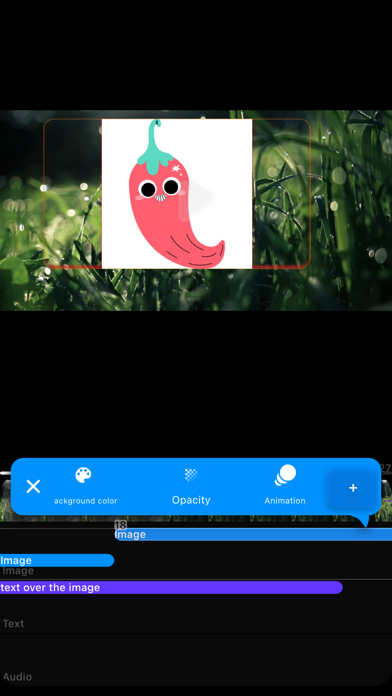
Enhance your videos by overlaying images. From logos and watermarks to stickers and decorative elements, unleash your imagination and add visual flair. Customize and set: alpha, background color, corner radius, border colors and width, shadows
- SOUNDTRACK SELECTION:
Elevate your videos with the perfect soundtrack. Import your own audio files to set the mood and enhance the viewing experience. Import from: Files or Music library
- SEAMLESS VIDEO MERGE:
Combine multiple videos seamlessly into a single cohesive masterpiece. Whether you're stitching together clips for a vlog or creating a montage, our editing tools make the process smooth and hassle-free.
- TRIM AND SPLIT:
Fine-tune your videos with precision. Trim unwanted sections or split clips to rearrange scenes effortlessly, ensuring your content flows seamlessly from start to finish.
- ADJUSTMENT TOOLS:
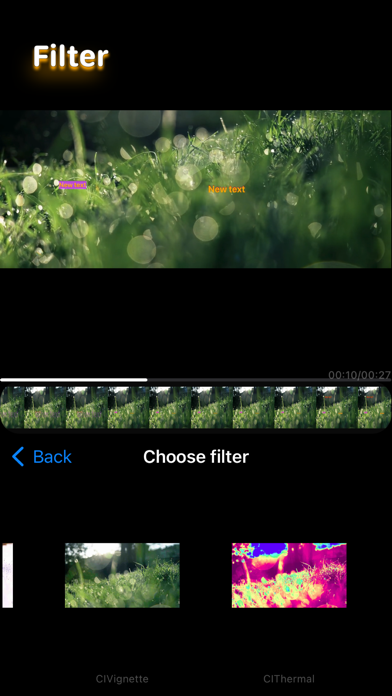
Customize your videos with a range of adjustment tools. Set video filters
- EXPORT IN HD:
Share your creations in stunning high definition. Export your edited videos in HD resolution, ensuring they look impeccable across all devices and platforms. Set export quality (setting video quality also changes the video editing format)
- USER-FRIENDLY INTERFACE:
Designed with simplicity in mind, our intuitive interface makes video editing accessible to users of all skill levels. Dive in and start creating without any steep learning curves.
Unlock your creative potential and bring your vision to life with our feature-rich video editor. Download now and start crafting captivating videos that stand out from the crowd!