

MSI MAP is made and published by JIWON SEO. AppBrain is an independent app data site and isn't affiliated with JIWON SEO. The app name, icon, screenshots and description belong to JIWON SEO and are shown as published on the App Store.
AppBrain's verdict
- Last updated
- October 9, 2026
Rankings
App Store top chartsApp Store Rankings for MSI MAP
Competitors
Similar apps and more from JIWON SEOAlternatives to MSI MAP


More from JIWON SEO

Releases
Updates seen on the App Store- Version
- 1.0.3
- Launched
- August 2026
No changelog data
User feedback
Ratings and reviews on the App StoreComments on MSI MAP for iOS
We don't have enough comments to show example comments. Please check back later.
Technology
Found in the app by AppBrain- Price
- Free
- App size
- 43.8 MB
- Content rating
- Everyone
Technologies used by MSI MAP
About the app and developer
About MSI MAP
MSI MAP is a navigation app developed by JIWON SEO.
User Ratings
The app has no ratings yet.
App Information
MSI MAP is freely available from the App Store. The app size is 43.83 MB. The latest version available is 1.0.3. The last update was on October 9, 2026.
Technical Requirements
The app has a content rating of Everyone. The app has been available on the App Store since August 2026.
Developer information for JIWON SEO
Address:
Frequently asked questions about MSI MAP
Is MSI MAP free?
Yes. MSI MAP is free on the App Store.
Is MSI MAP still available?
Yes. MSI MAP is on the App Store, and the last update we saw was on October 9, 2026.
How large is MSI MAP?
MSI MAP is 43.83 MB.
Is MSI MAP suitable for children?
App Store rates the content of MSI MAP as suitable for everyone.
Who made MSI MAP?
MSI MAP was developed by JIWON SEO. It is listed in the navigation category on the App Store.
What are the best alternatives to MSI MAP?
People looking at MSI MAP also look at these navigation apps: True-Wind Calculator, SeaVectors: Marine Navigation, Binnacle: Nautical Calculator, Qastor, QuoVadis X Mobile.
Store listing
By JIWON SEO, from the App Store


Description by JIWON SEO Written by the developer, not by AppBrain. Click to read.
WARNINGS ALONG YOUR ROUTE — MSI PRO
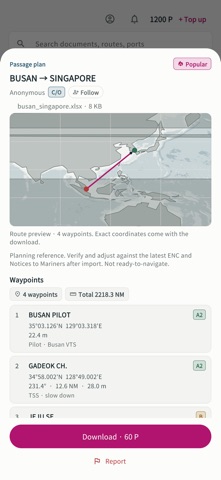
· Import a route file (RTZ, GPX, CSV or JSON) and see it drawn under the warning pins
· Keep only the warnings within 100, 200 or 300 nm of that route and clear the rest away
· Re-fetch every source on demand, instead of the free once-daily cycle
EXPORT TO THE ECDIS — MSI PRO
Warnings are carried over as latitude/longitude lines with text marks, ready to open on the bridge.
· JRC user map (.uchm) — native format
· GPX
· Furuno user chart (beta)
WARNING SOURCES
· NGA — worldwide NAVAREA plus HYDROLANT, HYDROPAC and HYDROARC
· Coastal NAVTEX, collected automatically from seven countries — the United States (USCG), Australia (AMSA), Japan (JCG/MSIL), Taiwan (MOTC), Hong Kong (Marine Department), Finland (Traficom) and Denmark (DMA Niord)
· NAVAREA III — Spain (IHM)
· Korea (KHOA) — collected as well once you enter your own free data.go.kr service key in Settings
THE MAP
· Fully offline vector coastline at three levels of detail, three bathymetry bands, national boundaries and 167 place labels covering major ports, straits and canals
· Coordinates and areas are extracted from the warning text and drawn as points, circles, polygons and tracklines
· Filter by NAVAREA, by geometry type, and by NAVAREA versus coastal NAVTEX
· Place and port search in English, with no network call
· Your own GPS position on the chart
CHANGE HISTORY
Compares each refresh with the one before it and lists what is new, what was cancelled and what changed.
DEPARTURE BRIEFING SHEET
Print the current list to an A4 PDF. Free.
MSI PRO IS A ONE-TIME PURCHASE
Not a subscription. Restores on a new device with Restore Purchase under the same store account. The map, the warning list, the change history and the briefing sheet are free.
LOCATION
GPS is read only when you tap the my-position button, and only while the app is in the foreground. It is used solely to draw your own position on the chart on this device — it is never sent to a server, never stored as a history, and never collected in the background. Decline the location permission and everything else keeps working.
There are no push notifications. Refresh is checked when you open the app or return to it.
English and Korean.
Note — for reference only. Not for navigation. Not a substitute for GMDSS receiving equipment or official notices to mariners.