

Multicam Pro - Tri-Camera Rec
Multicam Pro - Tri-Camera Rec is made and published by Ashraf Samy. AppBrain is an independent app data site and isn't affiliated with Ashraf Samy. The app name, icon, screenshots and description belong to Ashraf Samy and are shown as published on the App Store.
AppBrain's verdict
Established- Rating on App Store
- 2.63
- 16 ratings
- Last updated
- September 22, 2022
It doesn't have enough ratings yet to judge what users think.
Rankings
App Store top chartsApp Store Rankings for Multicam Pro - Tri-Camera Rec
Competitors
Similar apps and more from Ashraf SamyAlternatives to Multicam Pro - Tri-Camera Rec



More from Ashraf Samy


Releases
Updates seen on the App Store- Version
- 1.6.0
- Launched
- September 2019
No changelog data
User feedback
Ratings and reviews on the App StoreComments on Multicam Pro - Tri-Camera Rec for iOS
We don't have enough comments to show example comments. Please check back later.
Technology
Found in the app by AppBrain- Price
- Free
- App size
- 1.39 MB
- Content rating
- Everyone
Technologies used by Multicam Pro - Tri-Camera Rec
About the app and developer
About Multicam Pro - Tri-Camera Rec
Multicam Pro - Tri-Camera Rec is a photo & video app developed by Ashraf Samy.
User Ratings
Multicam Pro - Tri-Camera Rec is rated 2.63 out of 5 stars. The rating is based on 16 ratings.
App Information
Multicam Pro - Tri-Camera Rec is freely available from the App Store. The app size is 1.39 MB. The latest version available is 1.6.0. The last update was on September 22, 2022.
Technical Requirements
The app has a content rating of Everyone. The app has been available on the App Store since September 2019.
Developer information for Ashraf Samy
Address:
Store listing
By Ashraf Samy, from the App Store
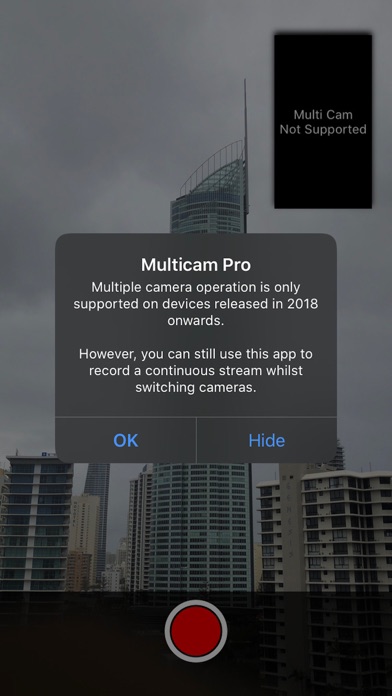
Description by Ashraf Samy Written by the developer, not by AppBrain. Click to read.
REQUIREMENTS
Only iPhone's with an A12 processor (released in 2018) or above support multiple streams. However, older iPhones can still take advantage of switching the cameras without stopping the recording.
HOW TO USE
- Select the cameras you'd like to use by tapping on the camera feeds to cycle through.
- Set the picture in picture arrangement.
- Choose to either output the video stitched together or as seperate files.
- Recorded videos appear in the Photos app.
- You can also switch cameras during a recording.
UPGRADES
This app is provided free to trial on your devices with a recording limit of 15 seconds. An in-app purchase is available to extend the recording limit.