

Treatment Pad AI Layout Camera
Treatment Pad AI Layout Camera is made and published by Ashraf Samy. AppBrain is an independent app data site and isn't affiliated with Ashraf Samy. The app name, icon, screenshots and description belong to Ashraf Samy and are shown as published on the App Store.
AppBrain's verdict
Established- Rating on App Store
- 3.00
- 11 ratings
- Last updated
- September 18, 2026
It doesn't have enough ratings yet to judge what users think.
Rankings
App Store top chartsApp Store Rankings for Treatment Pad AI Layout Camera
Competitors
Similar apps and more from Ashraf SamyAlternatives to Treatment Pad AI Layout Camera





More from Ashraf Samy


Releases
Updates seen on the App Store- Version
- 1.8.0
- Launched
- June 2019
No changelog data
User feedback
Ratings and reviews on the App StoreComments on Treatment Pad AI Layout Camera for iOS
We don't have enough comments to show example comments. Please check back later.
Technology
Found in the app by AppBrain- Price
- Free
- App size
- 40.5 MB
- Content rating
- Everyone
Technologies used by Treatment Pad AI Layout Camera
About the app and developer
About Treatment Pad AI Layout Camera
Treatment Pad AI Layout Camera is a medical app developed by Ashraf Samy.
User Ratings
Treatment Pad AI Layout Camera is rated 3.00 out of 5 stars. The rating is based on 11 ratings.
App Information
Treatment Pad AI Layout Camera is freely available from the App Store. The app size is 40.53 MB. The latest version available is 1.8.0. The last update was on September 18, 2026.
Technical Requirements
The app has a content rating of Everyone. The app has been available on the App Store since June 2019.
Developer information for Ashraf Samy
Address:
Store listing
By Ashraf Samy, from the App Store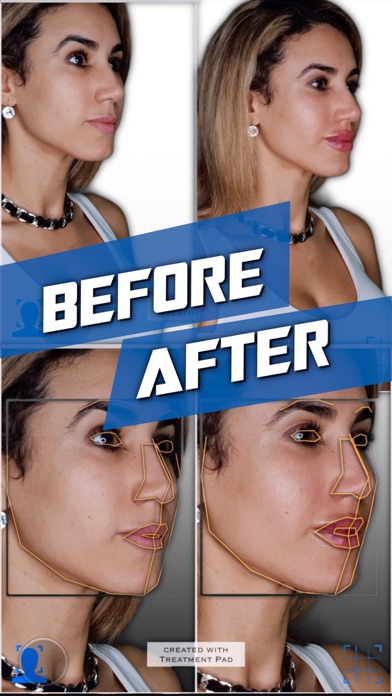
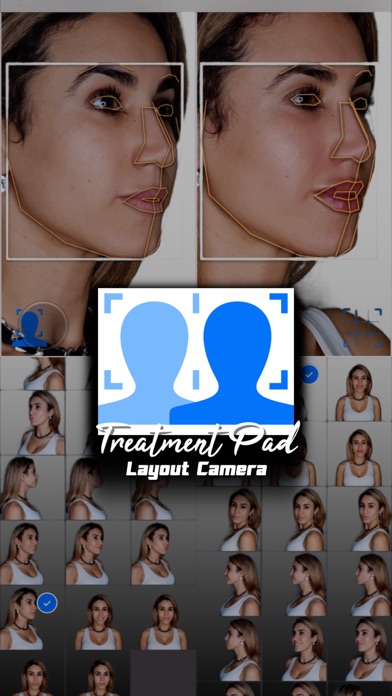
Description by Ashraf Samy Written by the developer, not by AppBrain. Click to read.
LAYOUT EDITOR
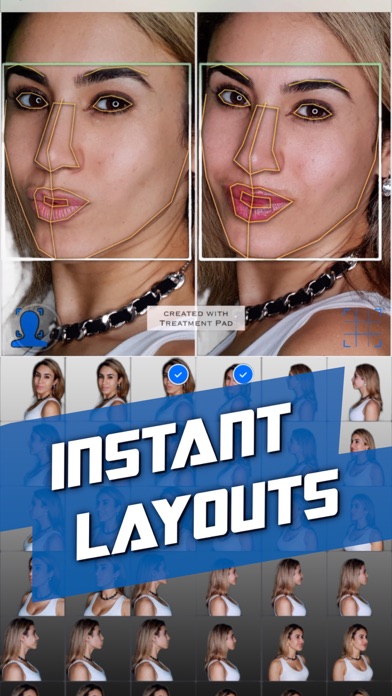
- In the gallery view first select your before and after photos.
- Then press the facial alignment icon to use computer vision to mark and identify facial features detected in the photographs for automatic alignment.
- Use the optional grid overlay for micro-adjustments.
- Use the settings menu to filter by face orientation or toggle backgrounds.
- Tap the share icon to save or add a blur.
- Tap or long press the template icon to toggle or switch templates
CAMERA
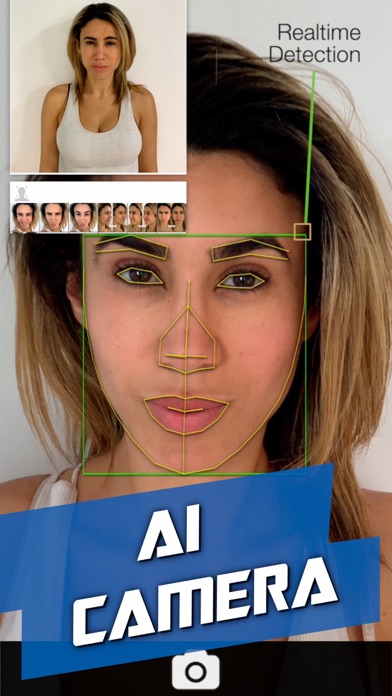
- In the gallery view tap the camera icon at the centre to launch the layout camera.
- Select photographs to compare with using the left pane.
- Take photographs with the camera using the right pane.
- The detected rotations are displayed to help guide you to take matching shots.
- The facial alignment icon can be used to show the detected face in both panes.
SUBSCRIPTIONS
Pro Layout: Upgrade to remove the 'created with Treatment Pad' watermark.
Pro + AI Camera: Upgrade to take photographs with the camera and remove any watermarks.
Terms of Use: treatmentpad.com/subscription-terms
MORE
More advanced features such as an automatic camera will be coming soon to this app after it has passed its clinical trial in the medical field.