AppBrain
AppBrain
  • Apps
  • Apps being viewed right now Trending apps today Most popular apps All-time most installed apps Top rated apps iPhone and iPad apps
  • Intelligence ▾
    Intelligence overview → Track any Android app or your whole market
    Track & analyze
    Keyword Tracker & OptimizerTrack & improve Play rankings App Performance ReportOne-off PDF for any app StatisticsFree Android & Play market stats
    Promote your app
    Featured Apps App Links
  • Intelligence
  • Pricing
  • Dashboard
  • Sign up
  • Log in
App Store Apps > Graphics & Design > Muse Pro
Muse Pro icon

Muse Pro

1.1.5
StyleOf
3.40
10 reviews
Free

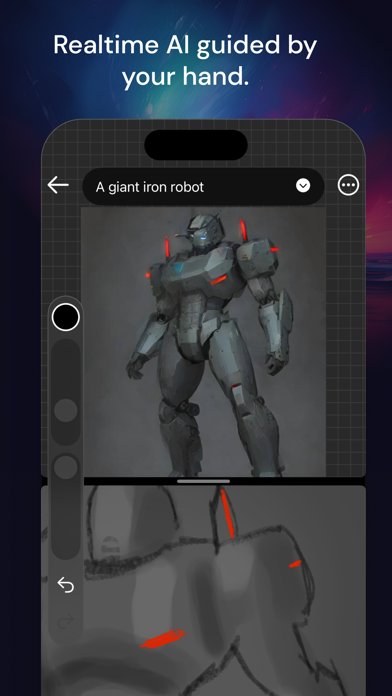
Muse Pro Screenshot 1 of 7
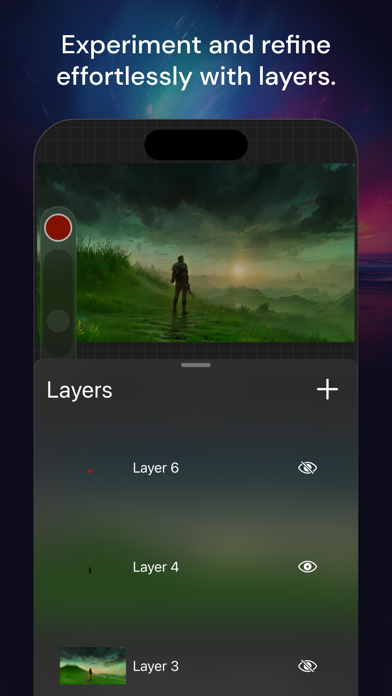
Muse Pro Screenshot 2 of 7
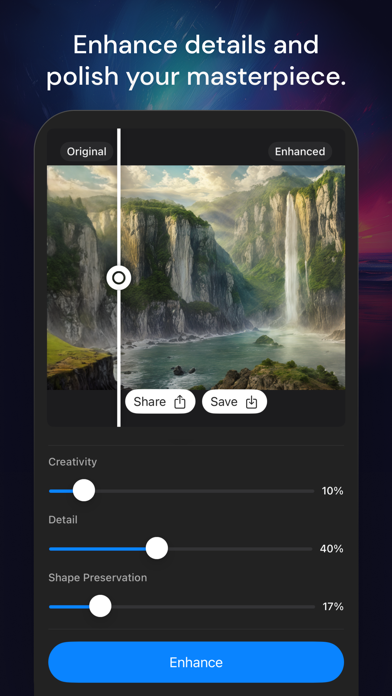
Muse Pro Screenshot 3 of 7
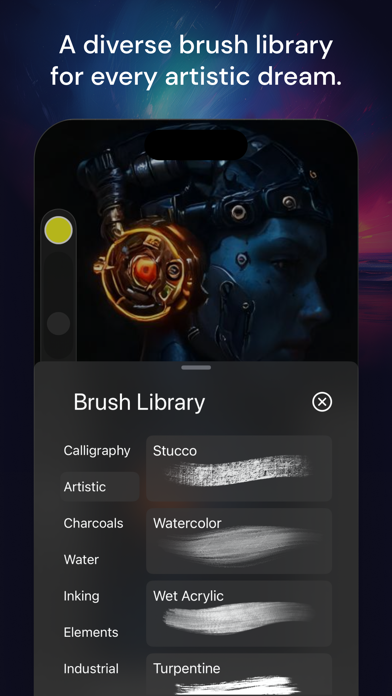
Muse Pro Screenshot 4 of 7
Muse Pro Screenshot 5 of 7
Muse Pro Screenshot 6 of 7
Muse Pro Screenshot 7 of 7
Screenshots by StyleOf, from the the App Store listing
View on the App Store

AppBrain's verdict

Rating on App Store
3.40
10 ratings
Last updated
November 21, 2025
Size
219.0 MB

It doesn't have enough ratings yet to judge what users think.

Official page on the App Store

User feedback

Ratings and reviews on the App Store

Comments on Muse Pro for iOS

We don't have enough comments to show example comments. Please check back later.

Store listing

By StyleOf, from the App Store
Description by StyleOf Written by the developer, not by AppBrain. Click to read.
Muse Pro is the epitome of digital creativity on the iPad, catering to both established and aspiring artists. With an extensive selection of handcrafted brushes, cutting-edge artistic tools, an advanced layering system, and a high-speed graphics engine, Muse Pro enables you to bring to life expressive sketches, vibrant paintings, detailed illustrations. Designed to harmonize with the iPad and Apple Pencil, Muse Pro turns any setting into your personal art studio, offering the following features for an unparalleled creative experience:

• Core Features

Designed with an intuitive interface for the iPad and Apple Pencil.
Smooth and responsive smudge sampling powered by Metal, drawing at 120 fps on Apple's XDR Pro Display.
Continuous auto-save ensures your work is always secure.
• Breakthrough Brushes

A wide array of hundreds of beautifully crafted brushes.
Brush sets for organizing your painting, sketching, and drawing tools.
Import and export capabilities for custom .brushset brushes.
• Advanced Layering System

Offers precise control over details and composition through layer management.
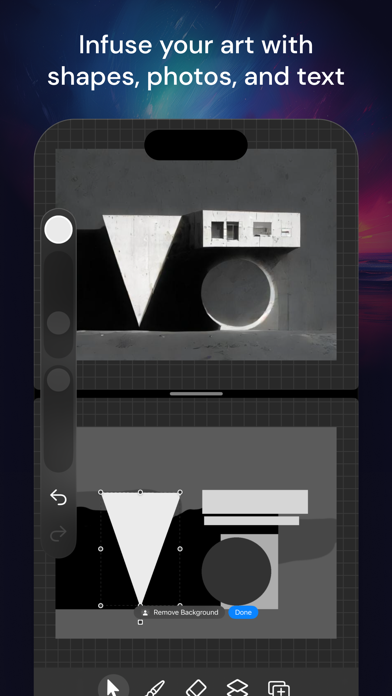
Select layers for individual movement or transformation of objects.
• The Design Tools You Need

Add vector Text to your illustrations for enhanced communication.
Crop and Resize your canvas to achieve the perfect composition.
A custom rendering engine that perfects your strokes in real-time for flawless results.
Streamline and stabilization features smooth out strokes, ideal for calligraphy and precise inking.
Use Scribble to change prompt settings and create text effortlessly.
• AI Features

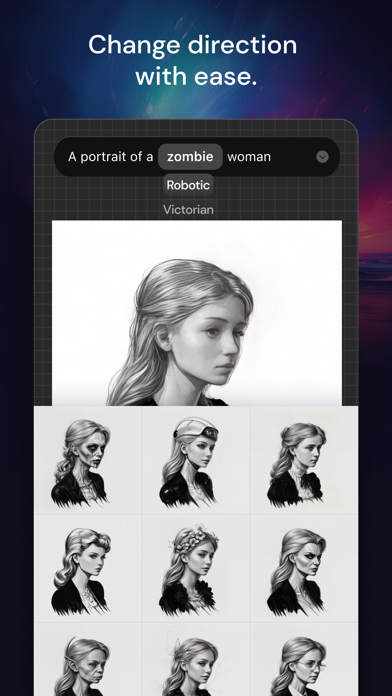
Real-time AI generation at up to 30 fps for dynamic creativity.
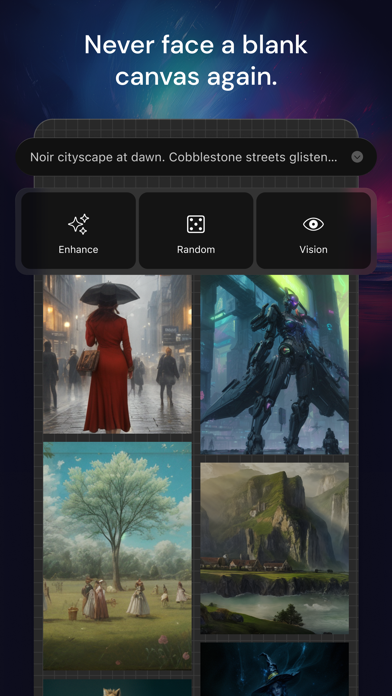
A Prompt enhancer, powered by GPT-4, assists in crafting detailed prompts.
Image to prompt conversion with GPT-4 Vision for enhanced AI-driven creation.
Creative upscaler and image enhancer: upscale your drawings up to 4x and easily switch styles for ultra-high definition images.
• Share Your Creations

Support for importing JPG, PNG, and TIFF image files.
Export your artwork as layered .musepro files or in high-quality PNG format, making it easy to share with peers.
Muse Pro is accessible on your Mac, iPhone, and iPad, offering an intuitive interface with gestures like two-finger tap to undo, three-finger tap to redo, and four-finger tap to clear a layer. It also supports light and dark mode and accommodates both left and right-handed users, ensuring a seamless and inclusive creative process.

Terms of Service: https://bit.ly/muse-pro-tos
Privacy Policy: https://bit.ly/muse-pro-privacy

Safety and technology

Found in the app by AppBrain
Price
Free
App size
219.0 MB
Content rating
Medium

Technologies used by Muse Pro

Releases

Updates seen on the App Store
Version
1.1.5
Launched
March 2024

No changelog data

Alternatives

Similar apps and more from StyleOf

Alternatives to Muse Pro

Wand - AI canvas icon Wand - AI canvas
Wand Technologies Inc.
4.7
Free
2.7K ratings
Image Resizer. icon Image Resizer.
Viet Ho Duc
4.7
$2.99
92 ratings
AI Havana icon AI Havana
BULAT KZ, TOO
2.0
Free
4 ratings
VectorMotion icon VectorMotion
Remotion Apps Inc.
3.2
Free
5 ratings
AI Garden & Landscape Designer icon AI Garden & Landscape Designer
Thai Huy Nguyen
4.3
Free
12 ratings
Axiom Solver icon Axiom Solver
Theory Accelerated LLC
4.6
Free
5 ratings
AI Figurine & Image Generator icon AI Figurine & Image Generator
Fatih Erdogan
4.1
Free
87 ratings
Speed Up Video icon Speed Up Video
Le Giang Nam
4.7
$4.99
92 ratings

More from StyleOf

GifStar: AI Face Swap Gif App icon GifStar: AI Face Swap Gif App
StyleOf
4.5
Free
51 ratings

Rankings

App Store top charts

App Store Rankings for Muse Pro

This app is not ranked

About the app and developer

About Muse Pro

Muse Pro is a graphics & design app developed by StyleOf.

User Ratings

Muse Pro is rated 3.40 out of 5 stars. The rating is based on 10 ratings.

App Information

Muse Pro is freely available from the App Store. The app size is 218.97 MB. The latest version available is 1.1.5. The last update was on November 21, 2025.

Technical Requirements

The app has a content rating of Medium Maturity. The app has been available on the App Store since March 2024.

Muse Pro is made and published by StyleOf. AppBrain is an independent app data site and isn't affiliated with StyleOf. The app name, icon, screenshots and description belong to StyleOf and are shown as published on the App Store.

Developer information for StyleOf

StyleOf

Address:

Share Muse Pro

Price drops on Google Play Today's trending apps Top new apps Popular Graphics & Design Apps Apps other people are watching
Wand - AI canvas icon Wand - AI canvas
Image Resizer. icon Image Resizer.
AI Havana icon AI Havana
VectorMotion icon VectorMotion
AI Garden & Landscape Designer icon AI Garden & Landscape Designer
Axiom Solver icon Axiom Solver
AI Figurine & Image Generator icon AI Figurine & Image Generator
Speed Up Video icon Speed Up Video
Overview Alternatives Reviews Rankings Technology
AppBrain Intelligence premium content

Subscribe now to get full and unlimited access to AppBrain Intelligence. You'll have access to:

  • App Intelligence dashboard (performance timeline, competitor comparison, country rankings, insight cards)
  • Detailed ranking data per app
  • Full timeline per developer
  • Device market shares data per country
  • Unlimited keyword tracking
1 Month

$75/mo
(billed every month)

SAVE 0%
Subscribe
3 Months

$65/mo
($195 billed every 3 months)

SAVE 13%
Subscribe
1 Year

$57.50/mo
($690 billed every year)

SAVE 23%
Subscribe
Each subscription will automatically renew 3 days before the expiration date for the same time period. Subscriptions can be cancelled at any time before the renewal.

AppBrain is an app data site, we track rankings, ratings, installs for all apps and games on Google Play and the App Store. AppBrain doesn't host app files or APKs, all install links go directly to the official store. All trademarks are owned by their respective owners.

More apps

  • Top Android apps being viewed
  • Tailor Fashion Dress up Games
  • NovelNest
  • View Juwa 777: Casino Online

App statistics

  • Android statistics
  • Google Play Developer stats
  • Trending Android Apps
  • Trending iOS apps
  • Top popular Apps
  • Buy the best Android phone
  • Buy & sell app businesses

About AppBrain

  • Contact
  • Privacy
  • Documentation
  • DMCA takedowns
  • Blog
  • Top Free Games Apps for your iPhone or iPad
© 2010-2026 - AppBrain