

VectorMotion
VectorMotion is made and published by Remotion Apps Inc. AppBrain is an independent app data site and isn't affiliated with Remotion Apps Inc. The app name, icon, screenshots and description belong to Remotion Apps Inc. and are shown as published on the App Store.
AppBrain's verdict
- Rating on App Store
- 3.25
- 4 ratings
- Last updated
- May 26, 2026
It doesn't have enough ratings yet to judge what users think.
Rankings
App Store top chartsApp Store Rankings for VectorMotion
Competitors
Similar apps and more from Remotion Apps Inc.Alternatives to VectorMotion








Also available on Google Play

Releases
Updates seen on the App Store- Version
- 1.2.7
- Launched
- February 2024
No changelog data
User feedback
Ratings and reviews on the App StoreComments on VectorMotion for iOS
We don't have enough comments to show example comments. Please check back later.
Technology
Found in the app by AppBrain- Price
- Free
- App size
- 64.1 MB
- Content rating
- Everyone
Technologies used by VectorMotion
About the app and developer
About VectorMotion
VectorMotion is a graphics & design app developed by Remotion Apps Inc.
User Ratings
VectorMotion is rated 3.25 out of 5 stars. The rating is based on 4 ratings.
App Information
VectorMotion is freely available from the App Store. The app size is 64.08 MB. The latest version available is 1.2.7. The last update was on May 26, 2026.
Technical Requirements
The app has a content rating of Everyone. The app has been available on the App Store since February 2024.
Developer information for Remotion Apps Inc.
Address:
Store listing
By Remotion Apps Inc., from the App Store



Description by Remotion Apps Inc. Written by the developer, not by AppBrain. Click to read.
Features :
-Vector design : Create and edit vector shape layers with the provided pen and direct select tools.
-Multi scene support : Create as much scenes as you need in a project without any restrictions on size or animation length.
-Saveable projects : Continue where you left off.
-Layers : Create shapes, texts, images, and edit their properties (Style, Geomtry, Effects).
-Animation : If you can edit it, you can animate it. Just long click any property and select the option to make it animatable.
-Advanced Timeline : Add, copy, reverse, delete keyframes and edit their easing for all layers at once.
-Layer Effects : Add style to your layers with effects such as blur, shadow, glow, glare, perspective deformation, bezier deformation…
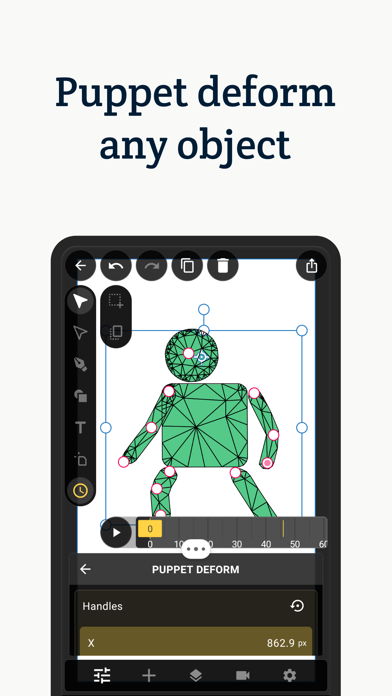
-Puppet deformation : Create cool character animations with ease using the puppet deformation effect.
-Geometry Effects : Transform your shape’s geometry by applying effects such corner rounding and path trimming.
-Text Effects : Make your text animation standout by adding effects such as character rotation and blur.
-Shape Morphing : Copy-paste an animated path into another, to get that cool shape morphing effect.
-Path Masks : Mask any layer using the pen tool with the masking mode.
-Typography : Per character styles, external font support, texts on paths, range based animatable effects… It’s all here.
-Simple 3d : Transform your layers in 3d with perspective.
-Advanced 3d : Extrude your shapes and texts to enable 3d rendering with PBR support.
-Image library : Manage, crop, transform, tag your images and insert them into your projects.
-Font Library : Import supported fonts to your library, and use them in your designs.
-Remove image backgrounds : Create alpha masks for you images with ease.
-Sequencer : Create sequences out of your scenes and add audio tracks to create your final movie.
-Export your scenes or sequences in high quality. Supported output formats are : animations (MP4, GIF), images(JPEG, PNG, GIF), documents (SVG, PDF).
Support:
If you have any questions or feedback, please send an email to vectormotion.team@gmail.com