

Music Practice Tool
Music Practice Tool is made and published by CASIO COMPUTER CO., LTD. AppBrain is an independent app data site and isn't affiliated with CASIO COMPUTER CO., LTD. The app name, icon, screenshots and description belong to CASIO COMPUTER CO., LTD. and are shown as published on the App Store.
AppBrain's verdict
- Last updated
- June 28, 2023
Rankings
App Store top chartsApp Store Rankings for Music Practice Tool
Competitors
Similar apps and more from CASIO COMPUTER CO., LTD.Alternatives to Music Practice Tool







More from CASIO COMPUTER CO., LTD.








Releases
Updates seen on the App Store- Version
- 1.2.5
- Launched
- November 2014
No changelog data
User feedback
Ratings and reviews on the App StoreComments on Music Practice Tool for iOS
We don't have enough comments to show example comments. Please check back later.
Technology
Found in the app by AppBrain- Price
- $0.99
- App size
- 18.0 MB
- Content rating
- Everyone
Technologies used by Music Practice Tool
About the app and developer
About Music Practice Tool
Music Practice Tool is a music app developed by CASIO COMPUTER CO., LTD.
What is the rating of Music Practice Tool?
Music Practice Tool has no ratings yet.
Is Music Practice Tool free?
Music Practice Tool costs $0.99. The app size is 18.04 MB. The latest version available is 1.2.5. The last update was on June 28, 2023.
What are the requirements for Music Practice Tool?
The app has a content rating of Everyone. The app has been available on the App Store since November 2014.
Developer information for CASIO COMPUTER CO., LTD.
Address:
Frequently asked questions about Music Practice Tool
Is Music Practice Tool free?
No. Music Practice Tool costs $0.99 on the App Store.
Is Music Practice Tool still available?
Yes. Music Practice Tool is on the App Store, and the last update we saw was on June 28, 2023.
How large is Music Practice Tool?
Music Practice Tool is 18.04 MB.
Is Music Practice Tool suitable for children?
App Store rates the content of Music Practice Tool as suitable for everyone.
Who made Music Practice Tool?
Music Practice Tool was developed by CASIO COMPUTER CO., LTD. It is listed in the music category on the App Store.
What are the best alternatives to Music Practice Tool?
People looking at Music Practice Tool also look at these music apps: C. BECHSTEIN VARIO, LFOH!, AmpliTube Acoustic, Poison-202 Vintage Synthesizer, KJHK.
Store listing
By CASIO COMPUTER CO., LTD., from the App Store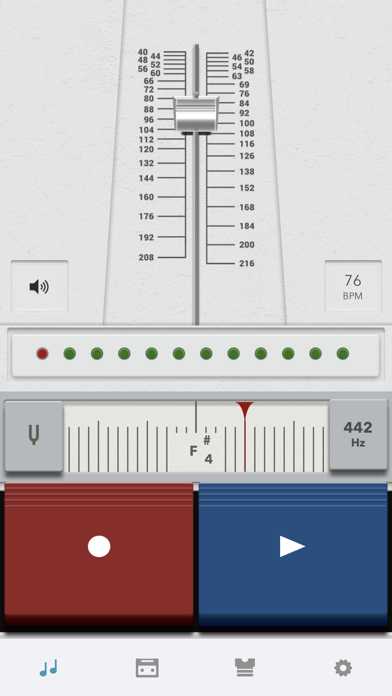

Description by CASIO COMPUTER CO., LTD. Written by the developer, not by AppBrain. Click to read.
(for wind and string instruments player)
A metronome, tuner and recorder all set out in the same screen to fit right into your practice session. With the same operations all in one screen, you can quickly go from recording to playback to checking and back to recording.
By objectively reviewing your performance and then trying it again, you'll really make progress!
○○○○○ Product Features ○○○○○
A practice app that boosts the efficiency of your musical instrument practice sessions.
Most people learning to play a musical instrument practice alone.
When you practice with a teacher or with your friends, they can give you advice about your playing and you can identify the problems you need to work on. But when you practice alone, it's much more difficult to see your playing objectively.
<That's when "Music Practice" is really invaluable. >
You can control the metronome, tuner and recorder all from the same screen, which means that as well as checking your tempo and tuning as you play, you can also directly record your playing.
By listening to your recording as soon as you finish playing, you can get an objective impression of your performance.
<Straightforward design and layout >
A key feature of the app is that the screen is laid out so that it makes practicing more efficient.
The features you use in real time are shown larger so you don't hit the wrong button by mistake.
And when you tilt your device, the layout automatically flips between horizontal and vertical.
So you can set it on your music stand or put it on a table, whatever works best for you.
<Customize your design >
Because you'll be using it every day, you'll want to get the design just right.
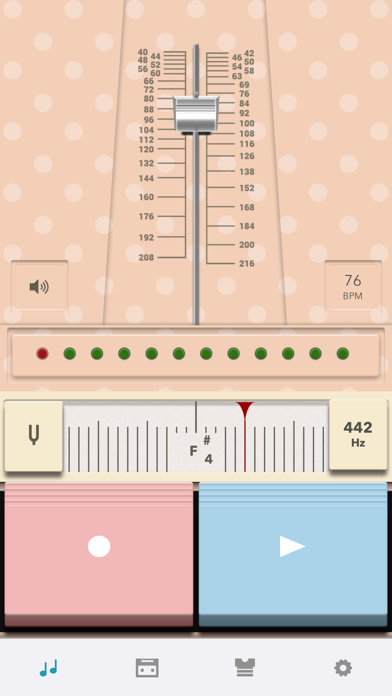
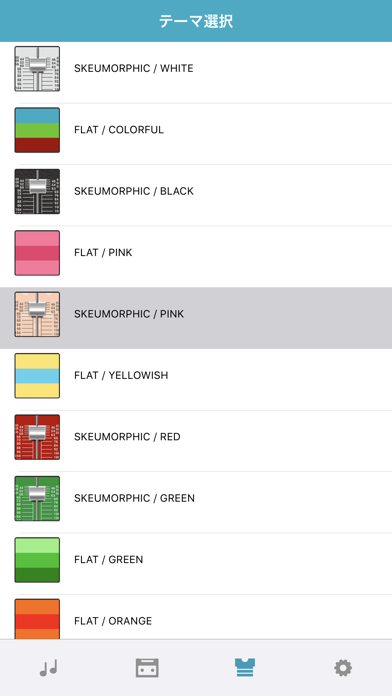
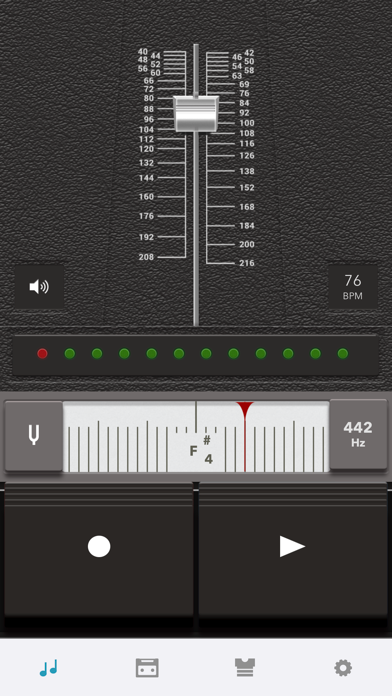
There are lots of color variations.
Play around until you get the colors just right for you, whether it's your lucky color or just the color that suits your mood today.
【Operating requirements】
iPhone 5, iPhone5s, iPhone5c, iPhone 6, iPhone6 Plus
iPod touch (5th generation)
※iOS 7 or later required.