

MyGIS PRO is made and published by 3B Soft srls. AppBrain is an independent app data site and isn't affiliated with 3B Soft srls. The app name, icon, screenshots and description belong to 3B Soft srls and are shown as published on the App Store.
AppBrain's verdict
Established- Rating on App Store
- 3.00
- 1 ratings
- Last updated
- January 25, 2024
- Size
- 19.9 MB
It doesn't have enough ratings yet to judge what users think.
User feedback
Ratings and reviews on the App StoreComments on MyGIS PRO for iOS
We don't have enough comments to show example comments. Please check back later.
Store listing
By 3B Soft srls, from the App Store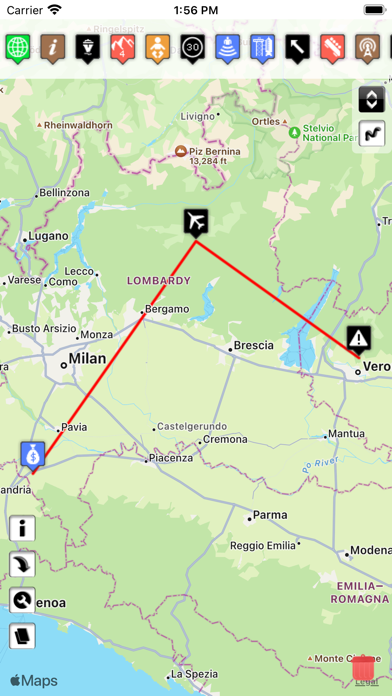

Description by 3B Soft srls Written by the developer, not by AppBrain. Click to read.
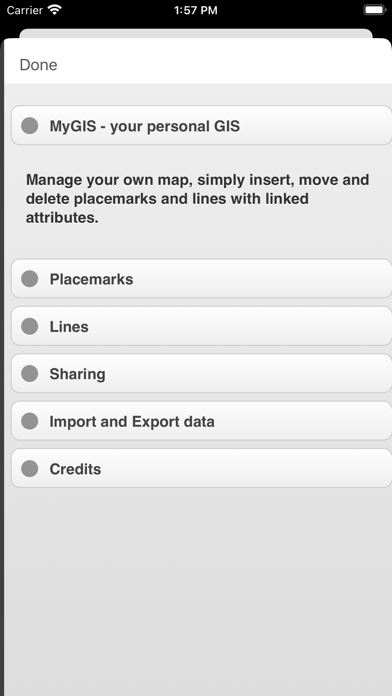
A real GIS, with maps and database.
You can drag items from the sliding bar at the top (if it is not displayed, click on the icon at the top right). There are a variety of symbols to choose from. The item is initially inserted without any data.
To change the title and/or subtitle associated with an annotation, you must select it in the map and then click in the window that appears.
To move an annotation you must first put the map in edit mode by clicking on the icon at the top right. At this point, you can select an annotation on the map and drag it. By bringing it over the trash can at the bottom right (which appears only after putting the map in edit status), the annotation is deleted. To return the map to its default state and finish moving, click on the edit icon again.
Deleting an annotation can be done in two ways. Through the "View and edit data" functionality, selecting the delete button. Or through the placemark move functionality, by dragging it over the trash can.
To insert lines, select the "draw" icon in the top right (below the edit icon), and then start drawing lines on the map.
Viewing and editing Linea data click to collapse contents
To change the title and/or subtitle associated with a placemark, you need to select it in the map and then click in the window that appears.
To edit a line you must first bring the map into edit mode by clicking on the pencil icon at the top right. At this point, the movable vertices of the lines are highlighted with red squares. If the vertices are far enough apart, a fictitious intermediate vertex is also displayed to be used for actually inserting a new vertex. To return the map to its default state and finish moving, click on the pencil icon again.
Deleting a line is done by deleting all its vertices (that is, dragging them onto the trash can). You can completely delete a line using the "View and edit data" functionality by selecting the delete button.
You can share the portion of the map currently displayed via Twitter or via email by clicking on one of the two icons at the bottom left. By sharing the map via email, a .kmz file is also attached.
MyGIS has the ability to save a MyGIS.kmz file that can be opened in other applications (for example, dropbox, to be able to save it). By also selecting a file with the kmzMyGIS extension, you can choose to open it with MyGIS, in which case the contents of the file replace the map with the contents.
Safety and technology
Found in the app by AppBrain- Price
- $1.99
- App size
- 19.9 MB
- Content rating
- Everyone
Technologies used by MyGIS PRO
Releases
Updates seen on the App Store- Version
- 2.1
- Launched
- February 2012
No changelog data
Alternatives
Similar apps and more from 3B Soft srlsAlternatives to MyGIS PRO




More from 3B Soft srls








Rankings
App Store top chartsApp Store Rankings for MyGIS PRO
About the app and developer
About MyGIS PRO
MyGIS PRO is a navigation app developed by 3B Soft srls.
User Ratings
MyGIS PRO is rated 3.00 out of 5 stars. The rating is based on one rating ratings.
App Information
MyGIS PRO costs $1.99. The app size is 19.93 MB. The latest version available is 2.1. The last update was on January 25, 2024.
Technical Requirements
The app has a content rating of Everyone. The app has been available on the App Store since February 2012.
Developer information for 3B Soft srls
Address: