

MyPass - Password & Visual Key
MyPass - Password & Visual Key is made and published by HNC SOFT. AppBrain is an independent app data site and isn't affiliated with HNC SOFT. The app name, icon, screenshots and description belong to HNC SOFT and are shown as published on the App Store.
AppBrain's verdict
- Last updated
- September 5, 2026
- Size
- 19.9 MB
User feedback
Ratings and reviews on the App StoreComments on MyPass - Password & Visual Key for iOS
We don't have enough comments to show example comments. Please check back later.
Store listing
By HNC SOFT, from the App Store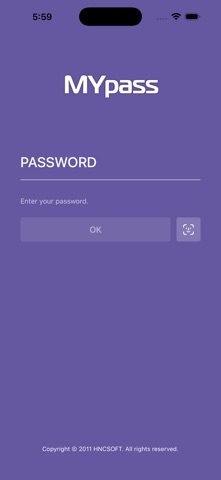
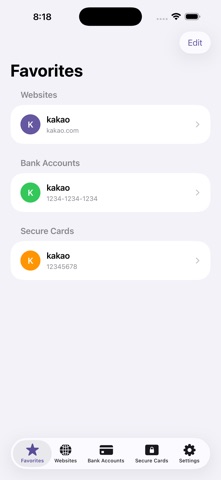
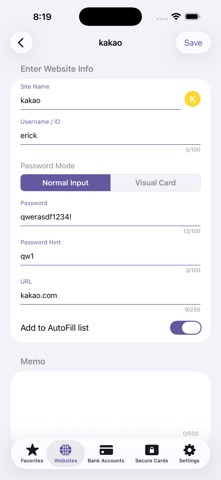
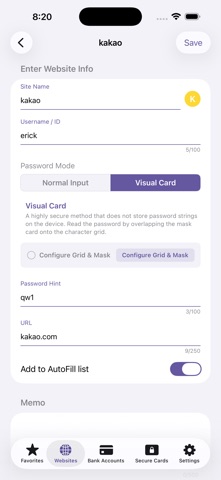


Description by HNC SOFT Written by the developer, not by AppBrain. Click to read.
[Key Differentiator: Visual Cipher Card]
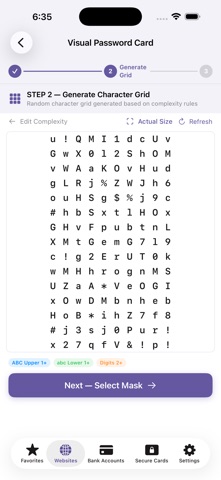
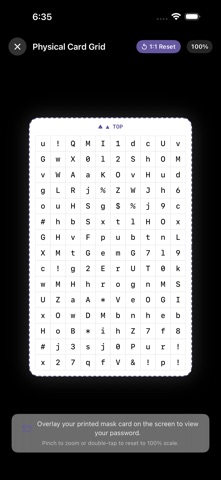
Instead of saving passwords as plain text, MyPass uses a proprietary security method where your password is read by overlaying a perforated mask film onto a randomized character grid.
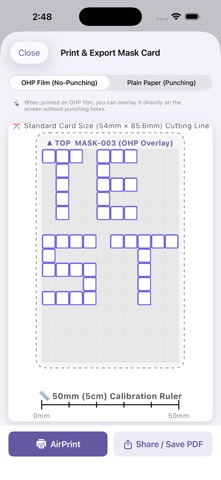
How It Works: Generate a 10×15 randomized character grid → Design your own mask film with custom punch holes → Authenticate via Biometrics (Face ID/Touch ID) and overlay the mask to reveal your password.
Security Strengths:
Zero Text Storage: No password strings are saved on your device or servers, eliminating data breach risks.
Secure Enclave Isolation: Mask card data is securely stored in iOS's highest security environment (Keychain / Secure Enclave).
Physical 2-Factor Support: You can print out the mask card as a physical film and delete the digital copy from the app.
[Key Features]
Account Management & AutoFill: Save website credentials with full AutoFill support for Safari and third-party apps.
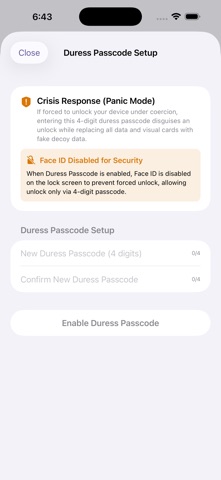
Duress Mode (Emergency Password): If forced to unlock your vault under coercion, entering your emergency PIN displays randomized dummy data.
Security Card Management: Manage bank security card serial numbers and code tables.
100% Offline & Private: Zero ads, zero network permissions. No external data transmission, fully encrypted locally using AES-256.
[Data Backup & Restore Guide]
Backup: Settings > Data Management > ‘Export Data (Backup)’ > Enter App PIN > Choose save location
Restore: Settings > Data Management > ‘Import Data (Restore)’ > Enter current App PIN > Select backup file
Note: Restoring will overwrite existing data. The backup file must be unlocked using the master password set at the time the backup was created.
Safety and technology
Found in the app by AppBrain- Price
- $1.99
- App size
- 19.9 MB
- Content rating
- Everyone
Technologies used by MyPass - Password & Visual Key
Releases
Updates seen on the App Store- Version
- 1.2.2
- Launched
- March 2021
No changelog data
Alternatives
Similar apps and more from HNC SOFTAlternatives to MyPass - Password & Visual Key



 Private Calculator - File Hider, Secret Photo Video Browser, Image Downloader and Note vault


More from HNC SOFT

Rankings
App Store top chartsApp Store Rankings for MyPass - Password & Visual Key
About the app and developer
About MyPass - Password & Visual Key
MyPass - Password & Visual Key is an utilities app developed by HNC SOFT.
User Ratings
The app has no ratings yet.
App Information
MyPass - Password & Visual Key costs $1.99. The app size is 19.86 MB. The latest version available is 1.2.2. The last update was on September 5, 2026.
Technical Requirements
The app has a content rating of Everyone. The app has been available on the App Store since March 2021.
Developer information for HNC SOFT
Address: