Download Android Apps and Games
AppBrain
  • Apps
  • Apps being viewed right now Trending apps today Most popular apps All-time most downloaded apps Top rated apps
  • Intelligence ▾
    Intelligence overview → Track any Android app or your whole market
    Track & analyze
    Keyword Tracker & OptimizerTrack & improve Play rankings App Performance ReportOne-off PDF for any app StatisticsFree Android & Play market stats
    Promote your app
    Featured Apps App Links
  • Intelligence
  • Pricing
  • Dashboard
  • Sign up
  • Log in
Last updated on: 2026-06-23
App Store Apps > Productivity > MyPoint PowerPoint Presentation Pro
MyPoint PowerPoint Presentation Pro icon

MyPoint PowerPoint Presentation Pro

1.2.2
Didonai LLC
1.73
15 reviews
$7.99

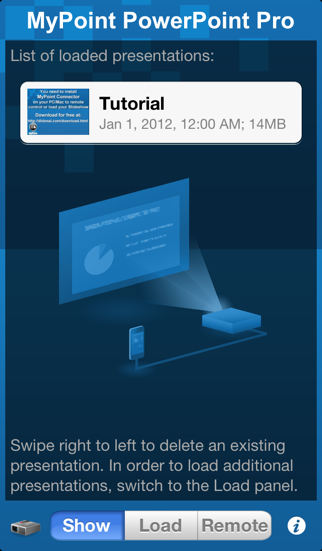
MyPoint PowerPoint Presentation Pro Screenshot 1 of 5

MyPoint PowerPoint Presentation Pro Screenshot 2 of 5

MyPoint PowerPoint Presentation Pro Screenshot 3 of 5
MyPoint PowerPoint Presentation Pro Screenshot 4 of 5

MyPoint PowerPoint Presentation Pro Screenshot 5 of 5
Download from the App Store

About MyPoint PowerPoint Presentation Pro

MyPoint PowerPoint Presentation Pro is an overall app developed by Didonai LLC.

Download Statistics

User Ratings

MyPoint PowerPoint Presentation Pro is rated 1.73 out of 5 stars. The rating is based on 15 ratings.

App Information

MyPoint PowerPoint Presentation Pro costs $7.99 to download. The APK download size is 15.58 MB. The latest version available is 1.2.2. The last update was on September 16, 2014.

Technical Requirements

The app has a content rating of Everyone. The app has been available on Google Play July 2012.

Description
Control PowerPoint presentations that are running on your computer.
Rehearse your slide show while on the go.
Show your presentation without a computer by using a VGA adapter (iPhone 4 / iPad or later) or an Apple TV via AirPlay mirroring (iPhone4S, iPad 2, or later).

MyPoint improves the slideshow for both the presenter and the audience in many ways:

- Presenter can keep in contact with the audience at all times, no need to turn around or go back to the computer.
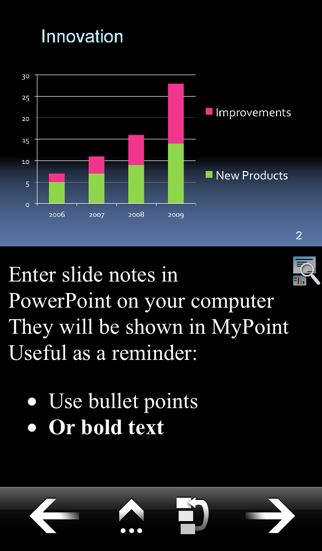
- Comments or notes on the current slide are visible to the presenter.
- Preview of the next slides helps presenter to prepare audience on what's coming next.
- Requests from the audience to go back to a certain slide can be fulfilled in an instant.

Features:

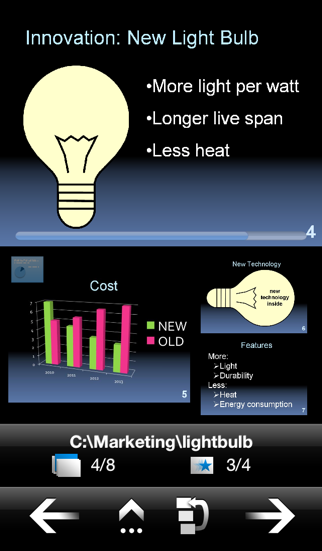
* Slide navigation: back / next / jump to slide via slide browser
* Display on iPhone: Current slide, notes, preview of next 3 slides
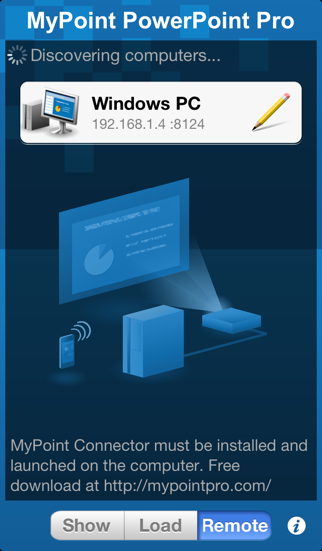
* Network connection: Wifi, auto-detection of computer via Bonjour
* Slideshows: Supports slideshows with notes, animations, and different screen ratio's (e.g. widescreen)
* Portrait, landscape and full-screen mode (iPad only)
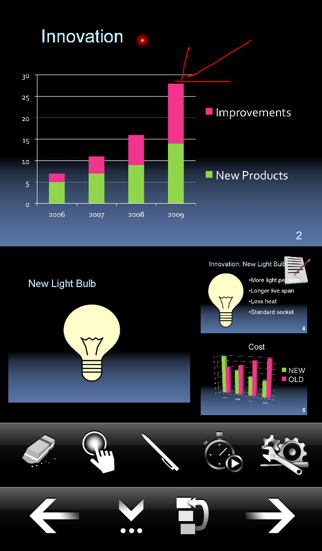
* Several pointer shapes to choose from, replacing a traditional laser pointer
* Annotate or mark the current slide with the pen in different colors
* A timer keeps let's you easily keep track of your time while presenting.
* Synchronizes automatically with current slide after re-launch of App during a presentation

You need to install a small application on your PC/Mac, which can be downloaded at: http://mypointpro.com/download.html
This allows you to:
* control presentations on your computer
* load presentations from your computer to your iOS device so that you can later on show or rehearse your presentation without a computer.

Current limitations; most of them we plan to address in future releases:
- When controlling presentations on your computer:
* You cannot switch presentations via MyPoint, but you can switch presentations on your computer and MyPoint will pick up the new presentation.

- When showing presentations via VGA adapter or AirPlay (AppleTV) :
* Movements of animations or slide transitions are not displayed.
* The supported slide resolution is limited by the resolution of the computer display used when loading the presentation from your computer.

In case you are interested in a particular enhancement please contact us via our support email.

Currently supported:
* PowerPoint 2003, 2007, 2010 or 2013 on Windows 8, 7, Vista, XP, or 2003
* PowerPoint 2008 or 2011 on Mac OS X 10.6, 10.7, 10.8, or 10.9

For controlling or loading presentations iPhone / iPad / iPod touch and computer have to be connected to the same WiFi network.
Show more Show less

More data about MyPoint PowerPoint Presentation Pro

Price $7.99
Rating 1.73 based on 15 ratings
Ranking Highly ranked
Version 1.2.2
App download size 15.6 MB
Suitable for Everyone

Alternative downloads for the MyPoint PowerPoint Presentation Pro app

PDF Lecture icon PDF Lecture
LiveReader GmbH
5.0
$6.99
6 ratings
DigiDocs icon DigiDocs
Signit.dk ApS
5.0
Free
2 ratings
QSC SysNav™ icon QSC SysNav™
QSC Audio Products, LLC
0.0
Free
Remote Control for Autokue App icon Remote Control for Autokue App
Alvaro Garcia Ojea
0.0
Free
Presentation Monitor icon Presentation Monitor
Andrew Killeen
3.7
Free
3 ratings
Conference Pad icon Conference Pad
airfolio GmbH
3.6
Free
22 ratings
ArrayCalc Viewer icon ArrayCalc Viewer
d&b audiotechnik GmbH & Co. KG
4.1
Free
8 ratings
ParkerPlanner - Cal+Todo+Note icon ParkerPlanner - Cal+Todo+Note
Matraex
4.1
Free
34 ratings

Changelog of MyPoint PowerPoint Presentation Pro

No changelog data

Developer information for Didonai LLC

Didonai LLC

Address:

Share MyPoint PowerPoint Presentation Pro

Comments on MyPoint PowerPoint Presentation Pro for iOS

We don't have enough comments to show example comments. Please check back later.

App Store Rankings for MyPoint PowerPoint Presentation Pro

Top rankings

Rank Country Category List
89 Indonesia Productivity Top Paid

Ranking history in Indonesia

Ranking history
Subscribe to see full ranking history in this country
AppBrain offers valuable information about your app and those of your competitors. Join AppBrain for free and claim this app to view more ranking data, view history etc.
I'm the developer of this app

Technologies used by MyPoint PowerPoint Presentation Pro

PDF Lecture icon PDF Lecture
DigiDocs icon DigiDocs
QSC SysNav™ icon QSC SysNav™
Remote Control for Autokue App icon Remote Control for Autokue App
Presentation Monitor icon Presentation Monitor
Conference Pad icon Conference Pad
ArrayCalc Viewer icon ArrayCalc Viewer
ParkerPlanner - Cal+Todo+Note icon ParkerPlanner - Cal+Todo+Note

Back to top
AppBrain Intelligence premium content

Subscribe now to get full and unlimited access to AppBrain Intelligence. You'll have access to:

  • App Intelligence dashboard (performance timeline, competitor comparison, country rankings, insight cards)
  • Detailed ranking data per app
  • Full timeline per developer
  • Device market shares data per country
1 Month

$75/mo
(billed every month)

SAVE 0%
Subscribe
3 Months

$65/mo
($195 billed every 3 months)

SAVE 13%
Subscribe
1 Year

$57.50/mo
($690 billed every year)

SAVE 23%
Subscribe
Each subscription will automatically renew 3 days before the expiration date for the same time period. Subscriptions can be cancelled at any time before the renewal.

AppBrain is a directory focused on discovering great apps and games. We give statistics, rankings and search options that Google Play and the App Store don't have. All trademarks are owned by their respective owners. AppBrain doesn't offer APKs or binaries, and always lets users install the official version from Google Play or the App Store.

More apps

  • Top Android apps being viewed
  • MCPE How to Train Dragon
  • Asmaky Vendor
  • Solitaire Classic: Klondike for Android

Android Statistics

  • Android statistics
  • Google Play Developer stats
  • Trending Android Apps
  • Top popular Apps
  • Buy the best Android phone

About AppBrain

  • Contact
  • Privacy
  • Documentation
  • DMCA takedowns
  • Articles
  • Blog
  • Free webpage for your Android app
© 2010-2026 - AppBrain