NaturalLocalReader: Read Aloud is an overall app developed by Yanjue Yan.
Download Statistics
User Ratings
NaturalLocalReader: Read Aloud is rated 5.00 out of 5 stars. The rating is based on one rating ratings.
App Information
NaturalLocalReader: Read Aloud is FREE to download. The APK download size is 7.90 MB. The latest version available is 1.2.6. The last update was on July 17, 2026.
Technical Requirements
The app has a content rating of Everyone. The app has been available on Google Play April 2026.
Description
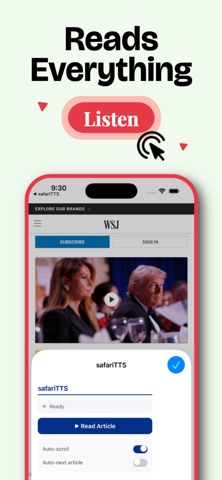
Listen to Safari articles and imported documents entirely on-device — no internet required. NaturalLocalReader offers English and Chinese text-to-speech with voice cloning, a Safari extension, offline audio preparation, and a saved reading library.
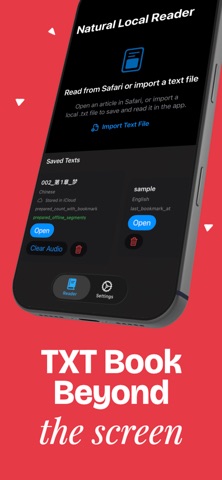
Use the Safari extension to send any article straight into the app, or import `.txt`, `.epub`, `.pdf`, `.md`, or `.html` files and keep them in a reading library with saved progress. Pick up where you left off, jump to any paragraph or chapter, and listen with simple playback controls.
**English and Chinese playback, fully on-device.** English content is read using PocketTTS — a fast, natural-sounding engine with voice cloning support. Chinese content uses MOSS — a CoreML-powered voice engine also with voice cloning. Record a short clip or import any audio file, and the engine reads in your voice. No internet connection needed for any engine.
**Voice cloning for English and Chinese.** Record a short clip in Settings → Voice Reference and the engine reads in your voice — available for both PocketTTS (English) and MOSS (Chinese). MOSS also lets you save multiple named voice references and switch between them instantly.
For longer listening sessions, NaturalLocalReader can prepare offline audio for any saved file so you can keep listening with fewer pauses. Preparation is resumable — start, stop, and pick up again any time.
NaturalLocalReader requires a subscription or one-time purchase to access all features. A 7-day free trial is included with the subscription.
### Highlights - Send article text from Safari to the iOS app with one tap. - Import and save `.txt`, `.epub`, `.pdf`, `.md`, and `.html` files in an in-app reading library. - Read English text aloud using PocketTTS with voice cloning — record your voice and PocketTTS reads in your style. - Read Chinese text aloud using MOSS with voice cloning — record your voice and MOSS reads in your style. - Save multiple named voice references for Chinese and switch between them in Settings. - Jump to any paragraph by tapping it; navigate chapters with the chapter list. - Return to the home screen without losing the current article or saved text. - Keep your reading progress for any reopened saved file. - Prepare offline audio for any imported file and resume unfinished preparation later. - Adjust playback speed: 0.75×, 1×, 1.25×, 1.5×, or 2×. - Use on-device playback — your content stays private, nothing leaves your device.
### Current playback experience - **English** uses PocketTTS (on-device, voice cloning supported). - **Chinese** uses MOSS (on-device CoreML, voice cloning supported) or Qwen (on-device, no internet required).
### Good fit for - People with dyslexia, ADHD, or reading fatigue who prefer listening - Reading articles while walking, commuting, or doing chores - Listening to Chinese web novels, articles, or study material on the go - Reducing screen fatigue - Saving long documents to listen later - Listening to imported ebooks (EPUB, PDF) with saved progress
Terms of Use: This app uses Apple’s standard End User License Agreement (EULA). https://www.apple.com/legal/internet-services/itunes/dev/stdeula/
Each subscription will automatically renew 3 days before the expiration date for
the same time period. Subscriptions can be cancelled at any time before the renewal.