Nearby Share - File Sharing is a productivity app developed by Sani Dhola.
User Ratings
Nearby Share - File Sharing is rated 4.34 out of 5 stars. The rating is based on 47 ratings.
App Information
Nearby Share - File Sharing is freely available from the App Store. The app size is 55.56 MB. The latest version available is 5.0. The last update was on June 20, 2025.
Technical Requirements
The app has a content rating of Everyone. The app has been available on the App Store since January 2025.
Description by Sani Dhola(from the App Store)
Seamless, Secure & Fast File Sharing – Anytime, Anywhere!
ShareKaro: File Sharing App makes transferring files across devices effortless. Send photos, videos, documents, and more with just one tap – no cables, no login, and no hassle! Whether you're sharing files between phones, tablets, or desktops, our app offers a secure, wireless, and smooth experience.
Key Features:
- Fast & Secure File Transfer – Instantly send and receive files over a private, encrypted connection.
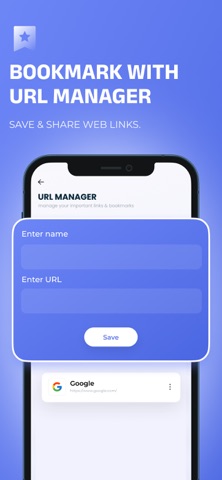
- Bookmark & URL Manager – Save and organize links with ease, so you never lose an important webpage.
- One-Tap File Send – No setup required! Just tap and share with nearby devices in seconds.
- Easy Photo & Video Sharing – Transfer high-quality images and videos without compression or loss.
- Scan & Share via QR Code – No need to enter details! Scan a QR code and start sharing instantly.
Experience lightning-fast, secure file sharing for work, photos, videos, or any other files. With ShareKaro, you can rely on high-speed transfers and advanced features to stay connected without limits.
For an uninterrupted experience, consider subscribing to access all app features without ads through an auto-renewing subscription available on a weekly, monthly, or yearly basis. Manage your subscription settings and turn off auto-renewal within your iTunes Account Settings after purchase, ensuring flexibility and control over your subscription.
Current subscription may not be canceled during the active subscription period; however, you can manage your subscription and/or turn off auto-renewal by visiting your iTunes Account Settings after purchase.
Read our full Terms of Service and our Privacy Policy at:
Link to Privacy Policy: https://sdappsstudio.blogspot.com/p/privacy-policy.html
Link to Terms of use: https://sdappsstudio.blogspot.com/p/terms-conditions.html
Each subscription will automatically renew 3 days before the expiration date for
the same time period. Subscriptions can be cancelled at any time before the renewal.