

NemoScoutApp is made and published by Stephan Edelman. AppBrain is an independent app data site and isn't affiliated with Stephan Edelman. The app name, icon, screenshots and description belong to Stephan Edelman and are shown as published on the App Store.
AppBrain's verdict
- Last updated
- April 29, 2021
Rankings
App Store top chartsApp Store Rankings for NemoScoutApp
Competitors
Similar apps and more from Stephan EdelmanAlternatives to NemoScoutApp






Also available on Google Play

Releases
Updates seen on the App Store- Version
- 1.10
- Launched
- April 2020
No changelog data
User feedback
Ratings and reviews on the App StoreComments on NemoScoutApp for iOS
We don't have enough comments to show example comments. Please check back later.
Technology
Found in the app by AppBrain- Price
- Free
- App size
- 15.0 MB
- Content rating
- Everyone
Technologies used by NemoScoutApp
About the app and developer
About NemoScoutApp
NemoScoutApp is an utilities app developed by Stephan Edelman.
User Ratings
The app has no ratings yet.
App Information
NemoScoutApp is freely available from the App Store. The app size is 15.05 MB. The latest version available is 1.10. The last update was on April 29, 2021.
Technical Requirements
The app has a content rating of Everyone. The app has been available on the App Store since April 2020.
Developer information for Stephan Edelman
Address:
Frequently asked questions about NemoScoutApp
Is NemoScoutApp free?
Yes. NemoScoutApp is free on the App Store.
Is NemoScoutApp still available?
Yes. NemoScoutApp is on the App Store, and the last update we saw was on April 29, 2021.
How large is NemoScoutApp?
NemoScoutApp is 15.05 MB.
Is NemoScoutApp suitable for children?
App Store rates the content of NemoScoutApp as suitable for everyone.
Who made NemoScoutApp?
NemoScoutApp was developed by Stephan Edelman. It is listed in the utilities category on the App Store.
What are the best alternatives to NemoScoutApp?
People looking at NemoScoutApp also look at these utilities apps: SubStandard, C172 Performance, smartMFD by Guardian Avionics, AirHorizon: Attitude Indicator, FlightLink.
Store listing
By Stephan Edelman, from the App Store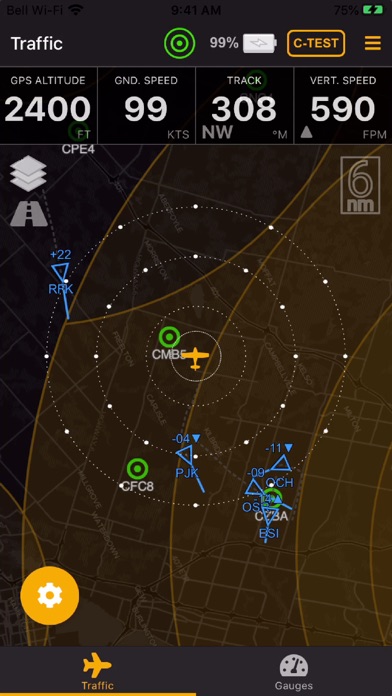
Description by Stephan Edelman Written by the developer, not by AppBrain. Click to read.
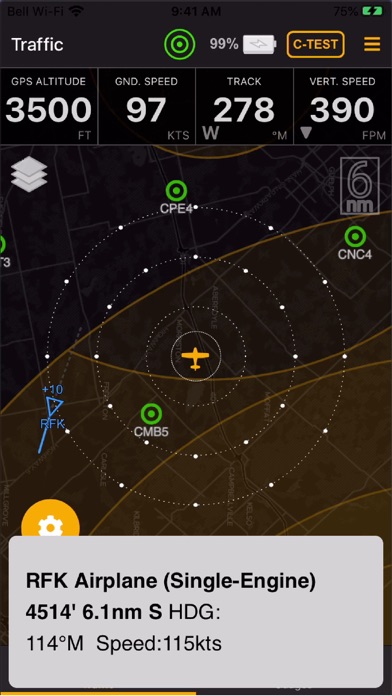
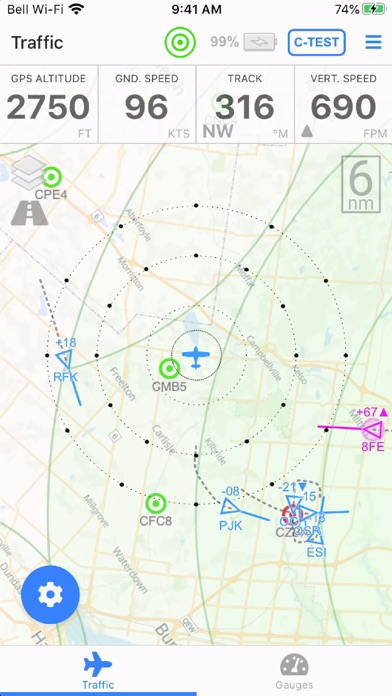
The app provides for a visual display of the traffic surrounding your present position using a TCAS-like display. Traffic is identified by triangles on top of a moving map that indicate the direction and altitude difference of any conflicting aircraft. Visual and audible warnings are provided when conflicting aircraft breach minimum clearance distances configured in the app. Different clearance distances for aircraft and obstacles can be applied when traveling en-route or when flying the pattern.
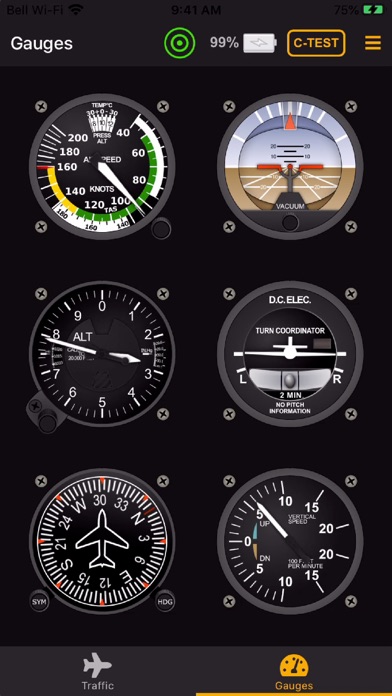
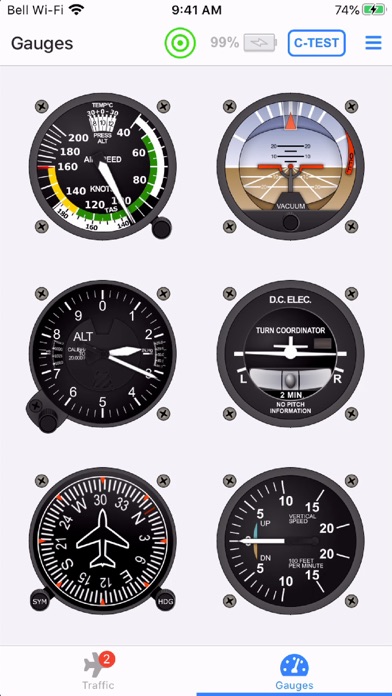
The app can also be utilized to display ground speed, altitude, heading, vertical speed, attitude and rate of turn for back up purposes to your main instruments. Ground speed, vertical speed and altitude are obtained from the integrated WAAS GPS. Heading and attitude are obtained from the integrated AHRS sensor.
The app includes an integrated airport database, obstacle database and airspace database that is updated every 56 days. The airport database (North America only) identifies all registered open-to-the-public aerodromes (grass or paved). Airports with weather available are identified in red and can be tapped to reveal the local METAR. Weather is received either over-the-air (for equipped aerodromes) or over the Internet (requires a 3G/4G/LTE connection). The obstacle database (North America only) contains most man-made obstacles taller than 200ft above the ground, including communication towers and windmills. The airspace database (North America only) identifies all control zones (CZ), terminal control areas (TCA), restricted CYA and CYR areas and all associated height restrictions.
The app can be utilized to send GDL90 compatible GPS position and traffic information to compatible EFB apps (operating on the same WiFi access point), including ForeFlight, WingX, FltPlan Go, FlyQ EFB, iFly GPS and others. Note that attitude information is displayed in most EFB apps, with the exception of ForeFlight.