

Neoline Assist is made and published by NEOLINE. AppBrain is an independent app data site and isn't affiliated with NEOLINE. The app name, icon, screenshots and description belong to NEOLINE and are shown as published on the App Store.
AppBrain's verdict
- Rating on App Store
- 1.00
- 1 ratings
- Last updated
- February 25, 2026
It doesn't have enough ratings yet to judge what users think.
Rankings
App Store top chartsApp Store Rankings for Neoline Assist
Competitors
Similar apps and more from NEOLINE







Releases
Updates seen on the App Store- Version
- 1.0.4
- Launched
- July 2024
No changelog data
User feedback
Ratings and reviews on the App StoreComments on Neoline Assist for iOS
We don't have enough comments to show example comments. Please check back later.
Technology
Found in the app by AppBrain- Price
- Free
- App size
- 20.7 MB
- Content rating
- High
Technologies used by Neoline Assist
About the app and developer
About Neoline Assist
Neoline Assist is an utilities app developed by NEOLINE.
User Ratings
Neoline Assist is rated 1.00 out of 5 stars. The rating is based on one rating ratings.
App Information
Neoline Assist is freely available from the App Store. The app size is 20.69 MB. The latest version available is 1.0.4. The last update was on February 25, 2026.
Technical Requirements
The app has a content rating of High Maturity. The app has been available on the App Store since July 2024.
Developer information for NEOLINE
Address:
Store listing
By NEOLINE, from the App Store


Description by NEOLINE Written by the developer, not by AppBrain. Click to read.
This application is compatible with the devices:
- Neoline ARGUS 4K
- Neoline ARGUS 4K Dual
Neoline Assist application features:
- Online video viewing from the DVR
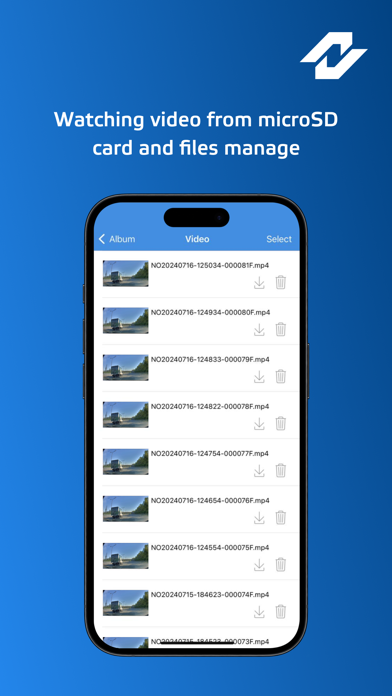
- Watching video from microSD card
- Downloading chosen files to internal mobile memory
- Access to DVR settings
- microSD card formatting
- Software update
The application was developed exclusive for the Neoline DVR ARGUS series. Neoline Assist allows to manage your files on the device – watch, download to the internal memory, share and delete them.
You can also keep track of the relevance of installed FW version and if necessary, update it from a mobile phone directly without laptop.
For troubleshooting and suggestion, please send an email to customer service at app@neoline.com