Download Android Apps and Games
AppBrain
  • Apps
  • Apps being viewed right now Trending apps today Most popular apps All-time most downloaded apps Top rated apps
  • Intelligence ▾
    Intelligence overview → Track any Android app or your whole market
    Track & analyze
    Keyword Tracker & OptimizerTrack & improve Play rankings App Performance ReportOne-off PDF for any app StatisticsFree Android & Play market stats
    Promote your app
    Featured Apps App Links
  • Intelligence
  • Pricing
  • Dashboard
  • Sign up
  • Log in
Last updated on: 2026-07-14
App Store Apps > Productivity > NetaData
NetaData icon

NetaData

4.7
勇 崔
0.00
0 reviews
Free

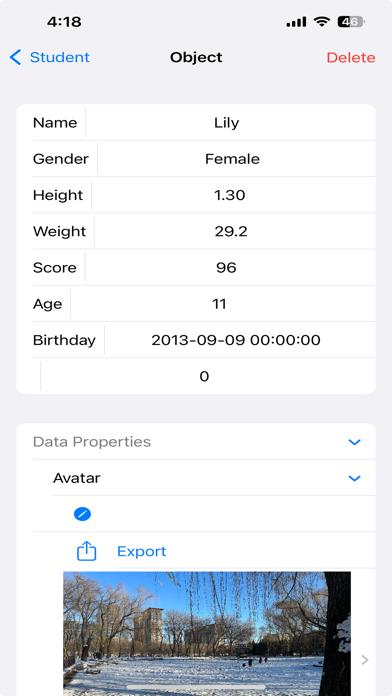
NetaData Screenshot 1 of 9
NetaData Screenshot 2 of 9
NetaData Screenshot 3 of 9
NetaData Screenshot 4 of 9
NetaData Screenshot 5 of 9
NetaData Screenshot 6 of 9
NetaData Screenshot 7 of 9
NetaData Screenshot 8 of 9
NetaData Screenshot 9 of 9
Download from the App Store

About NetaData

NetaData is an overall app developed by 勇 崔.

Download Statistics

User Ratings

The app has no ratings yet.

App Information

NetaData is FREE to download. The APK download size is 2.43 MB. The latest version available is 4.7. The last update was on October 15, 2024.

Technical Requirements

The app has a content rating of Everyone. The app has been available on Google Play December 2023.

Description
===Definition data===:

A class of data is described by defining multiple properties.
Support basic properties (integer, double, string, date) and data properties (text, picture, movie).
One property of the data class corresponds to one column of multi row and multi column data.
One object of the data class corresponds to one row of multi row and multi column data.

===Edit Data===:

You can add and edit objects, modify its basic properties or data properties.


import and export objects in CSV format.
Objects can be imported from CSV files exported from Number or Excel apps.
Or objects can be exported to CSV files to be imported into Number or Excel apps.
Importing also supports Json format.

===Import Data===:

Copy text or files in CSV or JSON format and paste them into the application. 
Or collecting data by accessing a configured URL with CSV or JSON content every n seconds.

Basic properties in CSV or JSON are provided as values.
Data properties in CSV or JSON are provided as urls which contain the data.

===Export Data===:

Support exporting basic properties in CSV format. 
Generate text in CSV format for the basic properties, then export(copy or save it as a CSV file).

Group summaries can also be exported as CSV.

===Group, Filter and Sort Data in List and Charts===:

You can filter, group, sort, and display the objects of the data class according to any five properties of the data class.
Support three different filtering and display settings to help you view data from different perspectives.
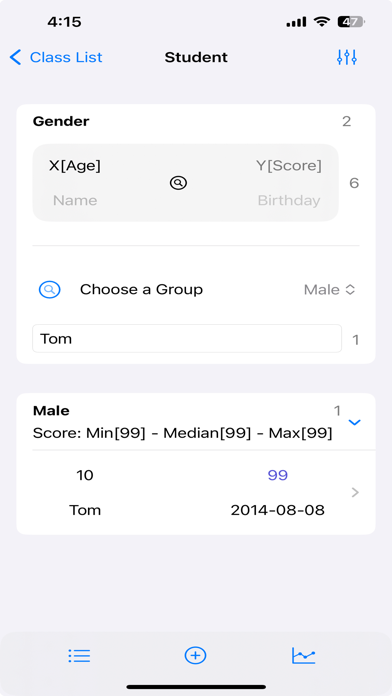
Support quick search on the filtered objects per keywords.

Filtering supports multiple conditions (text contain, contained in some text, greater than, less than, equal-to, and not-equal).
Sorting supports ascending or descending order.

Display supports list display and kinds of chart display.

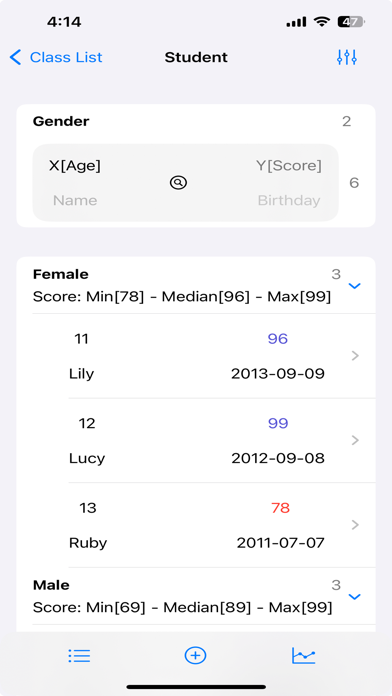
One grouping property and the other four properties you selected will be displayed in the list.
You can set the aggregation type for each property of the four properties.
Filter conditions, display color and precision can be set for each of the five properties.
The list group header displays the value of the group property and the aggregation information (count, sum, median, average etc.) of the group.
Each row of the list displays four properties of the object according to four importance levels.

The precision settings are used for grouping, filtering, and displaying.

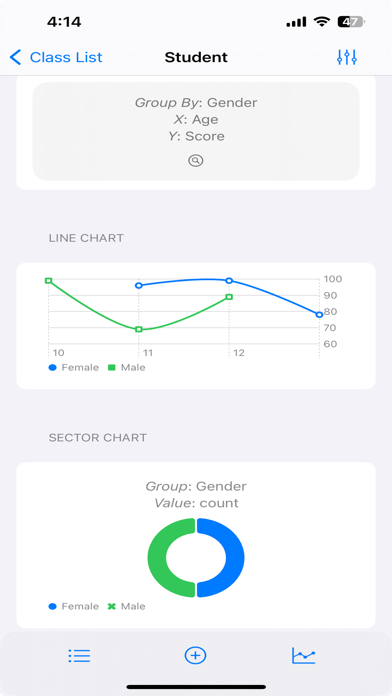
Chart display, grouped by the group-by property, with the first two of the four properties you select as the X axis and Y axis, displays line chart, bar chart, point chart and area chart.
A sector chart is grouped by the group-by property, displaying the objects number in each group or the aggregated value of a property.
It means that any two properties can be used as the X axis and Y axis to draw a chart.
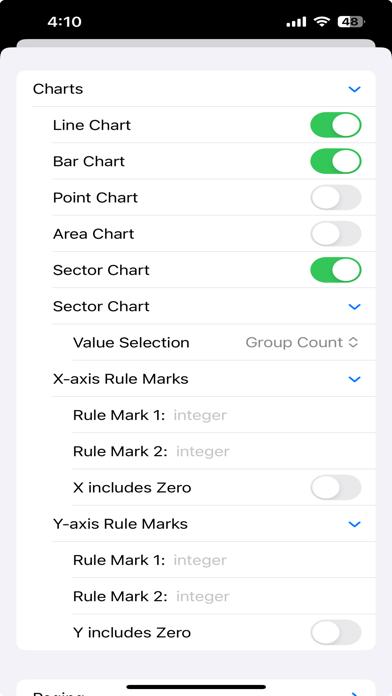
You can set two ruler lines for the X axis or Y axis.

=== Subscription ===:
You can add and explore 99, 999, or 9999 objects by subscribing.

Note:
Because this app can only be used with a subscription, please export your data before your subscription expires if you don't want to renew your subscription.


=== EULA ===:
[standard Apple Terms of Use (EULA)](https://www.apple.com/legal/internet-services/itunes/dev/stdeula/)
Show more Show less

More data about NetaData

Price Free to download
Rating No ratings
Ranking Not ranked
Version 4.7
App download size 2.43 MB
Suitable for Everyone

Alternative downloads for the NetaData app

HackPal icon HackPal
Michal Drahokoupil
0.0
Free
Quest: Task & Habit Manager icon Quest: Task & Habit Manager
Alexandr Kuziaev
0.0
Free
Summarly icon Summarly
wilder.dev
0.0
Free
camp - organize screenshots icon camp - organize screenshots
Studiolanes LLC
4.0
Free
10 ratings
NLTH Digi Stock Audit System icon NLTH Digi Stock Audit System
Nissanleasing
0.0
Free
MyPi. icon MyPi.
Kobi Snir
4.2
Free
37 ratings
CSV File Viewer - Smart CSV icon CSV File Viewer - Smart CSV
Hue Nguyen
3.8
Free
20 ratings
Resume AI - AI Resume Builder icon Resume AI - AI Resume Builder
CLOUD WHALE INTERACTIVE TECHNOLOGY LLC.
4.7
Free
246 ratings

More from 勇 崔

PDFShare icon PDFShare
勇 崔
0.0
Free
CSVShare icon CSVShare
勇 崔
0.0
Free
SevenCards icon SevenCards
勇 崔
0.0
$0.99
Meta-Data icon Meta-Data
勇 崔
0.0
Free

Changelog of NetaData

No changelog data

Developer information for 勇 崔

勇 崔

Address:

Share NetaData

Comments on NetaData for iOS

We don't have enough comments to show example comments. Please check back later.

App Store Rankings for NetaData

This app is not ranked

Technologies used by NetaData

HackPal icon HackPal
Quest: Task & Habit Manager icon Quest: Task & Habit Manager
Summarly icon Summarly
camp - organize screenshots icon camp - organize screenshots
NLTH Digi Stock Audit System icon NLTH Digi Stock Audit System
MyPi. icon MyPi.
CSV File Viewer - Smart CSV icon CSV File Viewer - Smart CSV
Resume AI - AI Resume Builder icon Resume AI - AI Resume Builder

Back to top
AppBrain Intelligence premium content

Subscribe now to get full and unlimited access to AppBrain Intelligence. You'll have access to:

  • App Intelligence dashboard (performance timeline, competitor comparison, country rankings, insight cards)
  • Detailed ranking data per app
  • Full timeline per developer
  • Device market shares data per country
  • Unlimited keyword tracking
1 Month

$75/mo
(billed every month)

SAVE 0%
Subscribe
3 Months

$65/mo
($195 billed every 3 months)

SAVE 13%
Subscribe
1 Year

$57.50/mo
($690 billed every year)

SAVE 23%
Subscribe
Each subscription will automatically renew 3 days before the expiration date for the same time period. Subscriptions can be cancelled at any time before the renewal.

AppBrain is a directory focused on discovering great apps and games. We give statistics, rankings and search options that Google Play and the App Store don't have. All trademarks are owned by their respective owners. AppBrain doesn't offer APKs or binaries, and always lets users install the official version from Google Play or the App Store.

More apps

  • Top Android apps being viewed
  • Graph to Equation
  • View Procrastination App
  • NBot: AI Agent for News

Android Statistics

  • Android statistics
  • Google Play Developer stats
  • Trending Android Apps
  • Top popular Apps
  • Buy the best Android phone

About AppBrain

  • Contact
  • Privacy
  • Documentation
  • DMCA takedowns
  • Articles
  • Blog
  • How to improve the earnings of your ad units
© 2010-2026 - AppBrain