

NetSupport Tutor Assistant
NetSupport Tutor Assistant is made and published by NetSupport Ltd. AppBrain is an independent app data site and isn't affiliated with NetSupport Ltd. The app name, icon, screenshots and description belong to NetSupport Ltd and are shown as published on the App Store.
AppBrain's verdict
Established- Rating on App Store
- 2.25
- 4 ratings
- Last updated
- May 19, 2022
- Size
- 4.76 MB
It doesn't have enough ratings yet to judge what users think.
User feedback
Ratings and reviews on the App StoreComments on NetSupport Tutor Assistant for iOS
We don't have enough comments to show example comments. Please check back later.
Store listing
By NetSupport Ltd, from the App Store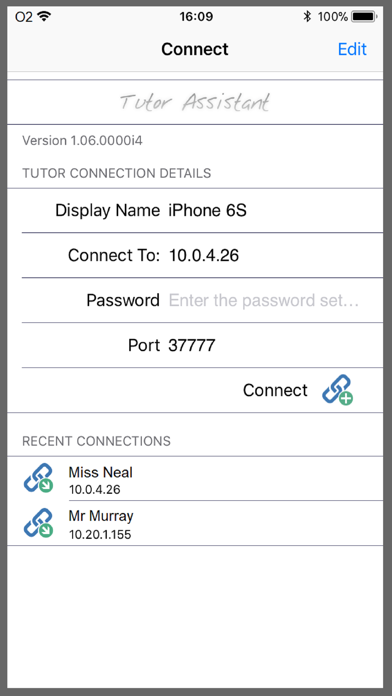

Description by NetSupport Ltd Written by the developer, not by AppBrain. Click to read.
iPad, iPhone and iPod compatible, when paired with your NetSupport desktop Tutor console, the Tutor Assistant helps you retain key control and monitoring of all student workstations.
Features include:
Monitor Students
Crystal clear thumbnails of each student machine will be displayed, giving you an instant view of the classroom.
Group Collaboration
Interact and engage with any pre-defined student group.
Maintain Student Focus
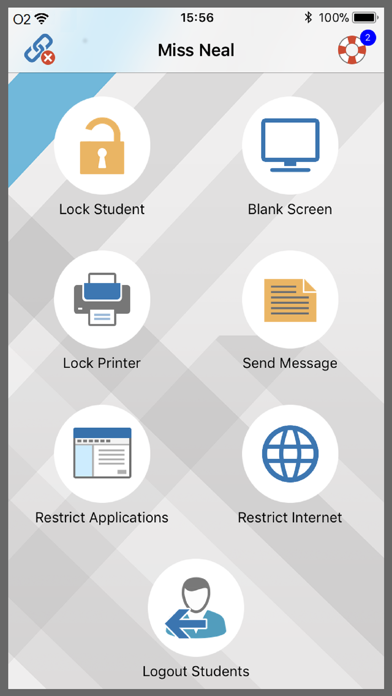
Lock the student's mouse and keyboard when instructing and blank screens to gain attention.
Application Monitoring and Control
Monitor application use across the classroom. Use ‘approved’ and ‘restricted’ lists, as defined at your main NetSupport Tutor console, to control application use.
Internet Monitoring and Control
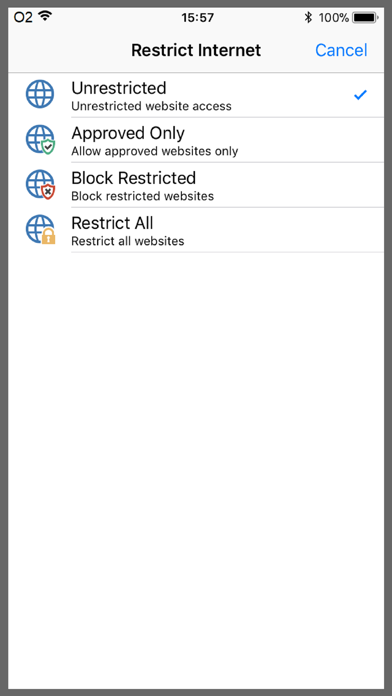
Block the internet to retain student focus when instructing or monitor internet use. Use ‘approved’ and ‘restricted’ lists, as defined at your main NetSupport Tutor console, to control access to websites.
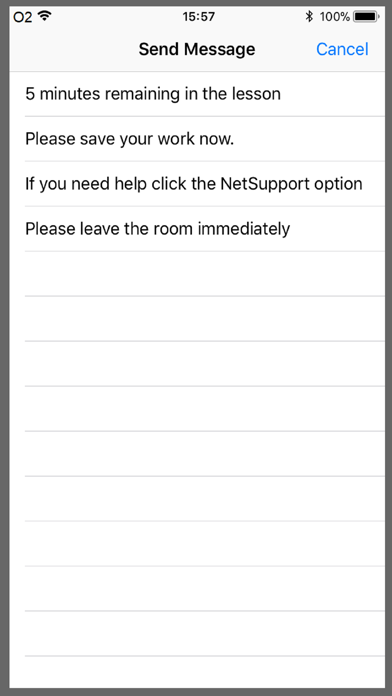
Send Message
Send a pre-set message or instruction to students.
Logout all Students
Remotely logoff all student machines.
Print Management
Reduce costs by managing printer use.
Display Student Help Requests
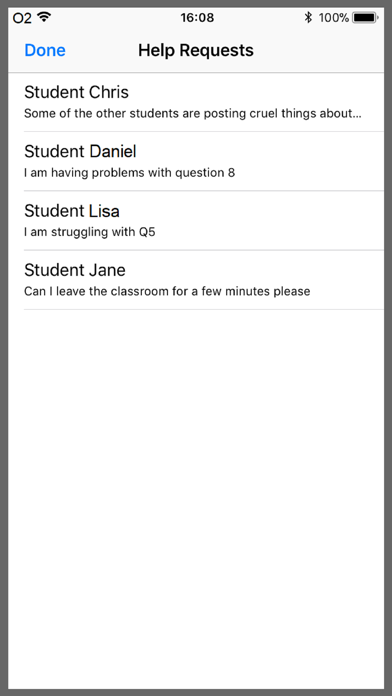
Students can discreetly request help from the teacher.
Safety and technology
Found in the app by AppBrain- Price
- Free
- App size
- 4.76 MB
- Content rating
- Everyone
Technologies used by NetSupport Tutor Assistant
Releases
Updates seen on the App Store- Version
- 1.07.0000
- Launched
- July 2012
No changelog data
Alternatives
Similar apps and more from NetSupport LtdAlternatives to NetSupport Tutor Assistant







More from NetSupport Ltd





Rankings
App Store top chartsApp Store Rankings for NetSupport Tutor Assistant
About the app and developer
About NetSupport Tutor Assistant
NetSupport Tutor Assistant is an education app developed by NetSupport Ltd.
What is the rating of NetSupport Tutor Assistant?
NetSupport Tutor Assistant is rated 2.25 out of 5 stars, based on 4 ratings.
Is NetSupport Tutor Assistant free?
NetSupport Tutor Assistant is free. The app size is 4.76 MB. The latest version available is 1.07.0000. The last update was on May 19, 2022.
What are the requirements for NetSupport Tutor Assistant?
The app has a content rating of Everyone. The app has been available on the App Store since July 2012.
Developer information for NetSupport Ltd
Address: