

Network Toolbox Net security
Network Toolbox Net security is made and published by WHATSTICKER APPS SRL. AppBrain is an independent app data site and isn't affiliated with WHATSTICKER APPS SRL. The app name, icon, screenshots and description belong to WHATSTICKER APPS SRL and are shown as published on the App Store.
AppBrain's verdict
EstablishedLoved by users- Rating on App Store
- 4.59
- 3,378 ratings
- Last updated
- December 16, 2024
- Size
- 152.5 MB
Users love it: 4.6 stars from 3,378 ratings.
User feedback
Ratings and reviews on the App StoreComments on Network Toolbox Net security for iOS
We don't have enough comments to show example comments. Please check back later.
Store listing
By WHATSTICKER APPS SRL, from the App Store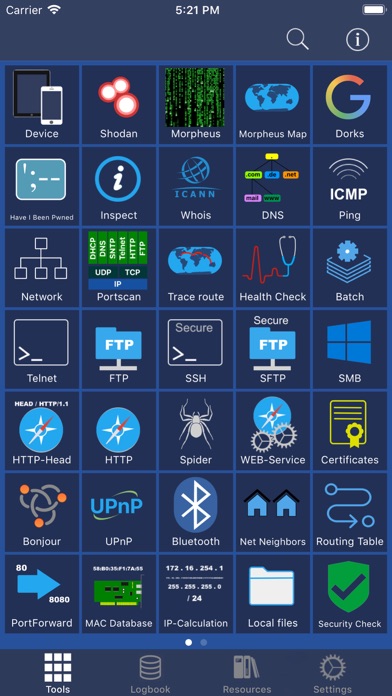

Description by WHATSTICKER APPS SRL Written by the developer, not by AppBrain. Click to read.
Read the Manual at: https://www.networktoolbox.de/ios-manual/
This App with its 50+ individual Tools helps to analyse local or public networks for security issues or wrong configurations.
It provides various scanning options such as WiFi Network IP scanning, Port scanning and integrates the SHODAN scan engine, Security exploit tests and more.
Feature summary:
DEVICE INFORMATION
■ Device and public IP Address
■ Network interfaces (WiFi, 3G/4G)
SHODAN AND MORPHEUS SEARCH
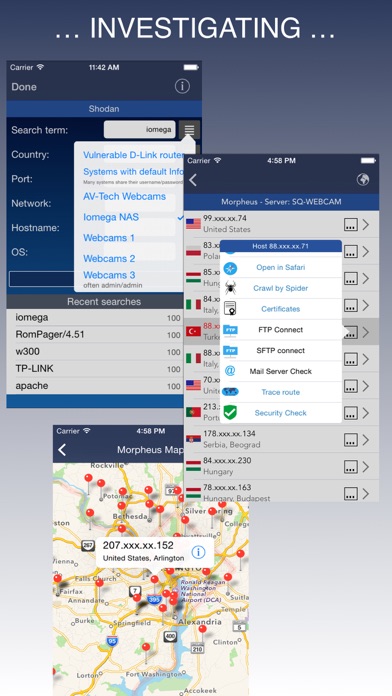
■ Expose online devices
■ Search by keyword, country, port, network, hostname
MAP SEARCH
■ Search and expose online devices for on a given location
NS-LOOKUP with DOMAIN INFORMATION
■ Provides information for a certain domain or ip
■ Provide information about the number of attacks (ISC)
■ Location of IP or Host display on a map
■ DNS records such as MX, A, TXT etc.
WIFI NETWORK SCAN
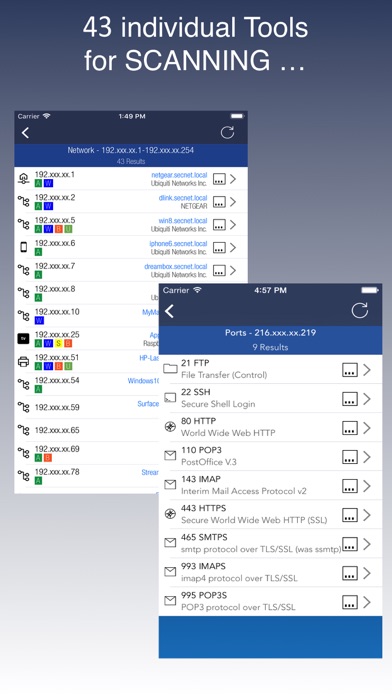
■ Discover all devices on your network
■ Including IP, MAC, Vendor, Network Name
PING
■ Ping IP or domain
■ Show Errors and RTT
■ Display results graphically
WHOIS
■ Find out who is behind a certain domain
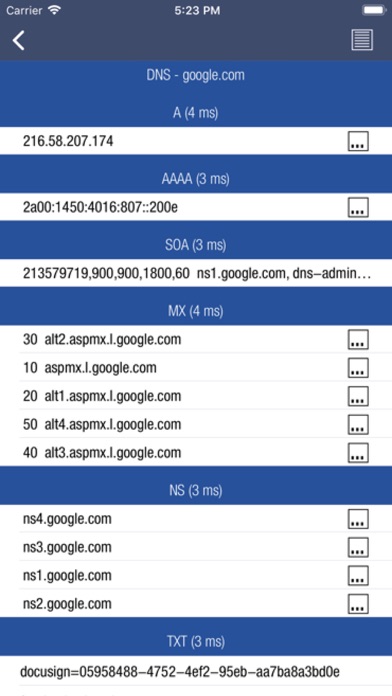
DNS
■ Query ANY! DNS Server
■ See DNS record information such as A,TXT,CNAME,MX,SOA etc.
■ See and compare DNS Server response times
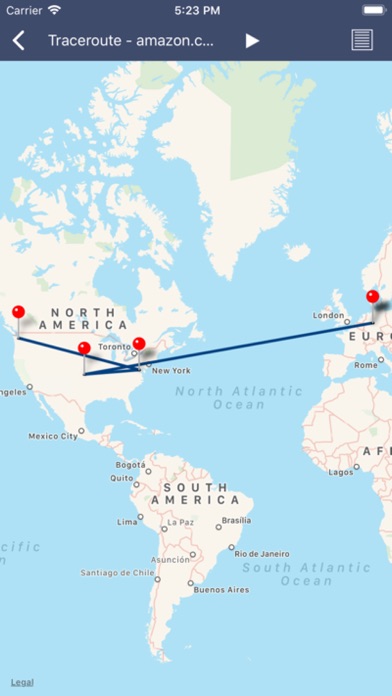
VISUAL TRACEROUTE
■ Analyze how packets get to their destination
SOCKETS
■ Socket analysis and terminal tool
■ Predefined protocols for Telnet, FTP, HTTP, POP3 and IMAP
■ Inspect server responses
■ Send arbitrarily data to the server
FTP and SFTP CLIENT
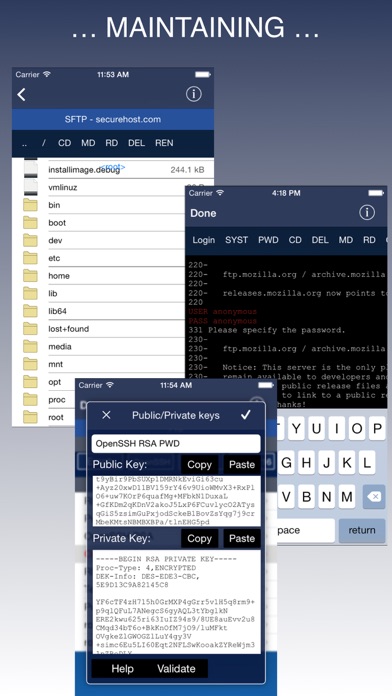
■ Browse remote directory tree
■ Direct file viewing
■ File and directory operations
■ Upload and download of multiple files to device
■ Default password list check of FTP server
■ Public / Private Key support (New!)
SSH CLIENT
■ Terminal client for SSL
■ Default password list check of server
SFTP CLIENT
■ Same functionality as FTP
MAC ADDRESS DB
■ Find out which vendor is responsible for which MAC address and v/v
IP CALCULATION
■ Calculate net-masks, first-,last- addresses etc.
HTTP BROWSER
■ Site Default password check
■ Possibility to select user agents from Blackberry over Firefox, IE, Safari and iOS
■ Display source code, plain text or hirachically browse XML
SPIDER
■ Crawl website and collect all contained links
■ Analyze robots.txt
■ Both, websites and disallows robots content can be further analyzed
BLUETOOTH
■ Scan and reveal Bluetooth LE devices
CERTIFICATES
■ Inspect Server (e.g. HTTPS) certificates in a readable format
BONJOUR and UPnP
■ Scan and discover Bonjour or UPnP services
MAIL SERVER CHECK
■ Analyze issues with your mail settings
LOCAL FILES
■ Handle files downloaded via FTP or SFTP or HTTP (New!)
■ File and directory operations
■ File viewer (PDF, Text, Image, HTML)
■ Open files in other apps, installed on your device
■ Send file via E-Mail
HELP TEXTS
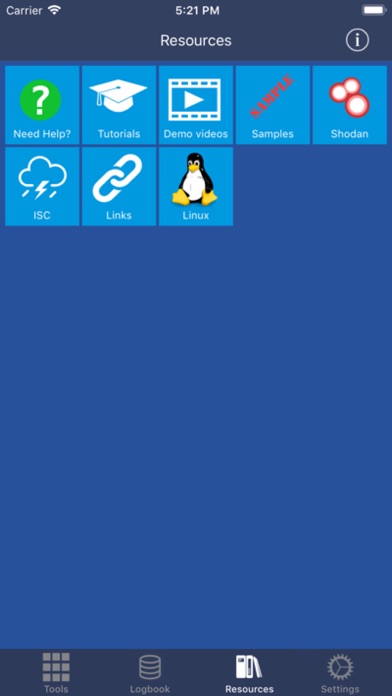
■ Each tool has a detailed description of their purpose and how to use
Subscribe to access to premium app features; subscription details are the following:
• Length: weekly, monthly, yearly
• Your payment will be charged to your iTunes Account as soon as you confirm your purchase
• You can manage your subscriptions and turn off auto-renewal from your Account Settings after the purchase
• Your subscription will renew automatically, unless you turn off auto-renew at least 24 hours before the end of the current period
• The cost of renewal will be charged to your account in the 24 hours prior to the end of the current period
• When cancelling a subscription, your subscription will stay active until the end of the period. Auto-renewal will be disabled, but the current subscription will not be refunded
• Any unused portion of a free trial period, if offered, will be forfeited when purchasing a subscription
Terms of Use: https://www.apple.com/legal/internet-services/itunes/dev/stdeula/
Safety and technology
Found in the app by AppBrain- Price
- Free
- App size
- 152.5 MB
- Content rating
- High
Technologies used by Network Toolbox Net security
Releases
Updates seen on the App Store- Version
- 16.7
- Launched
- June 2013
No changelog data
Alternatives
Similar apps and more from WHATSTICKER APPS SRLAlternatives to Network Toolbox Net security







More from WHATSTICKER APPS SRL


Rankings
App Store top chartsApp Store Rankings for Network Toolbox Net security
About the app and developer
About Network Toolbox Net security
Network Toolbox Net security is a productivity app developed by WHATSTICKER APPS SRL.
User Ratings
Network Toolbox Net security is rated 4.59 out of 5 stars. The rating is based on 3.4 thousand ratings.
App Information
Network Toolbox Net security is freely available from the App Store. The app size is 152.47 MB. The latest version available is 16.7. The last update was on December 16, 2024.
Technical Requirements
The app has a content rating of High Maturity. The app has been available on the App Store since June 2013.
Developer information for WHATSTICKER APPS SRL
Address:
Frequently asked questions about Network Toolbox Net security
Is Network Toolbox Net security free?
Yes. Network Toolbox Net security is free on the App Store.
Is Network Toolbox Net security still available?
Yes. Network Toolbox Net security is on the App Store, and the last update we saw was on December 16, 2024.
How large is Network Toolbox Net security?
Network Toolbox Net security is 152.47 MB.
Is Network Toolbox Net security suitable for children?
App Store gives Network Toolbox Net security a high maturity rating. It is meant for adults.
How do people rate Network Toolbox Net security?
Network Toolbox Net security scores 4.59 out of 5 stars, from 3,378 ratings on the App Store.
Who made Network Toolbox Net security?
Network Toolbox Net security was developed by WHATSTICKER APPS SRL. It is listed in the productivity category on the App Store.
What are the best alternatives to Network Toolbox Net security?
People looking at Network Toolbox Net security also look at these productivity apps: Network Utilities & Analyzer, Itemido: Manage Home Inventory, PRTG - Monitoring, gTasks Pro for Google Tasks, Mouse · Keyboard.